
Analog clock widget with seven faces
This analog clock widget puts a proper face with hands on your new tab, and version 4.0 gave it six new ones. Digits tell you the time. A face shows how much of the hour has gone, which helps if you think in blocks rather than timestamps.
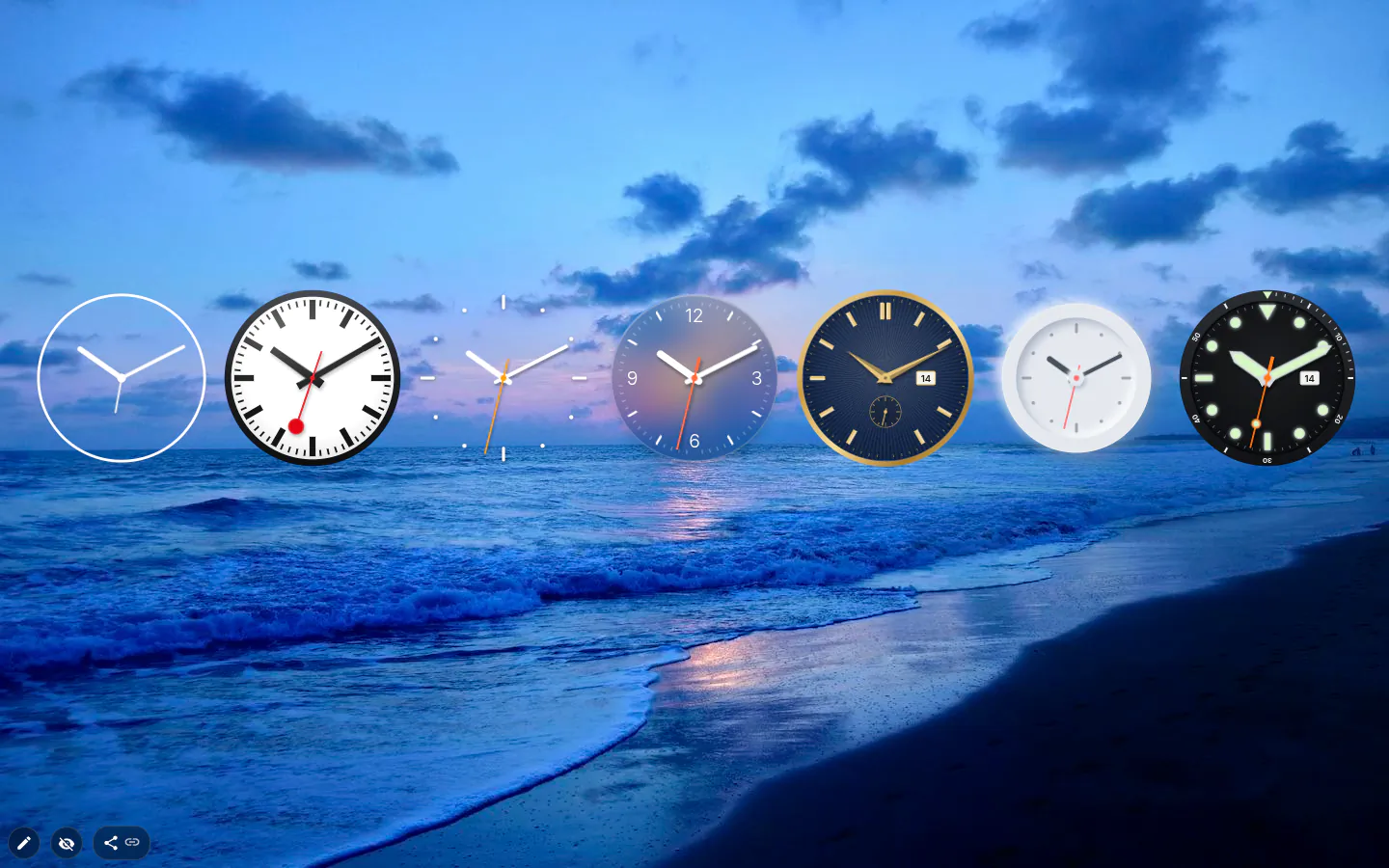
Seven faces, one of them a station clock
Classic is the old face, and every analog clock you already had stays on it. New ones from the menu arrive in Glass, a bit under three quarters of full size. The other five are Railway, Minimal, Luxury, Soft and Diver, and Luxury and Diver also get a little date window.
Railway is the one to watch. Like a Swiss station clock, the red second hand sweeps round in about 58 seconds, stops at 12 and waits for the minute hand to jump. Luxury’s small seconds hand moves in eight tiny steps a second, the way a mechanical watch does.
Smooth, ticking, or no second hand
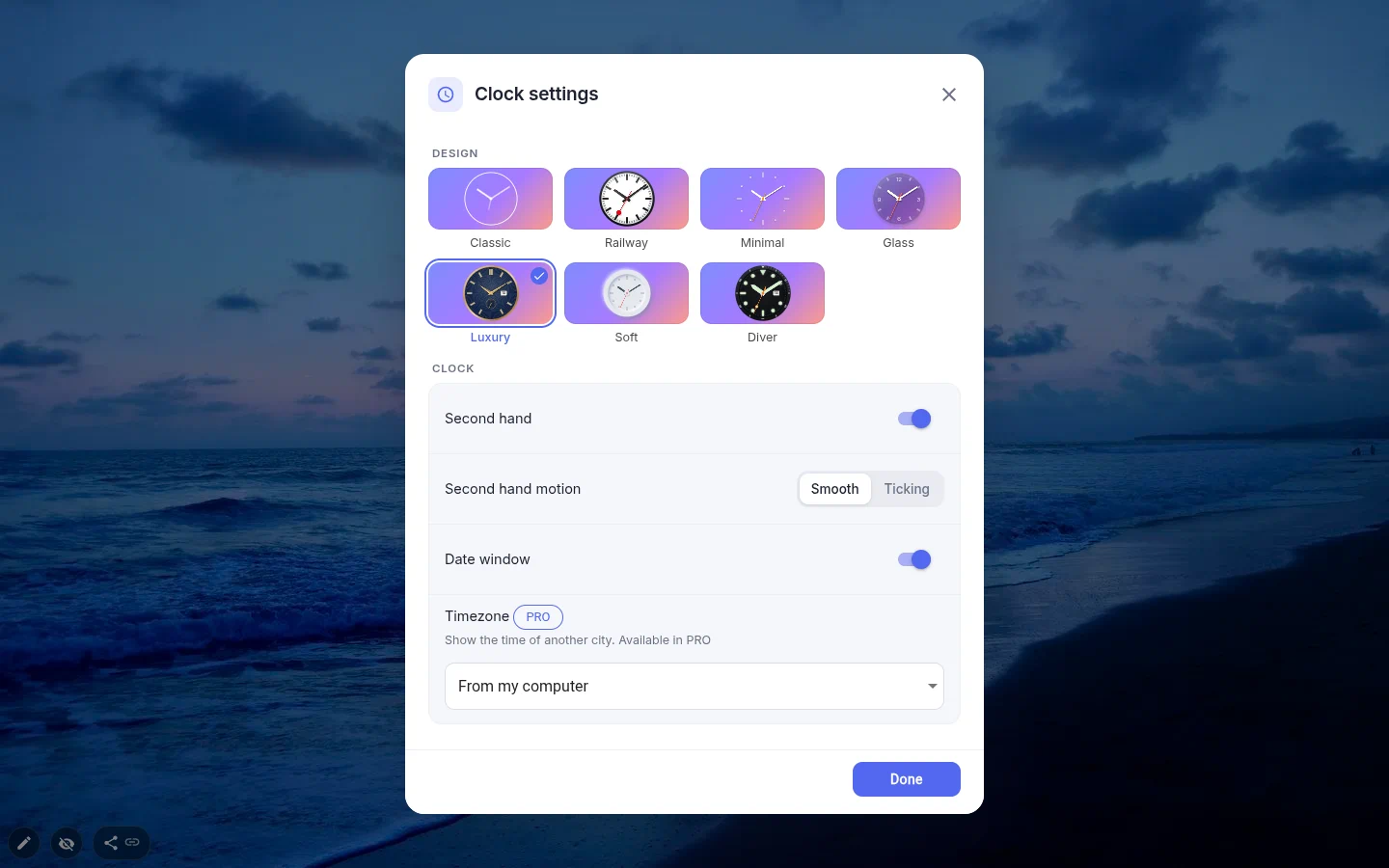
Second hand motion is Smooth out of the box, one continuous sweep. Ticking jumps once a second. And if any movement at all distracts you, switch Second hand off. Classic is the one face without the motion setting.
The hands are turned by CSS rather than redrawn frame by frame, and every 30 seconds the clock checks itself against the real time. Wake the laptop from sleep and any drift is gone by the next check.
Set your system to reduce motion and the second hand steps once a second instead of sweeping.
Time zones are PRO here
With PRO, each face can show a different city. The list is shared with the other clocks — 99 cities that handle daylight saving plus fixed UTC offsets — so three faces labelled London, Berlin and Singapore cover the team in one look.
Without PRO the time zone field opens an upgrade prompt and the face shows your computer’s time. If digits are enough, the text clock and the animated clock do other cities for free.
Size, sharpness and styling
The clock is square with the aspect locked, on a 200×200 base. The six new faces are SVG, Classic is built from CSS blocks, and after a resize the hands are redrawn at the new scale, so a big face stays crisp.
Styling is short. The new faces take one colour for the hands and marks and one for the dial. No border or rounding on those, and no shadow on any of the seven.
Analog Clock settings
- Design
- Classic, Railway, Minimal, Glass, Luxury, Soft, Diver. Old clocks stay Classic, new ones open in Glass.
- Second hand
- On by default. Turn it off for a calmer face.
- Second hand motion
- Smooth or Ticking. Classic does not have it.
- Date window
- The day of the month in a small window. Luxury and Diver only, on from the start.
- Timezone
- PRO. A city with daylight saving or a fixed UTC offset. Without PRO the face shows your computer’s time.
- Colours
- Hands and marks, plus the dial. That’s the full palette on the new faces.
- Size
- Aspect-locked resize from a 200×200 base.
What people use it for
- A row of faces for a team in three time zones (PRO).
- One large Railway clock in the middle of a quiet photo theme.
- Luxury with its date window instead of a separate date widget.
- Next to a digital clock, when you want the angle and the exact minute.
Put the analog clock on your new tab
It comes with New Tab Studio. The extension is free to install and needs no account to start.
- 1Add New Tab Studio to Chrome
- 2Open a new tab, click the button at the bottom left
- 3Pick the widget, then drag it into place
Questions about the analog clock widget
Is there a free analog clock for the Chrome new tab?
Yes, New Tab Studio’s analog clock is free, with all seven faces, a smooth or ticking second hand and a date window on Luxury and Diver. Showing another city’s time is the one PRO feature here. Without PRO the face follows your computer’s clock, and the text and animated clocks show other cities at no cost.
Can I show analog clocks for several cities?
Yes, with PRO each analog face can show its own city, picked from 99 cities that handle daylight saving or from fixed UTC offsets. Three faces set to London, Berlin and Singapore cover a spread-out team at a glance. Without PRO the time zone field opens an upgrade prompt instead of the list.
Does an analog clock set to a city change for daylight saving time?
Yes, an analog clock set to a city moves to summer time by itself, so London, Edinburgh switches to British Summer Time without your help. Only the fixed UTC offsets stay put, and older themes were built with those. Every 30 seconds the face also checks itself against the real time, which clears any drift after sleep.
Can the second hand tick instead of sweep?
Yes, the analog clock’s Second hand motion setting offers Smooth, the default, or Ticking, which jumps once a second. Classic is the one face without that choice, and you can hide the second hand altogether. Railway copies a Swiss station clock, sweeping round in about 58 seconds and pausing at 12 for the minute hand.
Widgets that pair well with it
See the full widget catalogue or browse themes other people have built.