
To do list widget for your Chrome new tab
A to do list widget that lives on your Chrome new tab, so the list is in front of you every time you open a tab — usually the exact moment you were about to forget something. It plans now as well, with Today and Later, priorities and due dates.
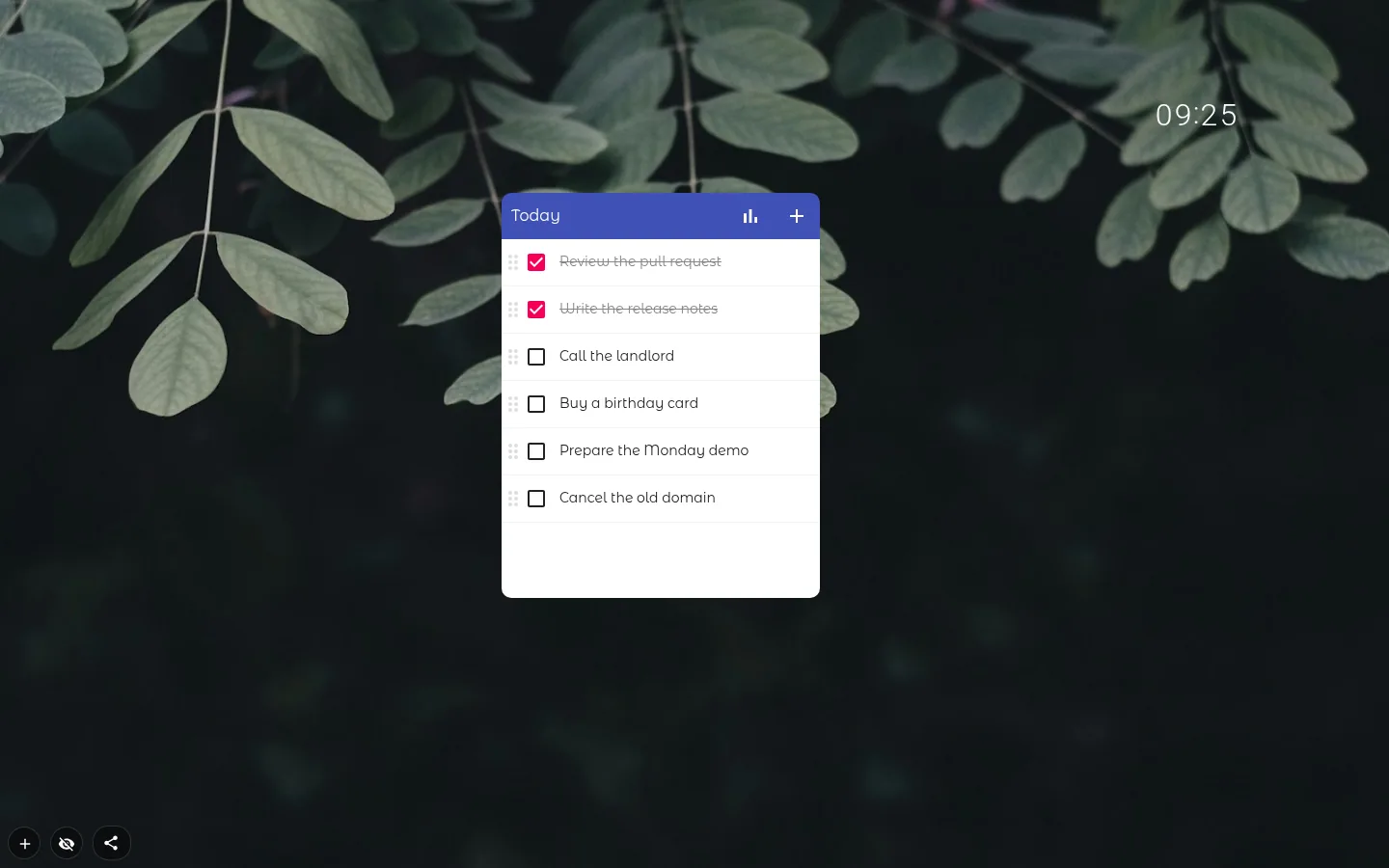
A planner with Today, Later and Done
Pick the Planner design and the list splits in three. Today is what you’re on now, Later is everything else, and Done folds itself shut so finished work doesn’t crowd the page.
Give a task a due date and it waits in Later until that day comes, then moves up to Today by itself. The check runs at midnight, no reload needed. Drag a task by hand and your call beats the date. Due dates are calendar days rather than hours, so there is no "by 3 pm".
Priorities, due dates and sorting
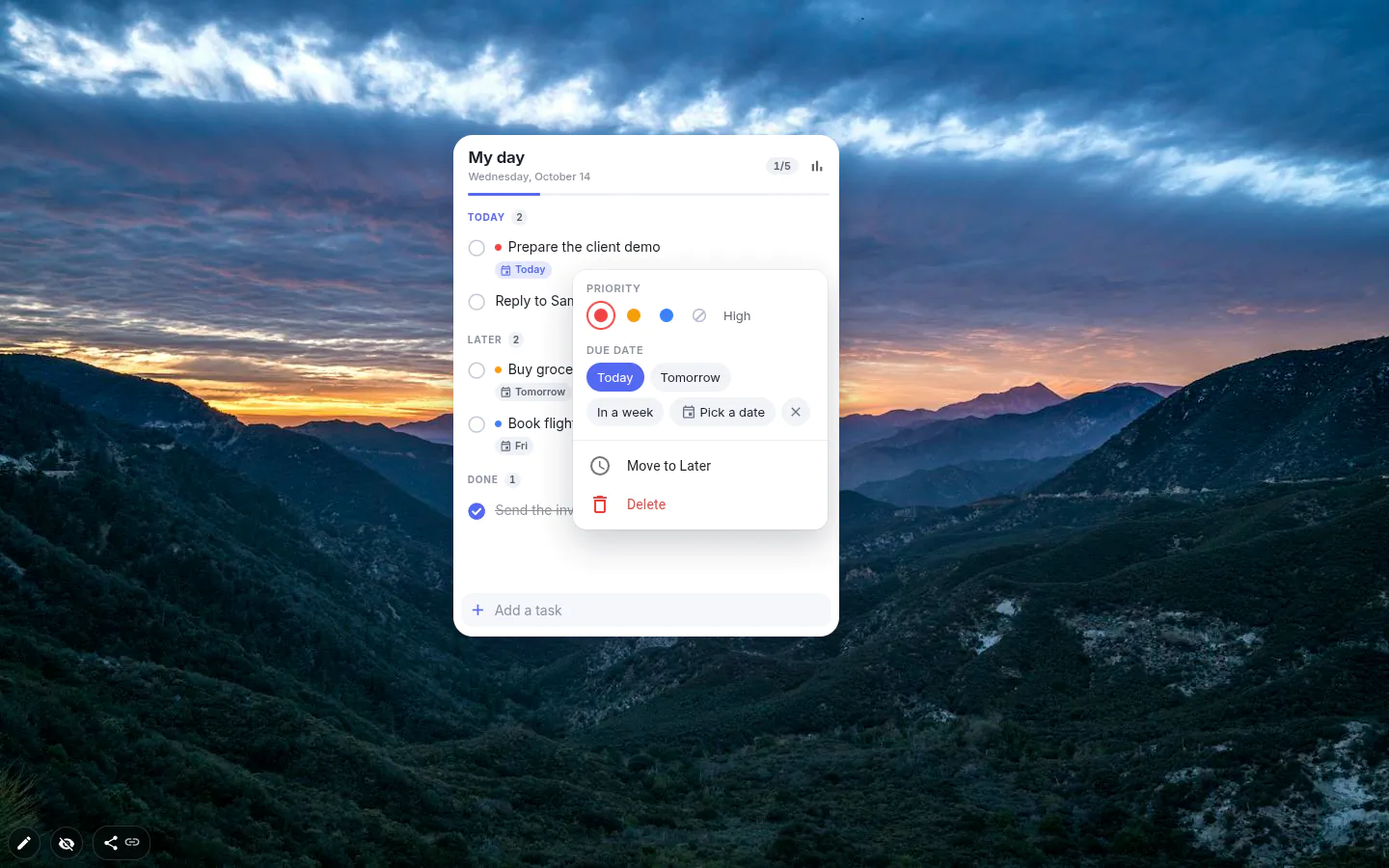
Switch on Priority and due date in the settings and each task can carry a coloured dot and a date, both set from its ⋯ menu. Priority goes No priority, Low, Medium, High. Due date offers Today, Tomorrow, In a week or any day you pick.
Order does the rest. My order is yours to arrange by dragging. Priority and Due date sort the list for you, push finished tasks to the bottom and switch dragging off, since the sort owns the order now. Planner lets you drag either way.
A new list arrives with three sample tasks, one of them High and due today, so you can see how it all fits before typing anything.
Where finished tasks go
In My order, with Show completed tasks on, a ticked task stays where it was, struck through. That’s a nice sight at four in the afternoon. Turn the switch off and ticked items leave the list instead; in Planner they drop into Done.
Move completed tasks to the archive tidies up for you, Next day or After a week (or Never). Archived tasks leave the list but stay in the statistics. You can also delete a finished task outright, and Delete means gone, chart included.
The 30-day chart and the archive
The chart icon in the header opens a bar chart of the last 30 days with the finished tasks listed underneath. Each has Return to the list, Uncheck and Delete. Clear archive empties the lot after asking, and those tasks leave the chart too.
The archive is not bottomless. It keeps the last 500 tasks for up to a year, and anything still on the 30-day chart is never dropped early. Plenty for a personal list. If you need a paper trail going back years, you need a different tool.
Several lists, seven designs
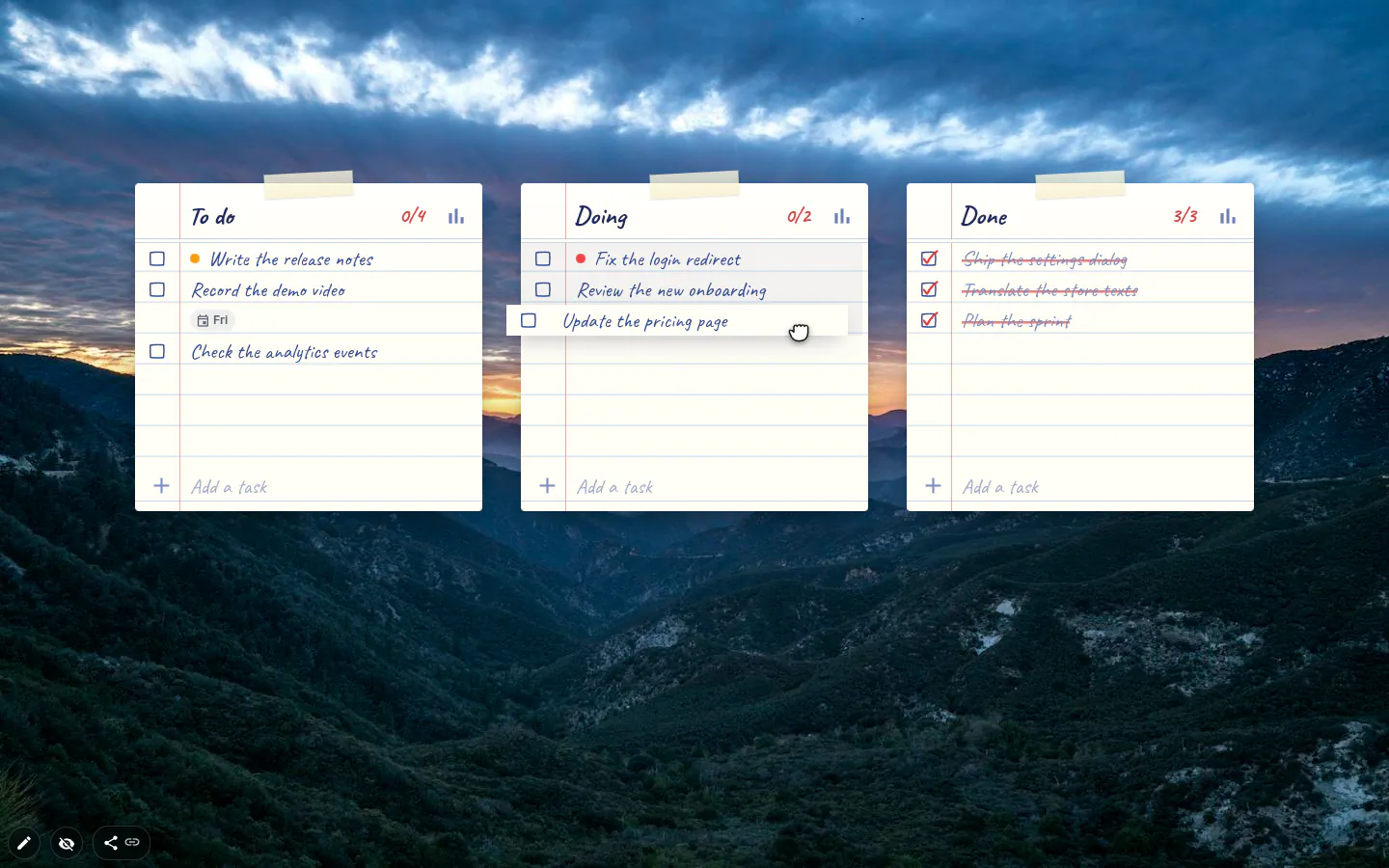
Tasks drag between widgets, not only inside one, so three lists called To do, Doing and Done make a kanban board in about a minute. The newer designs count progress in the header, 3/7 style, which is oddly motivating on a long day.
The designs are Classic, Glass, Light, Dark, Paper, Planner and Minimal, switched from the Design button or the top of the settings window. A new list starts in Glass (Light or Dark on a plain colour background). Lists you already had stay in Classic until you pick something else.
To-Do List settings
- Design
- Seven looks. Glass for a new list; lists from before the redesign keep Classic.
- Title
- Up to 70 characters. On a board it doubles as the column name.
- Priority and due date
- A coloured dot and a date on each task, set from its ⋯ menu. Every design has it except Classic.
- Order
- My order, Priority or Due date. Dragging works in My order and in Planner.
- Show completed tasks
- Off hides ticked tasks instead of striking them through.
- Move completed tasks to the archive
- Never, Next day or After a week. Runs when a tab opens and again at midnight.
- Accent color
- Eight options, the first one matching the design. Not in Classic.
- Open statistics
- The 30-day chart and the archive. The chart icon in the header opens the same window.
What people use it for
- A Planner list in the middle of a minimal page.
- A three-column kanban board, To do / Doing / Done.
- One list per client or subject, sorted by due date.
- A daily routine that archives itself the next morning.
- A packing list on a workspace you only open at home.
Put the to-do list on your new tab
It comes with New Tab Studio. The extension is free to install and needs no account to start.
- 1Add New Tab Studio to Chrome
- 2Open a new tab, click the button at the bottom left
- 3Pick the widget, then drag it into place
Questions about the to-do list widget
Is there a free digital to-do list?
Yes, Google Tasks, Microsoft To Do and Apple Reminders are all free digital to-do lists, and so is the to-do widget in New Tab Studio, which lives on your Chrome new tab with no account to create. Its Planner design splits the day into Today, Later and Done. The free plan lets you place three widgets by hand, so three lists if lists are all you need.
How do I put a to-do list on my Chrome new tab?
Chrome’s standard new tab page has no to-do list, so you need an extension that replaces it. With New Tab Studio installed, press the button in the bottom-left corner of any new tab and pick Todo list under Productivity. It arrives with three sample tasks, one marked High and due today, so you see how priorities look before typing your own.
What should a daily to-do list include?
A good daily to-do list holds only what you can realistically finish today, each task starting with a verb and the one that matters most at the top. Everything else belongs on a separate “later” list. The Planner design works that way, and a task with a due date moves from Later to Today by itself when its day comes.
Does the to-do list sync with Todoist, Google Tasks or my other computer?
No, the to-do widget has no account and no live sync with Todoist, Google Tasks or another computer. Tasks are stored in this browser with the rest of your page, so adding and ticking work offline. Exporting the page or publishing it as a theme carries the tasks along, handy for moving machines and a good reason to tidy up before you share.
Do finished tasks disappear?
By default, finished tasks in the to-do widget stay on the list, struck through, until you decide otherwise. Switch off Show completed tasks to hide them, or let Move completed tasks to the archive clear them the next day or after a week. Archived tasks still show in the 30-day chart, while Delete takes a task off the chart as well.
Widgets that pair well with it
See the full widget catalogue or browse themes other people have built.