
Habit tracker widget for your Chrome new tab
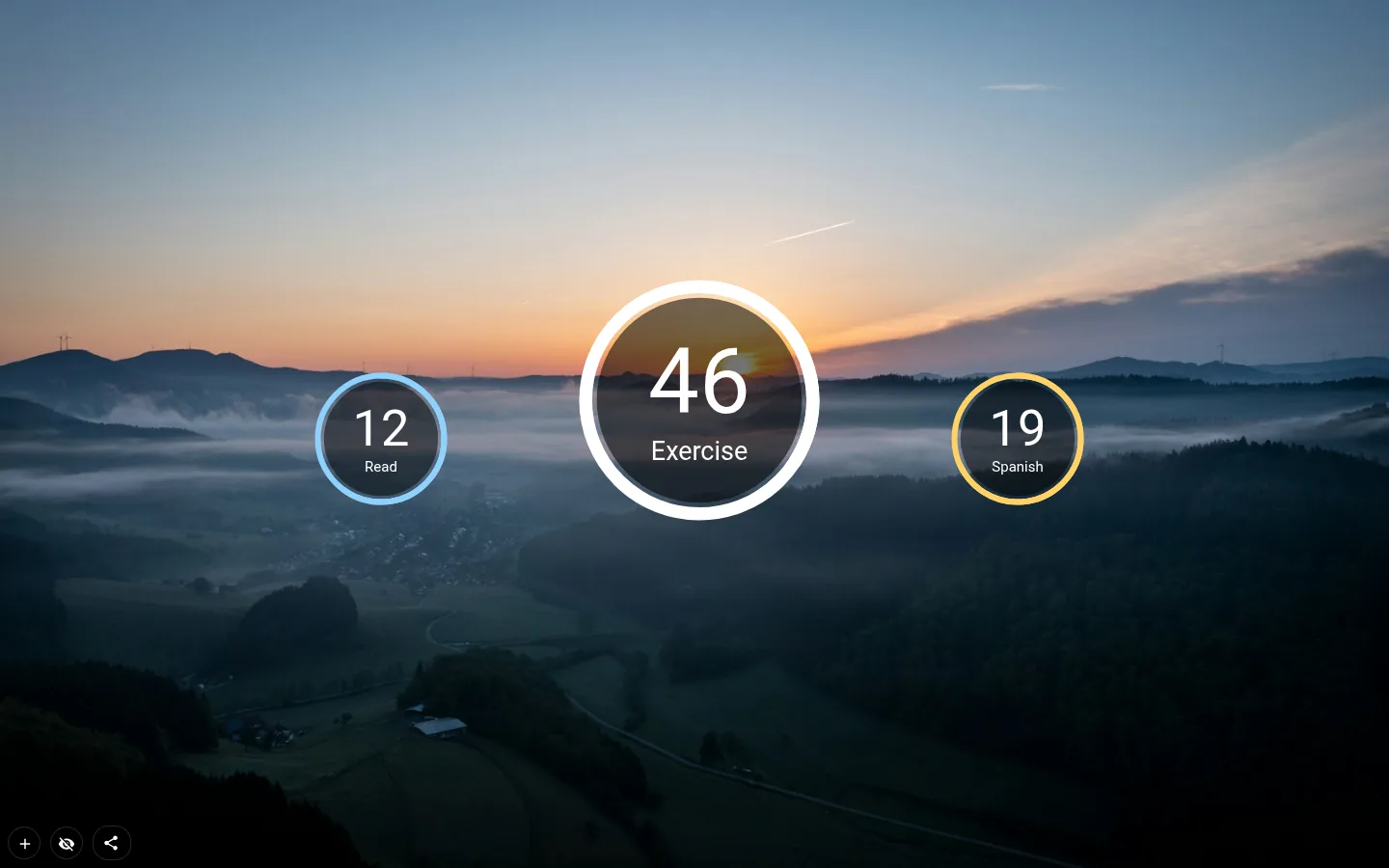
A habit tracker widget on the page Chrome shows you all day, so checking in costs one click and zero willpower. Set a goal, allow yourself a few skips, then watch a ring fill, a streak grid fill in or a small plant grow.
Goal days and skip days
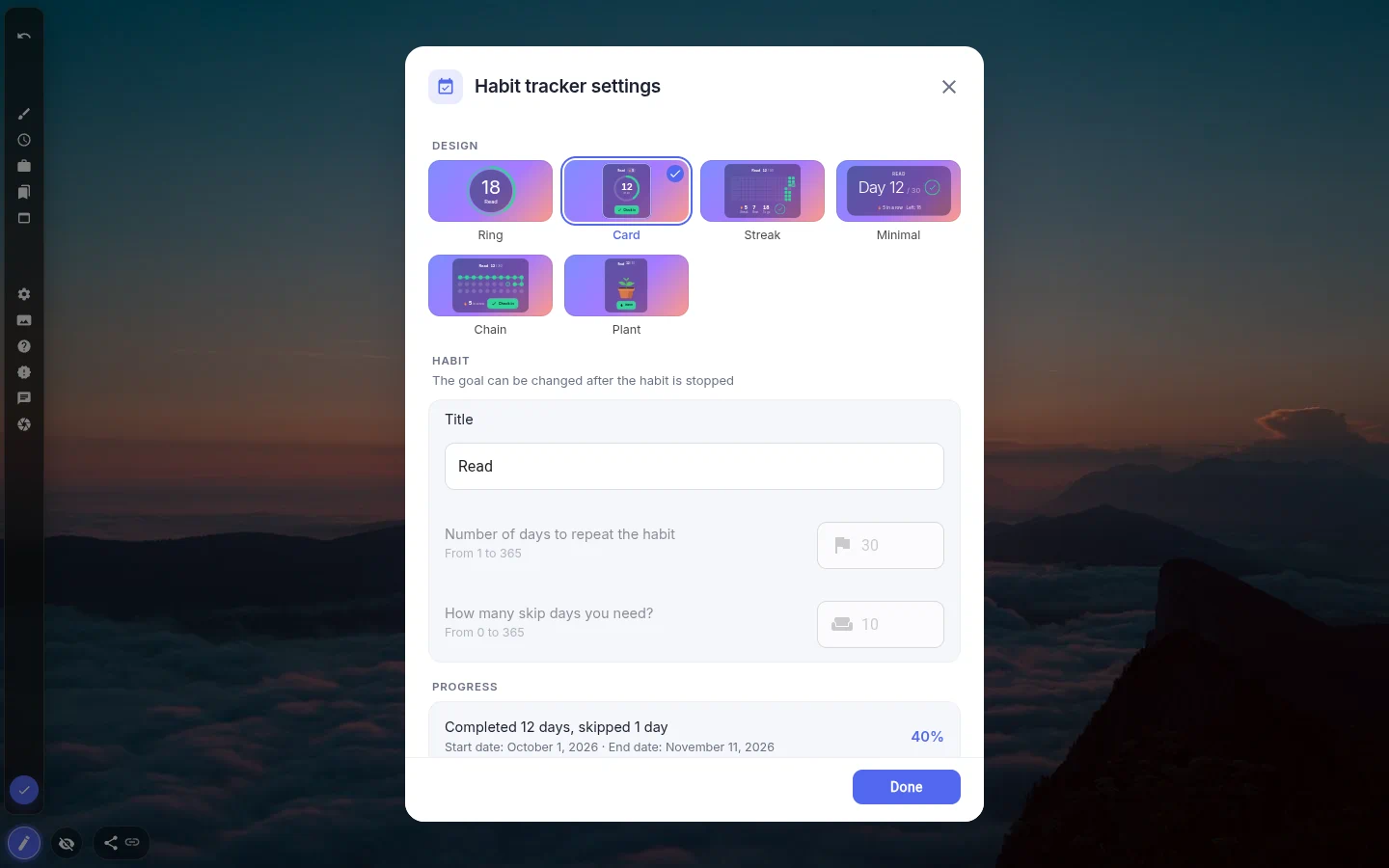
Two numbers define a tracker: how many days you’re aiming for, and how many you’re allowed to miss. Thirty and ten out of the box, anything up to 365 either way. The skip allowance is what stops one bad week from killing the habit.
Skips are not something you press. The tracker works them out from the calendar, and each time one gets used up it pops up "You skipped the day" with the number left. Disable reminder turns that off.
Press Start in the settings and day one begins. From then on the goal and the skip count are locked, because moving the goalposts mid-run is the exact thing a tracker is there to stop.
Six designs, one habit
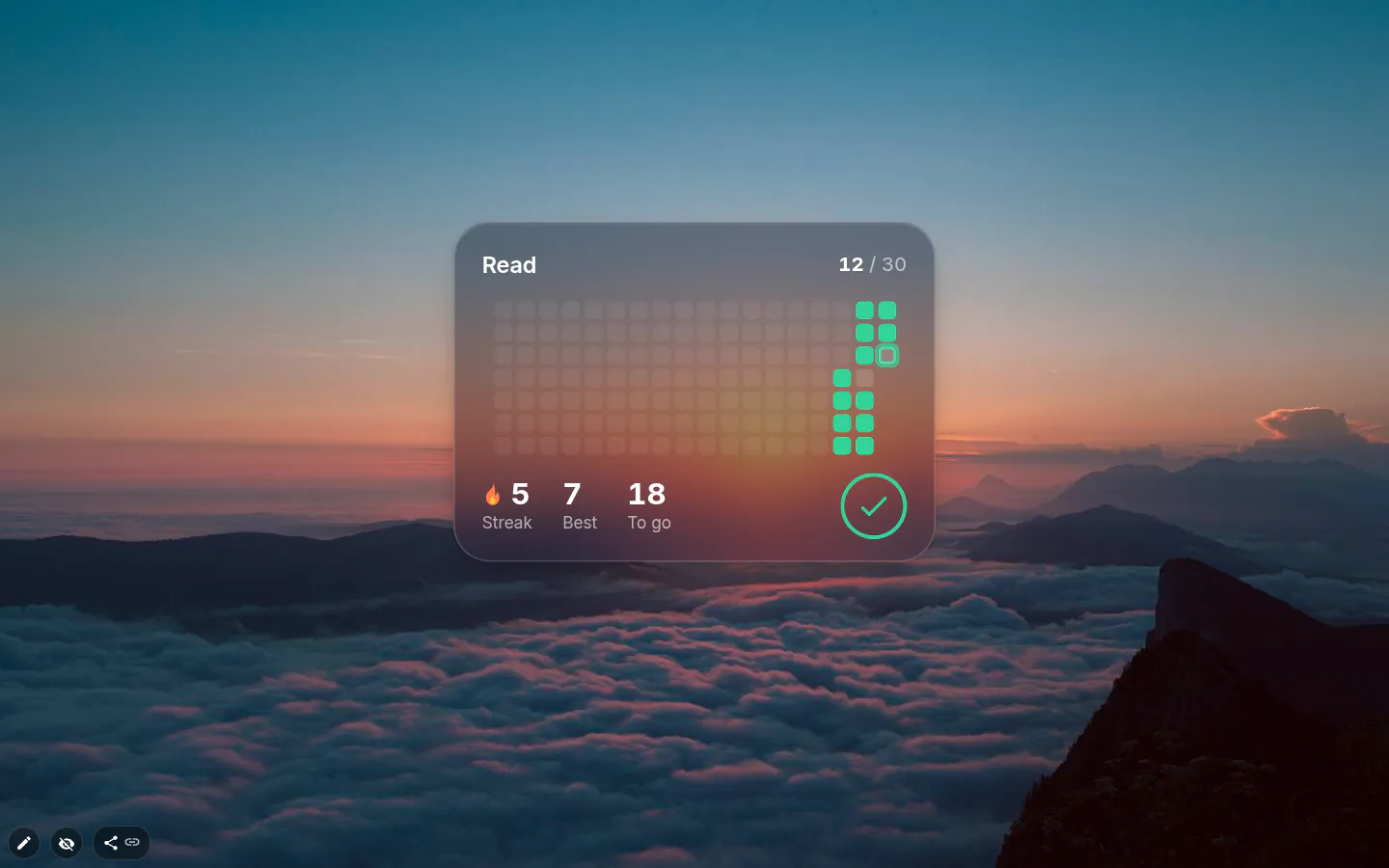
Ring is the original circle, and trackers you already had stay in it. A new one arrives as Card, a glass card with the habit name, a streak chip with a flame, a ring reading 12 of 30 and a big Check in button.
Streak draws the last 18 weeks as a grid of squares, GitHub-style, with your current streak, your best and the days still to go. Minimal is a big "Day 12 / 30" and a thin bar. Chain puts a dot on every goal day and links up the ones you’ve done.
Plant is the soft option — leaves sprout as you go, a bud shows at 85 % and it flowers on the day you hit the goal. Its button says Water instead of Check in.
History and the check-in
The tracker keeps the actual days you checked in, not just a running total, and the streak and best streak are built from that. Older trackers get their history rebuilt from the old counter, so the grid isn’t empty after the update.
You can mark today, once, with a little burst of confetti. Hit it by mistake? Today’s check-in can be undone. Yesterday cannot be filled in afterwards, which is harsh on forgetful days and the reason the number means something.
Finishing, failing, starting over
Reach the goal and you get one of ten animated GIFs, never the same one twice running. Run out of skips and the only way on is Try again. Progress goes back to zero and the settings open for a fresh start.
The settings window keeps score, "Completed N days, skipped M days", with start and end dates and a percentage. Restart begins again from today and Stop habit ends the run; both ask first if there’s progress to lose.
One tracker free, more on PRO
The free plan runs one habit tracker, and this rule is stricter than the usual limit of three hand-added widgets. Trackers that came with an installed theme count as well. Install a theme with three of them and the second and third show an "enable PRO version" plaque until you upgrade.
Everything else is free. All six designs, the history, the streaks, the plant. One habit is a fair test of whether the widget works for you.
Habit Tracker settings
- Design
- Ring, Card, Streak, Minimal, Chain or Plant. New trackers start as Card.
- Title
- Up to 12 characters, so "Read" fits and "Read 20 pages" doesn’t.
- Number of days to repeat the habit
- The goal, from 1 to 365; 30 by default. Locked while the habit runs.
- How many skip days you need?
- From 0 to 365, ten by default. Also locked once you press Start.
- Restart and Stop habit
- Restart moves day one to today, Stop habit ends the run. Both confirm before wiping progress.
- Progress
- Completed and skipped days, start and end dates, percentage done.
- Border
- On Ring and Card it draws the circle. Streak, Chain and Plant use only its colour, as the accent (mint by default), and Minimal borrows its thickness for the bar.
What people use it for
- Thirty days of workouts with ten rest days to spend.
- Language or instrument practice on a Streak grid.
- Reading every evening, one watering at a time.
- Quitting sugar, smoking or late-night scrolling.
Put the habit tracker on your new tab
It comes with New Tab Studio. The extension is free to install and needs no account to start.
- 1Add New Tab Studio to Chrome
- 2Open a new tab, click the button at the bottom left
- 3Pick the widget, then drag it into place
Questions about the habit tracker widget
Is there a free habit tracker for Chrome?
Yes, New Tab Studio’s habit tracker widget is free for one habit, with all six designs, the streak history and a one-click check-in on every new tab. A second tracker needs PRO, and that includes trackers bundled with a theme you installed. One habit is a fair test of whether seeing it on every tab keeps you going.
Do habit trackers actually work?
Habit trackers tend to work when logging takes no effort and the tracker stays in view; one you have to remember to open usually gets forgotten along with the habit. The tracker doesn’t build the habit — the repetition does — but a visible streak gives you a reason not to break it. On the new tab, checking in is one click on a page you open all day anyway.
Are habit trackers good for ADHD?
Habit trackers can suit people with ADHD when the tracker sits in plain sight and one missed day doesn’t wipe out the run. Some people with ADHD find all-or-nothing streaks discouraging, and that’s where skip days come in. This tracker allows ten skips on a 30-day goal by default, so a bad day costs one skip rather than the whole run.
Can I mark yesterday as done?
No, the habit tracker only lets you check in for today, once. If you click by mistake, today’s check-in can be undone, but a day that has passed can’t be filled in afterwards. It’s harsh on forgetful evenings, and it’s also why the count on the card means something.
Does missing a day reset everything?
Missing a day doesn’t reset the habit tracker while you have skip days left. Skips are worked out from the calendar, and each time one gets used up the tracker tells you how many remain. Your in-a-row streak does start over, though, and once the skips run out, Try again sends progress back to zero and opens the settings for a fresh start.
Widgets that pair well with it
See the full widget catalogue or browse themes other people have built.