
Date widget with a tear-off calendar
The date widget used to be one line of text. Now a new one arrives as a tear-off calendar, and at midnight yesterday’s sheet rips away. If you’ve ever opened a calendar just to check what day it is, this saves the trip.
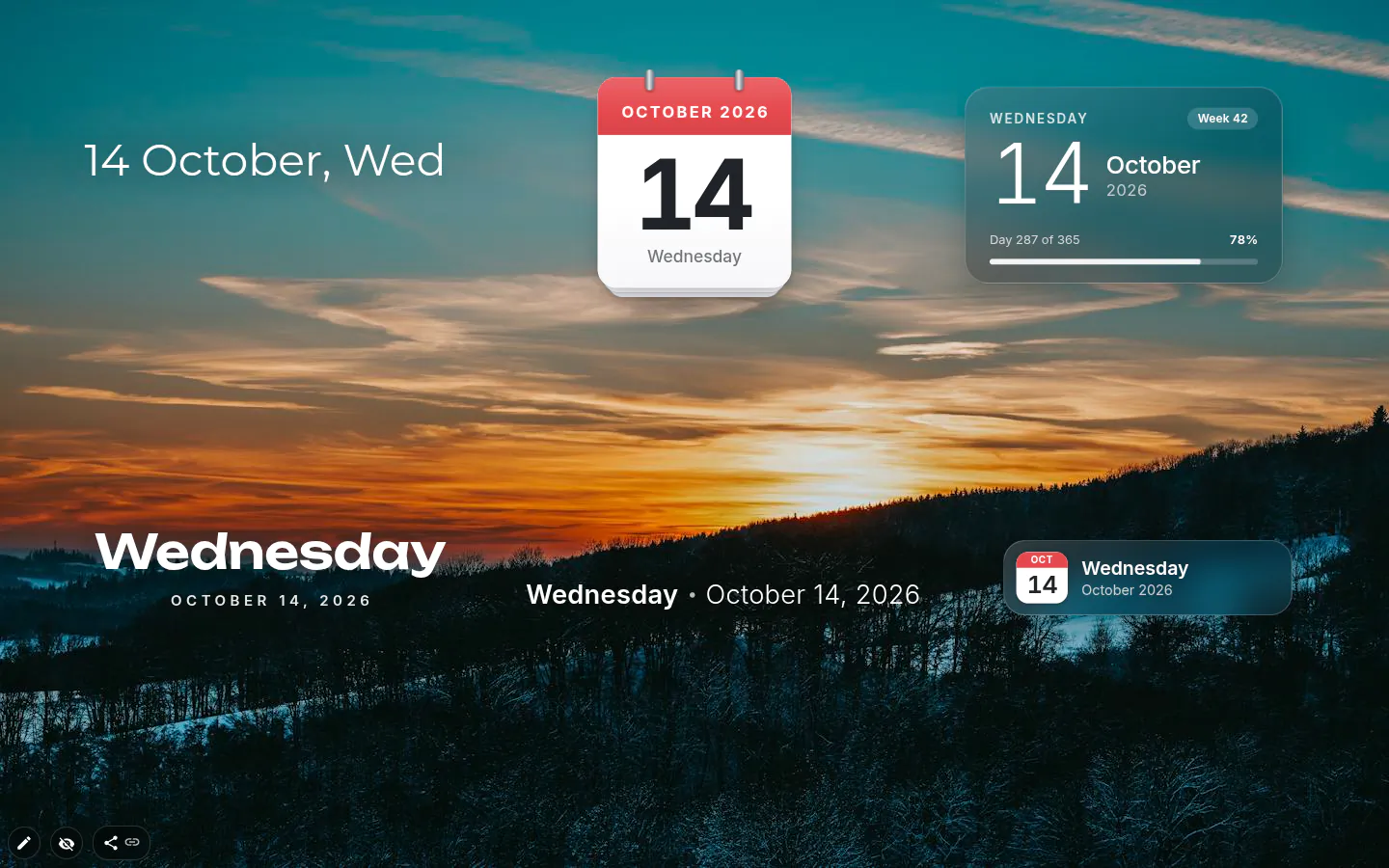
A sheet that tears off at midnight
New date widgets start as a tear-off calendar page. At midnight the old page peels off over the new one in under a second. Leave the tab open overnight and it waits for you. Switch back in the morning and you’ll see yesterday go.
The date also updates by itself now. The old widget kept showing yesterday until you reloaded the page, which is an odd thing for a date to do.
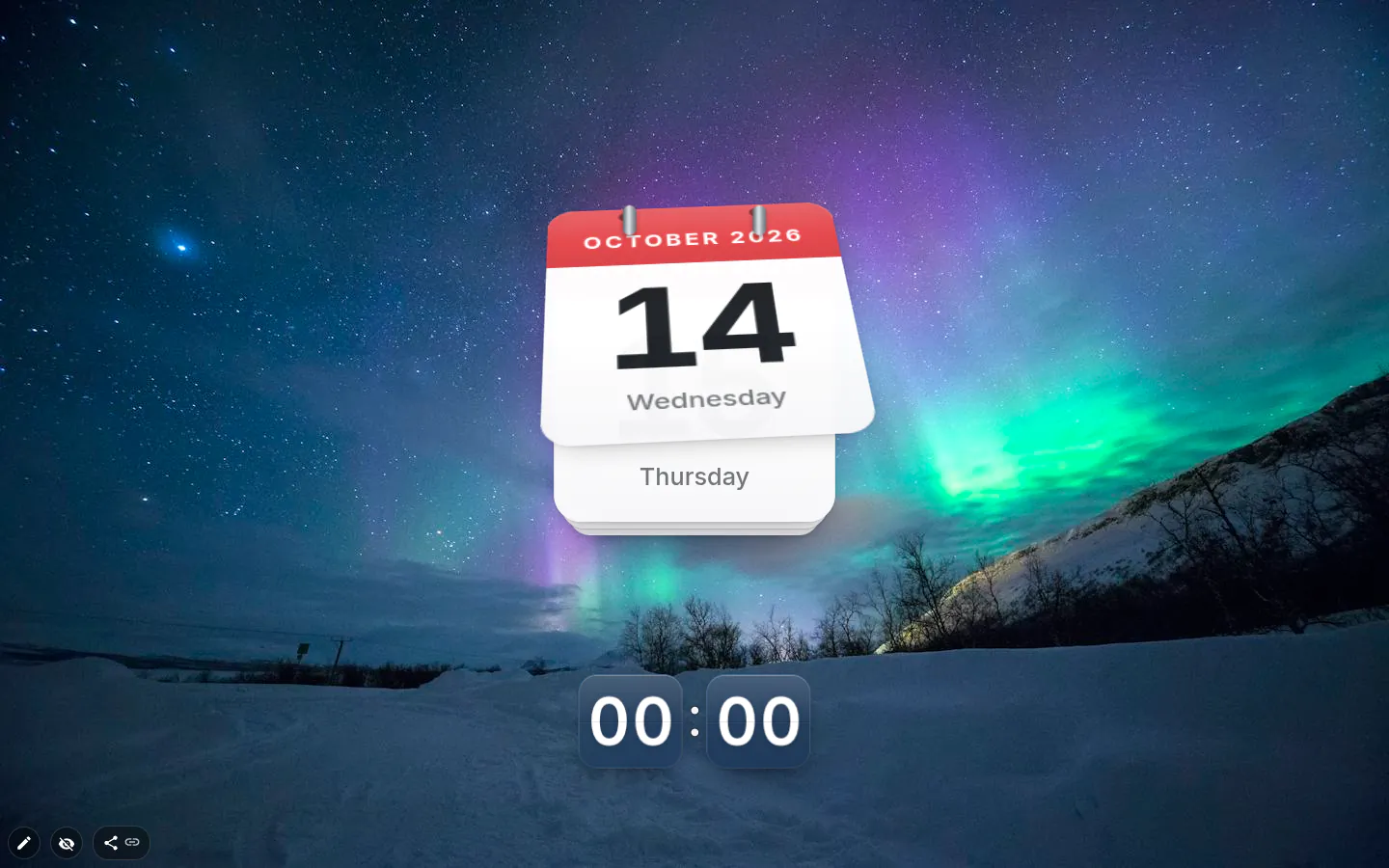
Six designs and a few extras
Classic is the line of text the widget always was, and your existing date widgets stay in it. Then there’s Tear-off calendar, Glass, Big weekday (the day name large, the date under it), Minimal, which is one thin line, and Compact, a pill with a small calendar leaf.
What you can switch depends on the design. Day of the week and Year are on by default. Week number is off and follows ISO 8601, so weeks start on Monday. Year progress lives on Glass and shows “Day 273 of 365” with a percentage — motivating or alarming, depending on the month.
Formats and languages
Classic keeps its five formats: “12 Sep”, “12 September”, “12 Sep, Sat”, “12 September, Sat” and “12 Sat”. There is no numeric 12/09 option, and the other designs lay the date out their own way.
The words come from the browser’s own date formatting in the interface language, so German, Japanese or Russian get real month names and the right word order (26 сентября, 9月26日) rather than an English template. All ten interface languages work, Classic included.
A date and time widget in two pieces
The usual pairing is a clock on top and the date underneath. Two widgets instead of one date and time widget, which means each gets its own size and font.
Or skip the clock. Your taskbar shows the time already. It rarely shows the weekday in letters big enough to notice.
Date settings
- Design
- Classic, Tear-off calendar, Glass, Big weekday, Minimal, Compact. New widgets open as the tear-off page.
- Date format
- Five text formats, from “12 Sep” to “12 September, Sat”. Classic only.
- Day of the week and Year
- Both on by default. Hide either for a shorter line.
- Week number
- Off by default. ISO 8601, Monday first.
- Year progress
- Glass only. “Day N of 365” and a percentage.
- Toolbox
- Depends on the design. The tear-off page has no border or text-style panel, since it’s an object rather than a box. Big weekday and Minimal get alignment and a shadow.
- Opening settings
- Double-click the date. It used to cycle formats; now it opens Date settings.
What people use it for
- Under a big clock in the usual header block.
- A tear-off page in the corner of a cosy, desk-like theme.
- Week numbers for anyone whose job runs on “week 41”.
- Year progress on Glass, for a gentle nudge in the autumn.
Put the date on your new tab
It comes with New Tab Studio. The extension is free to install and needs no account to start.
- 1Add New Tab Studio to Chrome
- 2Open a new tab, click the button at the bottom left
- 3Pick the widget, then drag it into place
Questions about the date widget
Can I see the week number on my new tab?
Yes, the date widget has a Week number switch in Date settings, off by default, which counts weeks the ISO 8601 way with Monday first. The switches on offer depend on the design, and Glass shows the week number beside year progress, “Day 273 of 365”. Google Calendar can show week numbers too, under its view options.
How do I show the date and day of the week on Chrome’s new tab?
Chrome’s standard new tab page doesn’t show the date, so you need a new tab extension for it. In New Tab Studio, add the Date widget and pick one of six designs. Big weekday puts the day name in large letters with the date under it, and the default tear-off page renews itself at midnight.
Does the date change at midnight by itself?
Yes, the date widget updates itself at midnight, and the tear-off calendar design peels yesterday’s page away in under a second. Leave the tab open overnight and you’ll see the page go when you switch back in the morning. Before version 4.0 the widget kept showing yesterday until you reloaded.
Will the date show in my language?
Yes, the date widget writes month and weekday names properly in all ten interface languages, with the right cases and word order, so Russian gets 26 сентября and Japanese gets 9月26日. Classic works in every one of them too. It always shows your computer’s date, though, rather than another time zone.
Is any part of the date widget paid?
No, the date widget has no paid parts, so every design and every switch, year progress included, is free. It does take a slot, since the free plan covers three widgets on the page. A date that came with an installed theme takes one too.
Widgets that pair well with it
See the full widget catalogue or browse themes other people have built.