Animated flip clock for the new tab page
Here’s a flip clock for Chrome’s new tab, and then some. The split-flap cards are still here, next to eight other ways for a digit to change, from neon that flickers on to a paper sheet that tears off and falls. In the extension’s menu it’s now called Animated clock.
Nine ways for a digit to change
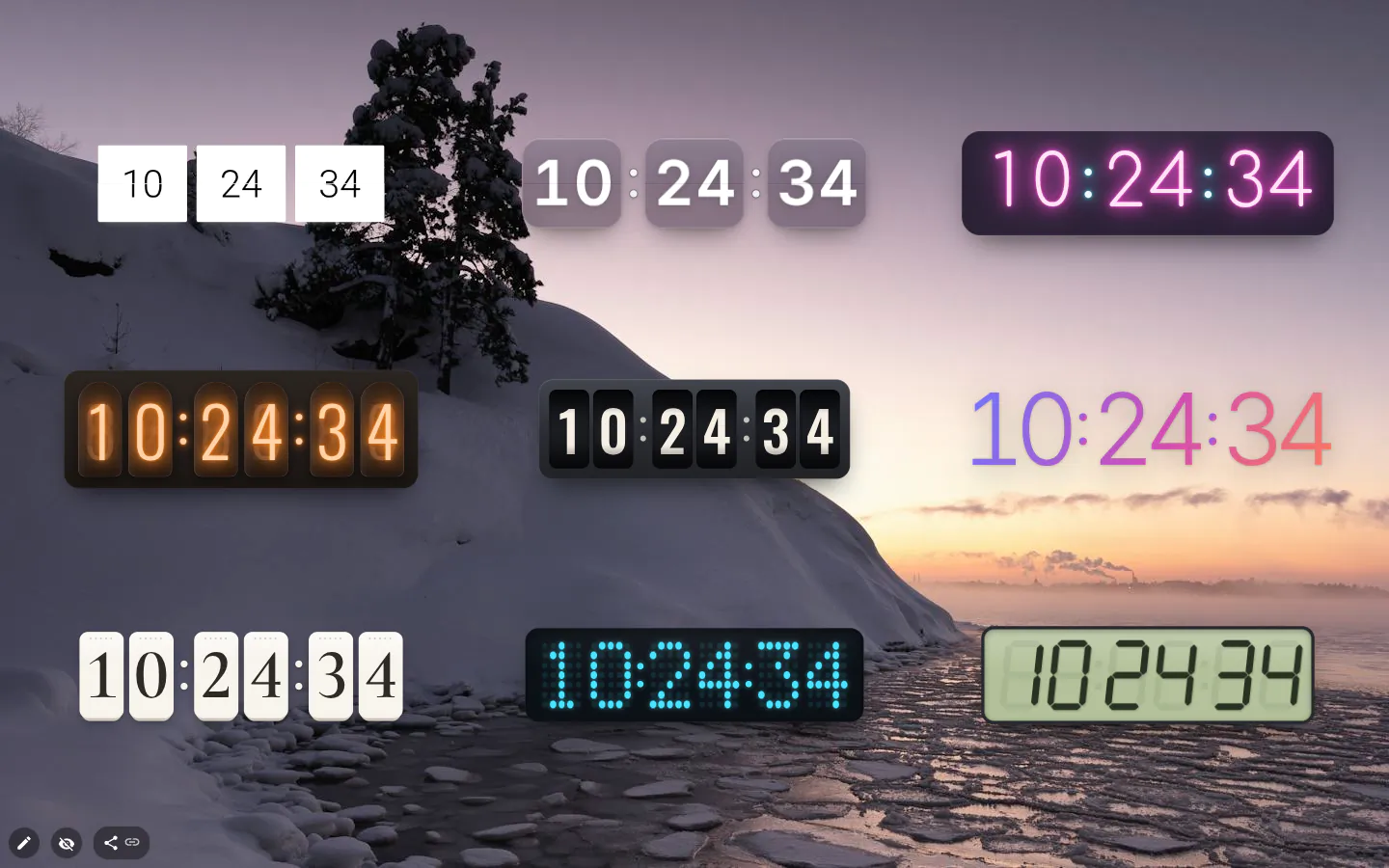
Flip cards is the original, and any flip clock you set up before 4.0 stays on it. New clocks from the menu start in Glass, frosted cards where each digit turns over in 3D.
After that it gets theatrical. Neon flickers each new digit on. Nixie tubes glow like old gas-discharge lamps. Odometer rolls its drums upwards. Aurora drops the card and uses thin digits with a shifting gradient. Paper tears off the old sheet and lets it fall — every second, if you leave seconds on. LED matrix switches a 5×7 grid of dots in a wave, and Retro LCD is a seven-segment display with a blinking colon.
Searching for an aesthetic flip clock? Glass and Paper are the ones to try first, and Aurora if you’d rather have no cards at all.
Double-click for the next design
You don’t need a settings window to browse them. Double-click the clock and it moves on to the next design, showing its name and “double-click for the next one” underneath for a moment. Went one too far? Ctrl+Z.
Each design keeps its own colours and font. Make the neon pink, wander through the other eight, come back, and it’s still pink.
Settings it never had before
Up to 3.6 the flip clock had no settings at all, just 24-hour time with seconds. Now there’s a Clock settings window with Time format (24-hour or 12-hour AM/PM), Show seconds, Layout and Timezone.
Seconds are on by default, so something changes every second. Turn them off and the clock moves once a minute, which is calmer on a monitor parked on the new tab. Vertical stacks the digits into a narrow column for the edge of the page.
Time zones cost nothing here, with the same 99 cities (daylight saving included) and fixed UTC offsets as the other clocks. The AM/PM label follows the interface language, so a Japanese interface gets 午前 and 午後.
What it won’t do
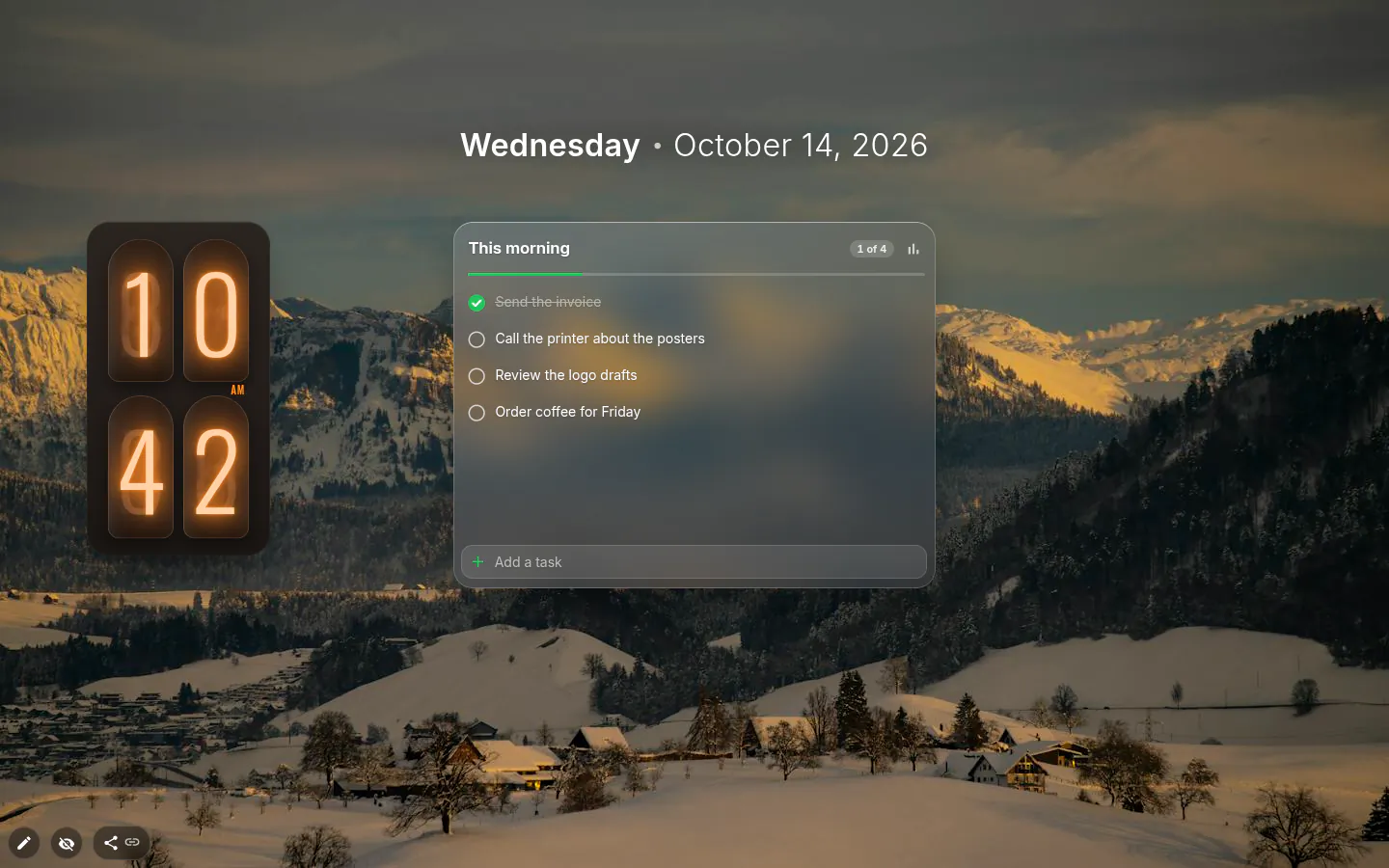
Two formats, not twelve. German 18:35 Uhr and the other regional styles belong to the text clock. LED matrix and Retro LCD ignore the font picker, because their digits are made of dots and segments. Apart from Flip cards, the design sets the digit size, so there is no font-size box, border or corner radius to fiddle with.
It’s light to run. One timer per clock, set for the next second, and a redraw only when a digit changes; the old version checked the time every 50 milliseconds. It needs no internet, and with reduced motion switched on in your system the digit animations stop.
Animated Clock settings
- Design
- Flip cards, Glass, Neon, Nixie tubes, Odometer, Aurora, Paper, LED matrix, Retro LCD. Double-click the clock to cycle through them.
- Time format
- 24-hour or 12-hour (AM/PM), both previewed on the current time.
- Show seconds
- On by default. Off means one change a minute.
- Layout
- Horizontal or Vertical, in settings or from the toolbox.
- Timezone
- Your computer, a city with daylight saving, or a fixed UTC offset. Free.
- Colours and font
- Digit colour, the colour behind the digits and a font, remembered separately for each design. LED matrix and Retro LCD skip the font.
- Size
- Proportions are locked, and each design has its own base size. New clocks arrive at 0.6 of it.
What people use it for
- A desk clock on a monitor left on the new tab.
- Retro and synthwave themes built around Nixie tubes or Retro LCD.
- A narrow vertical clock down the side of a busy page.
- A second clock set to another city, without paying for it.
Put the animated clock on your new tab
It comes with New Tab Studio. The extension is free to install and needs no account to start.
- 1Add New Tab Studio to Chrome
- 2Open a new tab, click the button at the bottom left
- 3Pick the widget, then drag it into place
Questions about the animated clock widget
Is there an aesthetic flip clock for my browser?
Yes, New Tab Studio’s animated clock puts a flip clock on the Chrome new tab, plus eight other designs. For an aesthetic look start with Glass or Paper, try Aurora if you’d rather skip the cards, and go for Nixie tubes or Retro LCD on a retro page. Double-click the clock to step through all nine.
Do the animated clock designs cost anything?
No, all nine animated clock designs are free, and so are the 12-hour format, seconds, the vertical layout and the time zone. The clock does use one of your three free slots for widgets added from the menu. A clock that arrived as part of an installed theme leaves the slot open.
Can a flip clock show another city’s time?
Yes, the animated clock can show any of 99 cities, and the time zone is free on it. Pick a city in Timezone and the clock follows its daylight saving changes, or choose a fixed UTC offset that never moves. Three of them side by side make a small world clock without PRO.
Where’s the flip clock in the menu?
In New Tab Studio the flip clock sits under Time as Animated clock. New ones open in Glass, so choose Flip cards from the Design button or double-click your way round to it. Went one too far? Ctrl+Z undoes the switch.
Does the animation slow Chrome down?
The animated clock shouldn’t slow Chrome down, since it redraws only when a digit changes, once a second at most. There’s one timer per clock and no network traffic. Turn Show seconds off and it changes once a minute, and with reduced motion on in your system the digit animations stop.
Widgets that pair well with it
See the full widget catalogue or browse themes other people have built.