
Iframe widget: embed any page on your new tab
Every other widget does one thing. The iframe widget embeds a page on your new tab and does whatever that page does, which makes it the escape hatch for everything the rest don’t cover.
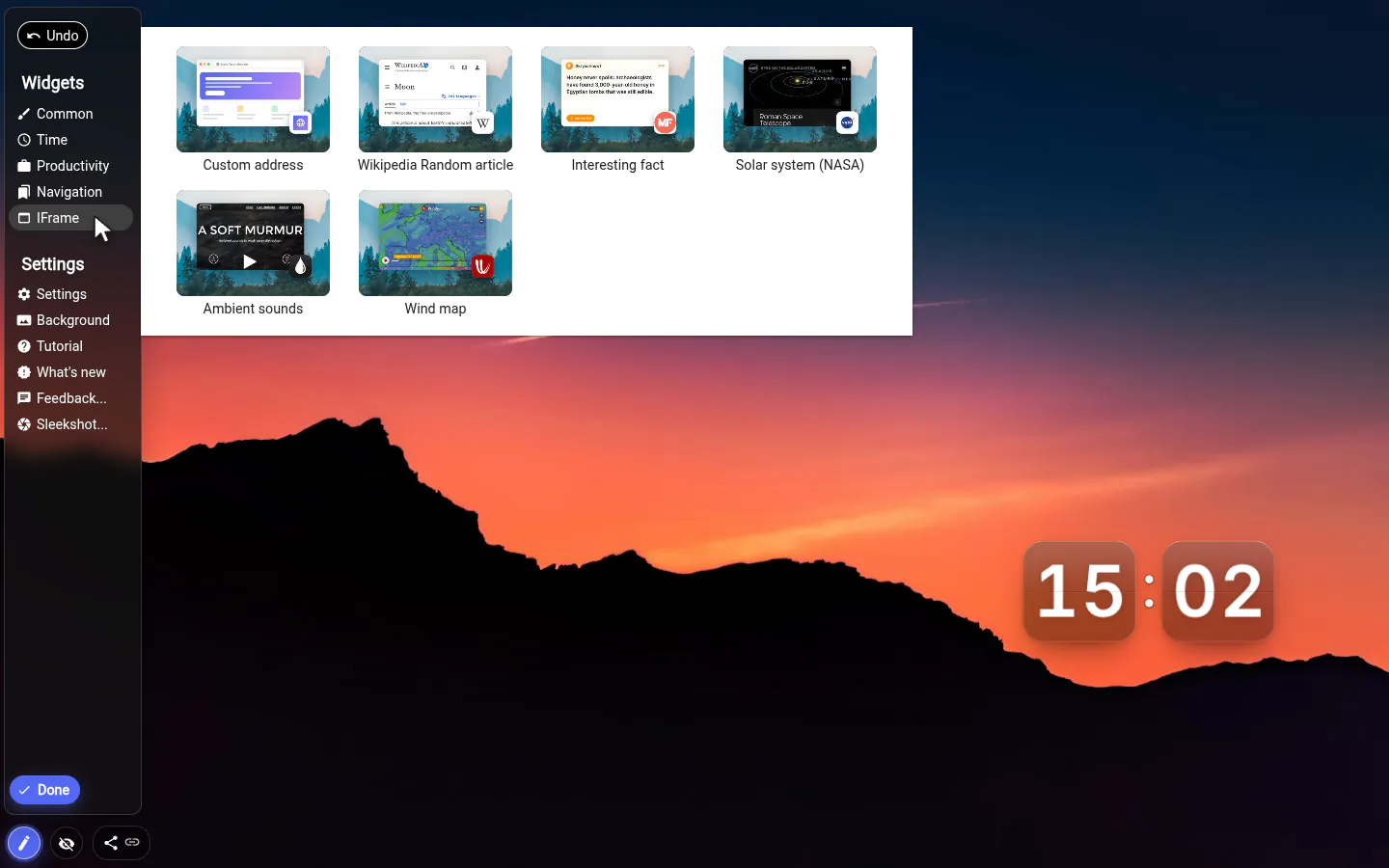
Ready-made embeds in the menu
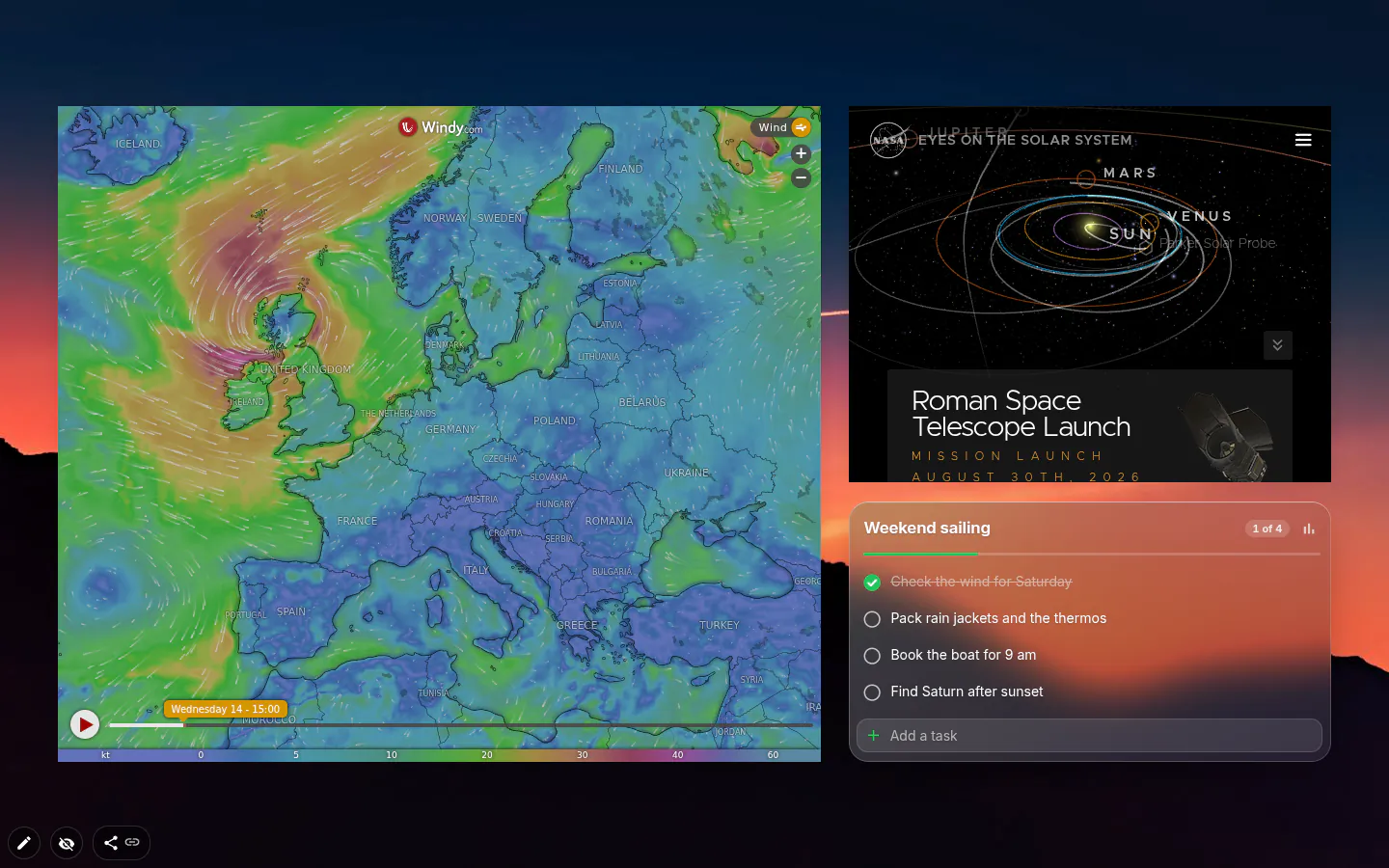
The IFrame group in the widget menu has six tiles. Custom address, Wikipedia Random article, Interesting fact, Solar system (NASA), Ambient sounds and Wind map, the last three new in 4.0. Solar system brings in NASA’s viewer from eyes.nasa.gov, Ambient sounds loads A Soft Murmur, and Wind map is Windy’s wind layer.
The colour palette and currency converter tiles are gone, because both sites refuse to be embedded and the tiles would stay empty. For exchange rates there’s now a proper currency widget. Google Docs, Sheets and Slides moved to the Productivity group.
Your calendar: embed it or sync it
Google Calendar used to be the main reason to reach for an iframe. There are two tidier routes today. The Google Calendar widget embeds it for you, and the built-in calendar reads your Google Calendar through its private iCal address, read-only, syncing every 30 minutes.
The plain iframe is still there for everything else. A monitoring dashboard, a status board, a departure board for the stop outside.
Pasting an embed code
Sites that offer embedding hand you an HTML snippet rather than an address. Paste the snippet as is and the address is pulled out of its src="…"; leave off the http:// and it gets added.
In edit mode the frame is frozen. Clicks don’t reach the page inside, so you can grab the widget anywhere and drag it.
Pages that stay blank
Plenty of sites forbid being shown inside another page. Facebook, CNN and news sites stay empty, and the settings window warns you up front. The extension does not alter what sites send back, so no switch gets round it. The examples offered in settings are Wikipedia, OpenStreetMap and Windy.
Mind the cost too. An embed loads its page every time you open a tab — a heavy web app makes your new tab exactly as slow as that app. One light embed on the workspace that needs it, given real room, is the sweet spot.
Iframe Embed settings
- URL
- An address or a whole embed snippet, saved a moment after you stop typing.
- Examples
- Wikipedia random, OpenStreetMap and Windy, one click each.
- Menu presets
- Six tiles in the IFrame group, from Custom address to Wind map.
- Size and position
- Placed like any widget. Give it space; a calendar squeezed into 300 px is unreadable.
What people use it for
- A metrics or monitoring dashboard on a work workspace.
- Ambient sounds playing while you work.
- A live wind map before a sailing or cycling weekend.
- A departure board or status page.
Put the iframe embed on your new tab
It comes with New Tab Studio. The extension is free to install and needs no account to start.
- 1Add New Tab Studio to Chrome
- 2Open a new tab, click the button at the bottom left
- 3Pick the widget, then drag it into place
Questions about the iframe embed widget
Can I embed a website in my Chrome new tab?
Yes, the iframe widget in New Tab Studio embeds a web page on Chrome’s new tab, as long as that site allows being shown inside other pages. Paste an address or a whole embed code and the address gets pulled out of its src. The menu also has six ready-made tiles, NASA’s Solar system and a live Wind map among them.
Why does the website I embedded show up blank?
An embedded website shows up blank when the site forbids being displayed inside other pages, and browsers respect that. Facebook, CNN and many news sites do it, and the settings window warns about them. The extension doesn’t alter what sites send back, so put a link widget to that page there instead.
Will an embedded page slow down my new tab?
An embedded page can slow the new tab down, because the iframe widget loads it fresh every time you open a tab. A light page like a map or a status board barely registers. A heavy web app makes the new tab exactly as slow as that app, so one light embed per workspace is a sensible limit.
Is embedding a page on the new tab free?
Yes, embedding is free, and so are all six tiles in the IFrame menu group, from Custom address to Wind map. Each embed you add uses one of three free widget places, while embeds that came inside a theme don’t count.
Widgets that pair well with it
See the full widget catalogue or browse themes other people have built.