
Google Calendar widget for your Chrome new tab
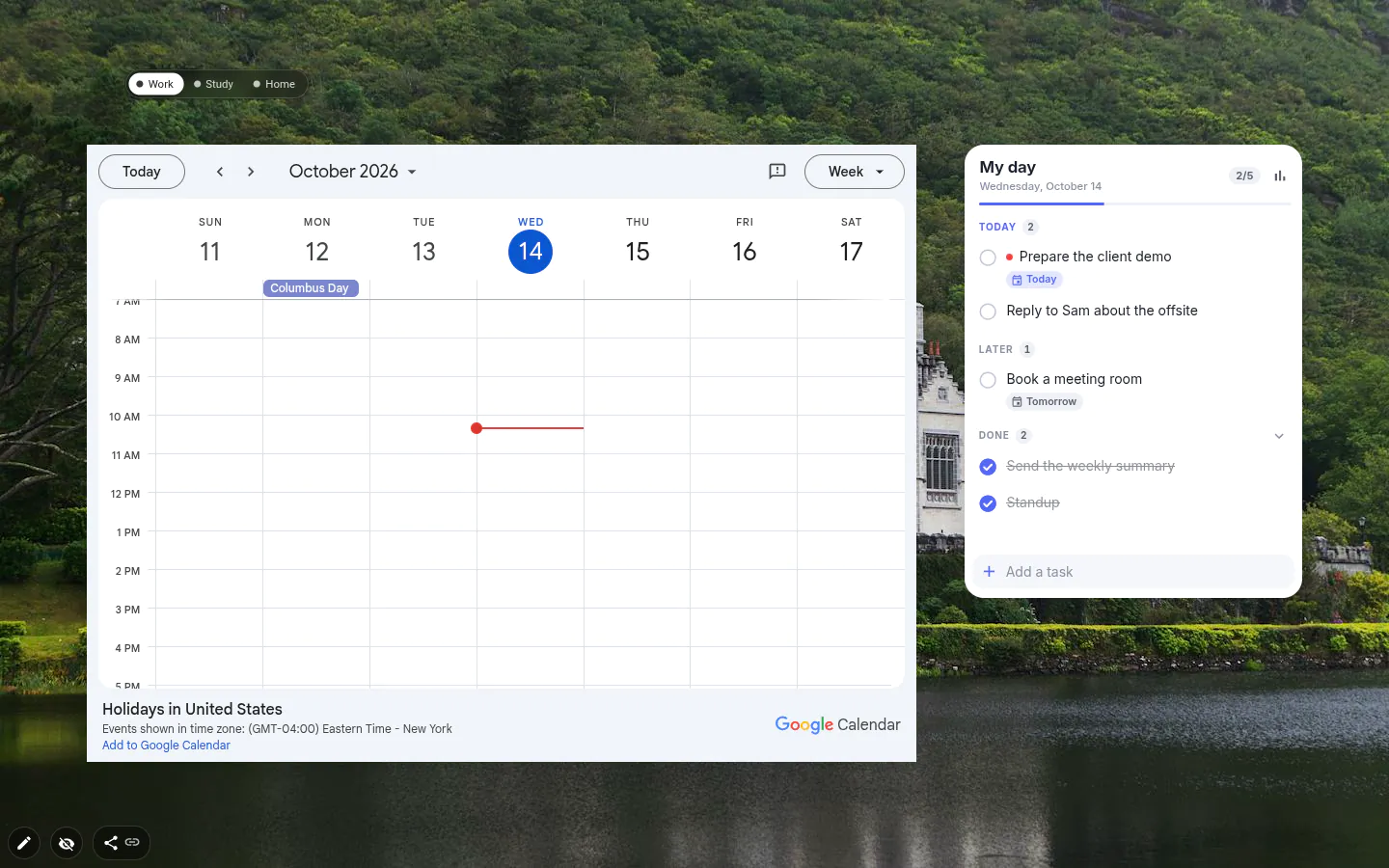
This Google Calendar widget puts Google’s own calendar page in a frame on your new tab. You choose the address, and the extension shows it on every tab. It is not a separate Google Calendar Chrome extension, and it isn’t made by Google; it’s one of the widgets in New Tab Studio.
Two calendar widgets, two jobs
This one embeds Google Calendar itself. Google draws the page and holds the events, and whatever Google allows inside a frame is what you get. We never see any of it.
The Calendar widget is ours. It keeps its own events in the browser and can import a Google Calendar one way through the secret iCal address, read only, next to your own entries. Want Google’s own week view and the calendars your team shares? Use this one. Want something that opens without loading Google’s page on every tab? Use Calendar.
Setting it up
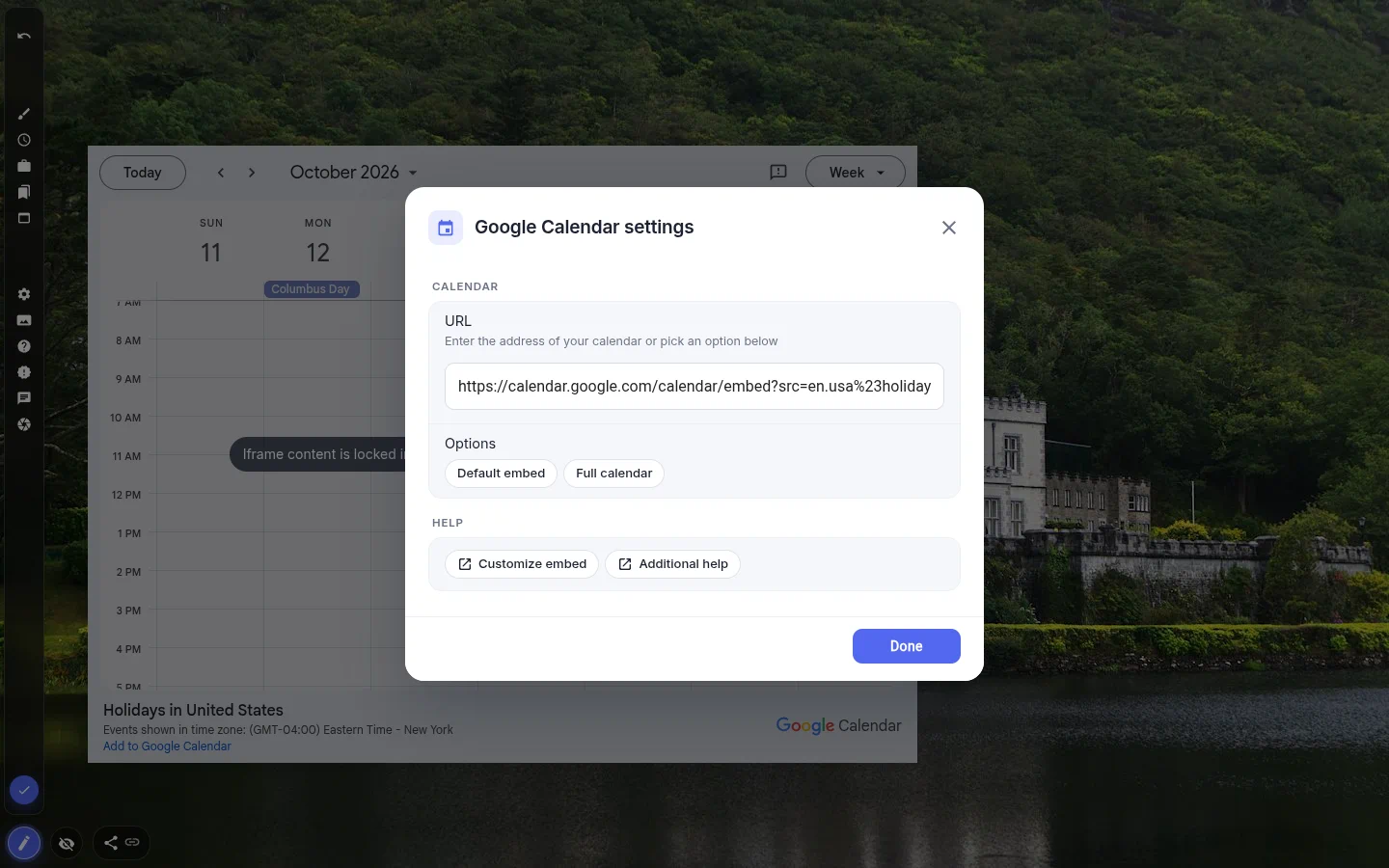
Open the + panel, go to Productivity and choose Google Calendar. The settings window opens straight away with one field, URL, and two shortcuts, Default embed and Full calendar.
For your own mix of calendars, colours, or a week view to start from, click Customize embed. Google’s tool builds an address, you paste it into URL, and the widget shows it exactly as given. Week or month is part of that address rather than a widget setting.
The address saves itself a moment after you stop typing, so the frame no longer reloads on every character.
What shows up in the frame
Public calendars display fine — private events depend on Google. They can appear if you’re signed in to Google in the same Chrome profile and the browser lets the frame use that sign-in. If it doesn’t, the frame won’t show them, and no setting in the widget changes that.
Full calendar points the frame at calendar.google.com itself. Whether Google runs its full app inside a frame is Google’s call, so treat it as worth a try rather than a promise. The same goes for editing events. Count on reading your week here and editing it in Google Calendar proper.
The cost of a frame
An embedded page loads with every new tab, and Google Calendar is not a small page. Keep it on a work workspace instead of the page you open all day, and give it width; a week view squeezed into a narrow column can’t be read.
In edit mode the frame is covered by a notice that its content is locked, so moving the widget around never clicks into the calendar. Leave edit mode and it’s live again.
Google Calendar settings
- URL
- Any Google Calendar address, embed links included. Saved a moment after you stop typing.
- Default embed
- Google’s standard embed page, one click to fill in.
- Full calendar
- calendar.google.com itself. Whether it loads in a frame is up to Google.
- Customize embed
- Opens Google’s embed builder to pick calendars, colours and the starting view.
- Size and position
- A week view needs real width, more than any other widget on the page.
What people use it for
- A shared team calendar on a work workspace.
- Google’s week view beside a to-do list.
- A public calendar, like holidays or a club’s fixtures.
- Checking the day without opening a calendar tab.
Put the google calendar on your new tab
It comes with New Tab Studio. The extension is free to install and needs no account to start.
- 1Add New Tab Studio to Chrome
- 2Open a new tab, click the button at the bottom left
- 3Pick the widget, then drag it into place
Questions about the google calendar widget
How do I put Google Calendar on my Chrome new tab page?
Chrome’s own new tab can only hold a shortcut tile to calendar.google.com, so seeing the calendar itself there takes an extension. In New Tab Studio, open the widget panel with the button in the bottom-left corner, choose Productivity, then Google Calendar, and pick Default embed or paste your own embed link into the URL field. Then give the widget plenty of width.
How do I put Google Calendar on my desktop?
A Google Calendar widget can sit on your browser’s new tab, but not on the Windows or macOS desktop itself. If the desktop you mean is the browser, add this widget and every new tab shows the calendar. For the system desktop, the usual route is a calendar app with your Google account added.
Is the Google Calendar widget free?
Yes, the Google Calendar widget is free and has no PRO features at all. On the free plan it uses one of three spaces for widgets you add by hand, and widgets from an installed theme don’t touch those spaces. There’s no account with us to create either, only the Google one you already have.
Do I have to connect my Google account?
You don’t connect your Google account to New Tab Studio at all. The widget asks for no permissions and never touches your calendar; it shows Google’s page in a frame, and any sign-in is between you and Google. Private events appear only if Google lets the frame use the sign-in from your Chrome profile.
Can I edit events from the widget?
Editing events inside the Google Calendar widget may work, depending on the address in the frame and on Google, so we won’t promise it. Reading your week at a glance is the job it’s built for. If you’d rather skip the frame, the Calendar widget can import a Google Calendar read-only through its iCal address.
Widgets that pair well with it
See the full widget catalogue or browse themes other people have built.