
Weather widget for Chrome’s new tab
A weather Chrome extension that sits on your new tab answers the jacket question before you think to ask it. Since 4.0 it forecasts hours or days ahead too. It still never asks where you are.
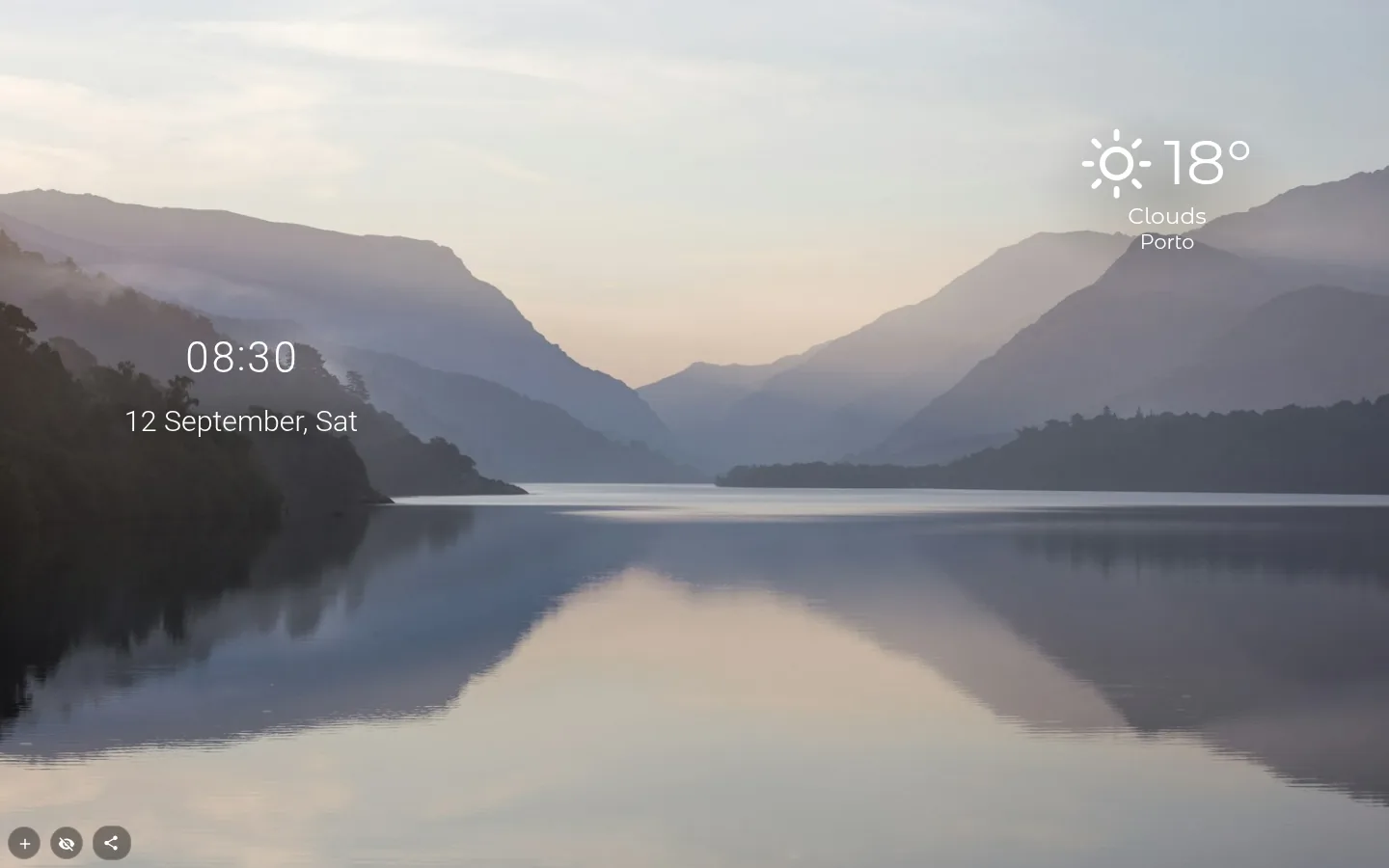
Six designs, one of them a forecast
Classic, Glass, Minimal, Sky, Forecast and Compact, with animated icons drawn by the extension itself. A new widget arrives as Glass.
Forecast shows five columns, either Next hours or Next days. It is the only design that fetches a forecast, and it refreshes that no more than once every three hours. Current conditions update hourly in all of them.
Glass and Sky add "Feels like, humidity and wind". Show details is on from the start and can be turned off.
What each design lets you hide
Classic works the old way: icon, temperature, a one-word condition (Clear, Clouds, Rain) and the city, each with its own switch. The newer designs keep the temperature fixed and spell the condition out as a phrase, "Light rain" or "Scattered clouds", in your interface language.
Glass lets you hide the icon, description, city and details. Minimal hides the icon, description and city; Sky the description, city and details; Forecast and Compact the description and city.
Units are °C, °F or K — Kelvin is there for the physicists.
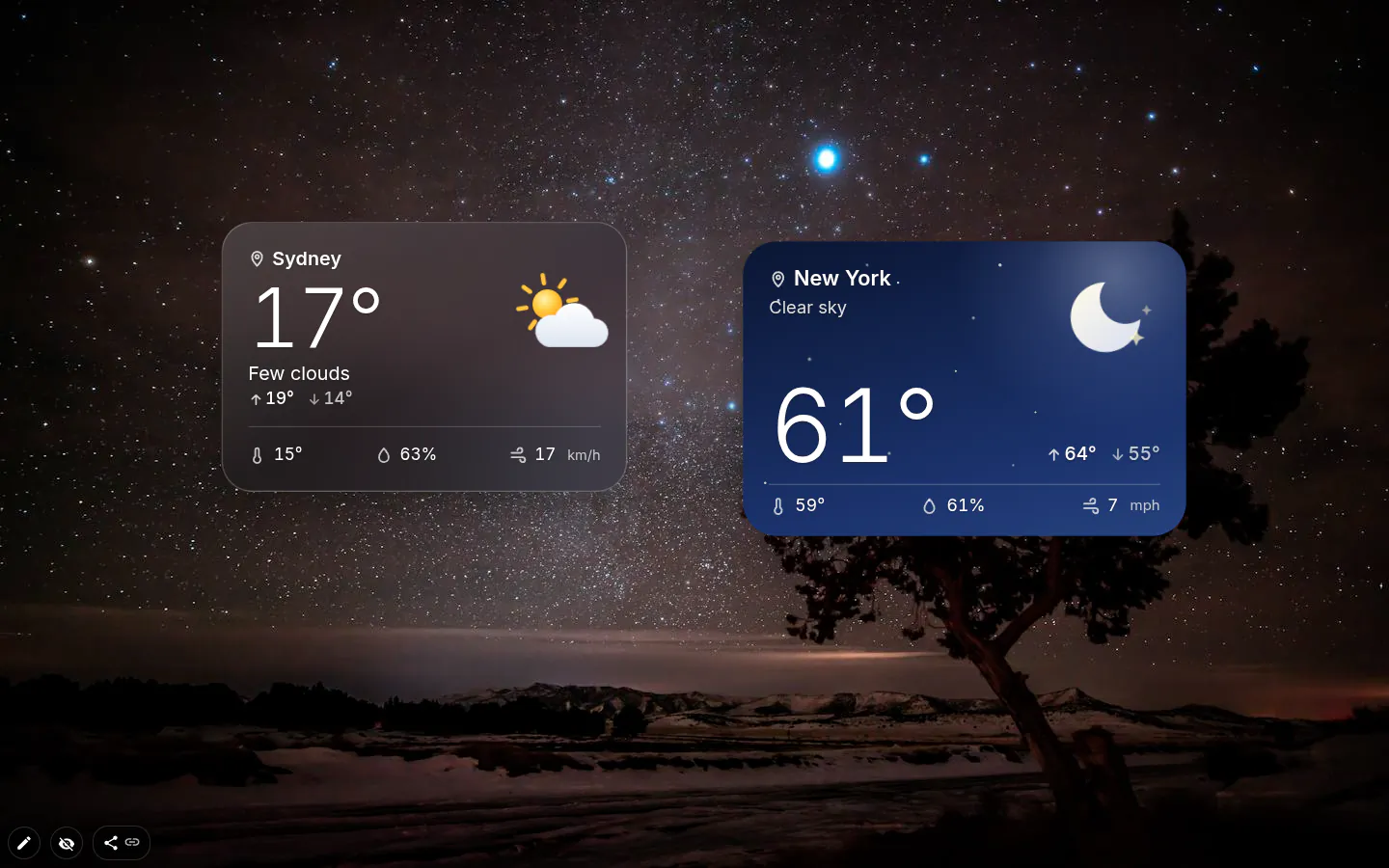
Your city, without location access
The extension has no location permission at all. A new widget guesses the city from your system time zone, so someone on America/Argentina/Buenos_Aires starts with Buenos Aires, and the settings window opens so you can put it right.
Until the first reading lands you see a placeholder, never somebody else’s weather. A reading older than three hours gets a small stale mark; a failed update offers Try again.
Each widget keeps its own city. A second one can watch where your family lives, or where you’re flying next week.
Where the data goes
Readings come straight from OpenWeatherMap, not through our servers. Analytics notes that you changed the city, never which one. Offline, the widget keeps its last reading and marks it as out of date.
Weather settings
- Design
- Classic, Glass, Minimal, Sky, Forecast or Compact.
- City
- Search as you type. A new widget starts from your time zone’s city.
- Forecast
- Next hours or Next days, in the Forecast design.
- Show details
- Feels like, humidity and wind, in Glass and Sky.
- Units
- °C, °F or K.
What people use it for
- A corner readout that settles the jacket question.
- Next days in the Forecast design above a trip countdown.
- A second widget for the city where family lives.
- Feels-like and wind for anyone heading out on a bike.
Put the weather on your new tab
It comes with New Tab Studio. The extension is free to install and needs no account to start.
- 1Add New Tab Studio to Chrome
- 2Open a new tab, click the button at the bottom left
- 3Pick the widget, then drag it into place
Questions about the weather widget
Is there a free weather widget for Chrome?
Yes, New Tab Studio has a free weather widget for Chrome’s new tab, with current conditions every hour and an hourly or daily forecast in the Forecast design. All six designs come free, the forecast included. It never asks for your location; the city is guessed from your time zone and you can change it.
How do I add weather to my Chrome new tab page?
Weather goes on the Chrome new tab through a new tab extension with a weather widget. In New Tab Studio, hit the button at the bottom left, open the Common group and pick Weather. Settings open straight away with a city guessed from your time zone, and a placeholder shows until the first reading lands, never someone else’s weather.
Can I customize how the weather widget looks?
Yes, the weather widget comes in six designs (Classic, Glass, Minimal, Sky, Forecast and Compact) and reads in °C, °F or Kelvin. Glass and Sky add feels-like, humidity and wind, and every design lets you hide the description or the city. A second widget can follow another city entirely.
Where does the weather data come from, and does it work offline?
Weather readings come straight from OpenWeatherMap, not through our servers, and analytics only notes that you changed the city, never which one. Offline, the widget keeps its last reading, and once that’s older than three hours a small mark says it’s out of date.
Widgets that pair well with it
See the full widget catalogue or browse themes other people have built.