
Calendar widget with your Google Calendar in it
A calendar widget you never have to open, because it’s already on the new tab. Keep your own events in it, bring in your Google Calendar through its iCal link, and glance at the month every time you switch context.
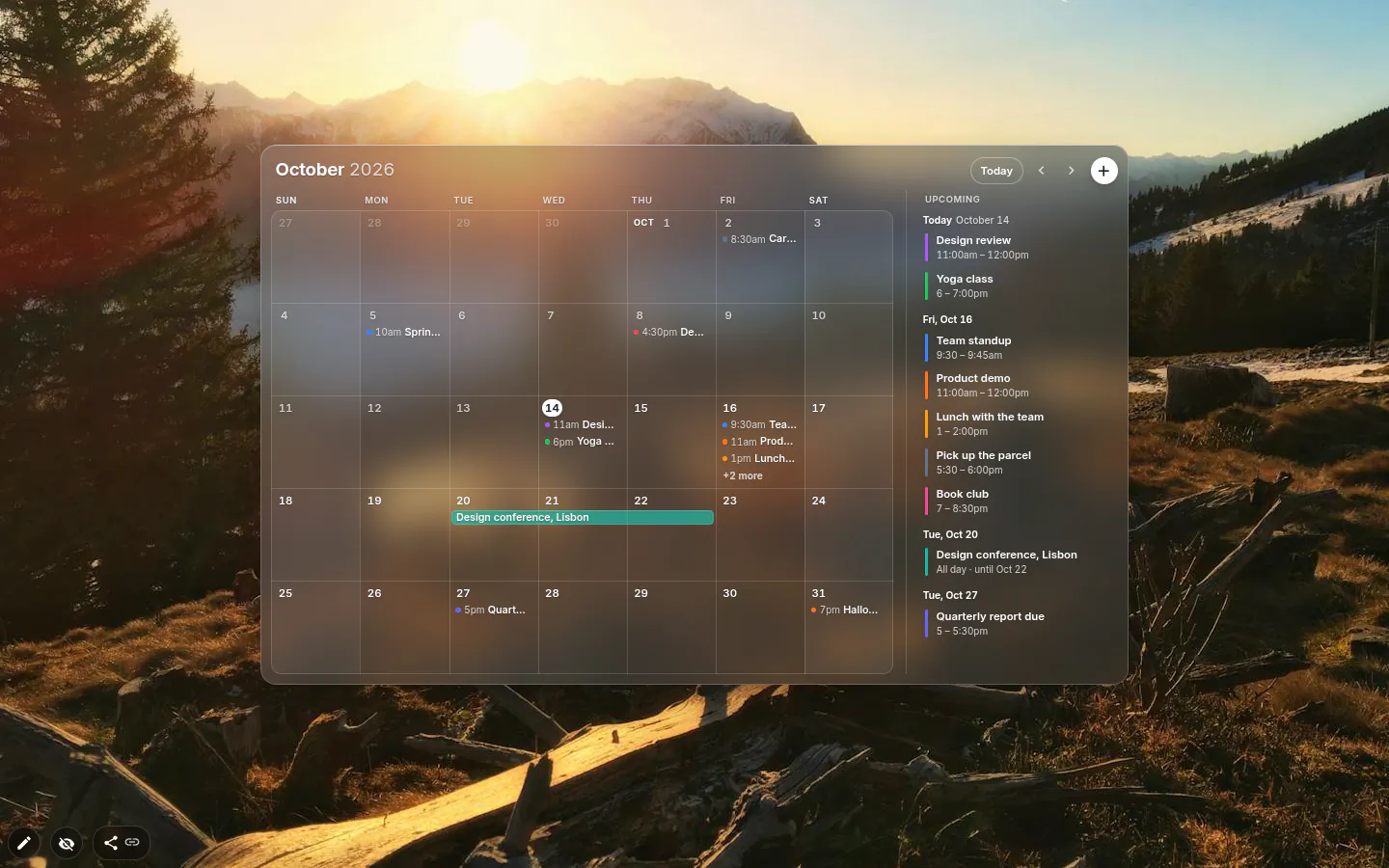
Month, Week or List
Three views, picked in Calendar settings. Month is the full grid. Week is one row of that grid, days rather than hours. List runs from today through the next 14 days, grouped by day, and when it’s empty it tells you the next two weeks are free. Nice to read.
Make the widget wide and an Upcoming list appears beside the month. Make it short and the month becomes a strip of one or two weeks. It doesn’t zoom, it rearranges, so a small calendar stays readable.
The header has the month, Today, arrows, a + for new events and the settings gear. There is no view switcher up there.
Adding and moving events
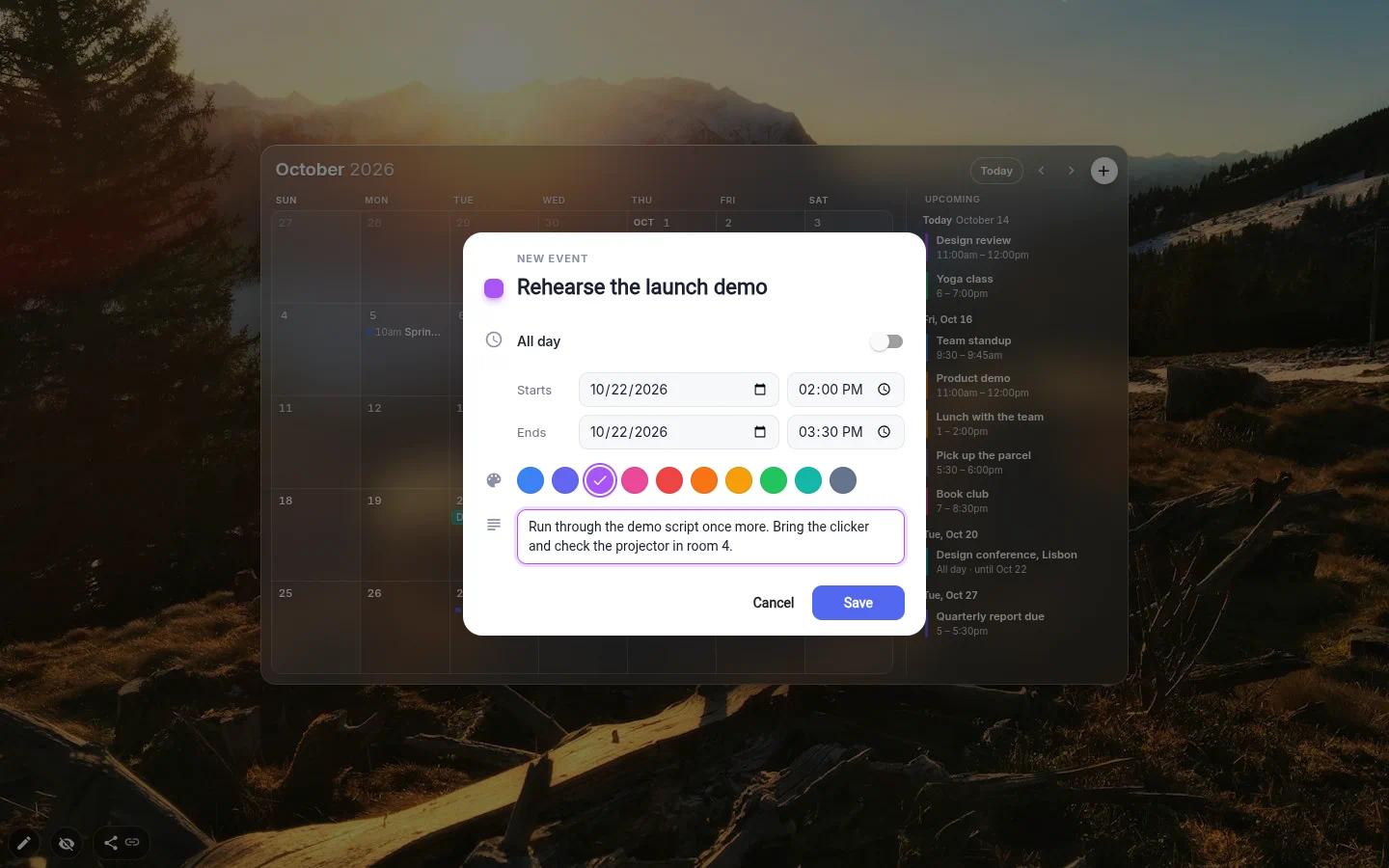
Click a day, or drag across several, and a New event form opens with an all-day event ready. The + button starts a meeting at the next full hour instead, or at 9:00 if today isn’t on screen.
The form is short. Title, All day, Starts and Ends, one of ten colours, an optional description. Move the start and the end follows, keeping the length.
Dragging moves an event by whole days and keeps its time. Only all-day and multi-day events stretch at the edge. With the widget focused, arrows move by day, PageUp and PageDown flip pages, T jumps to today and Enter makes a new event.
Google Calendar on your desktop background, near enough
It isn’t literally your desktop, it’s the new tab, which you probably look at more. In Google Calendar’s settings, copy the Secret address in iCal format (the widget links straight to the right page), paste it into the Google Calendar section of the widget and press Connect. Chrome will ask to let the extension reach calendar.google.com. There’s no Google sign-in.
It’s a subscription to that feed, not a live link. The widget refreshes when you open a new tab and more than 30 minutes have passed, or when you press Sync now. Google updates the secret address a few hours late on its side, so a meeting added a minute ago won’t turn up straight away.
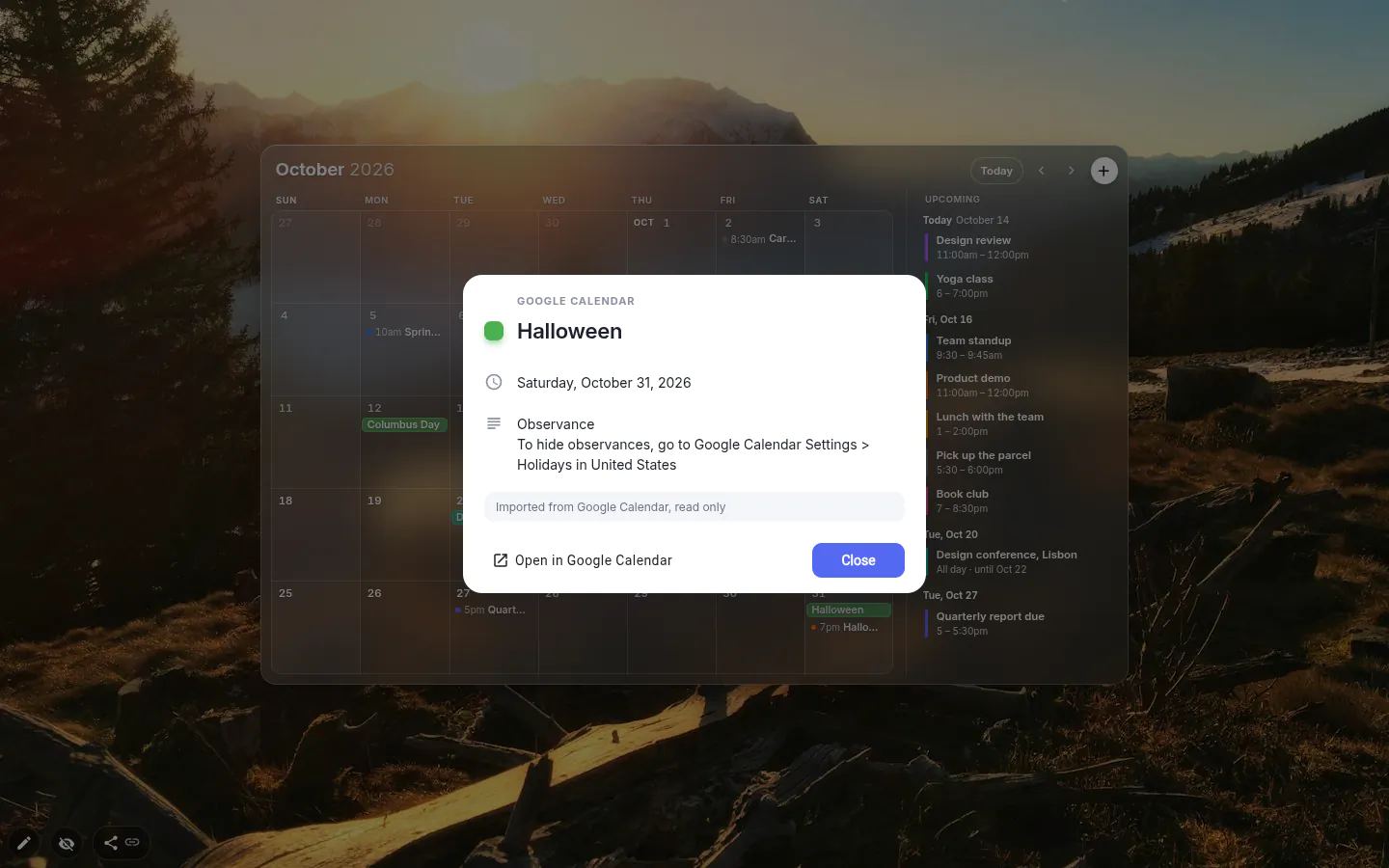
Imported events are read-only and get their own colour. Click one for the time, place, description and an Open in Google Calendar button. Repeating events are filled in from six months back to eighteen months ahead.
The link stays in this browser. Save the page as a theme file or share it in the gallery and the link gets cut out, so a shared layout never carries your diary with it.
Four looks and one limit
Classic, Light, Dark and Glass. An existing calendar keeps Classic. A new one comes in Glass, or in Light or Dark when the page behind it is a solid colour. Accent color sets the highlight, and Week starts on settles the Monday-versus-Sunday argument.
Your own events are free until you have more than fifteen; past that, adding one asks for PRO. Imported Google events do not count. Your events show on every calendar widget you add, while each widget keeps its own Google import, so a personal calendar and a work one in its own colour can sit side by side.
Own events live in the browser, not in the theme. Anyone who installs your page gets the layout with an empty calendar.
Calendar & Planner settings
- View
- Month, Week or List. Chosen here, not in the header.
- Upcoming events next to the month
- On by default. Appears once the widget is wide enough.
- Week starts on
- Auto (by language), Monday or Sunday.
- Design and Accent color
- Classic, Light, Dark or Glass, with eight accent options. Background and text colours are yours to set only in Classic.
- Google Calendar
- Secret iCal address, Connect, Sync now, Update link, Disconnect, and a colour for imported events.
- Events
- Title, all-day or timed, ten colours, a description. Stored in this browser.
What people use it for
- Week planning next to a to-do list.
- Your work Google Calendar, read-only, on every new tab.
- Two calendars side by side, personal events and a work feed in its own colour.
- A two-week List in a narrow column where a month grid wouldn’t fit.
Put the calendar & planner on your new tab
It comes with New Tab Studio. The extension is free to install and needs no account to start.
- 1Add New Tab Studio to Chrome
- 2Open a new tab, click the button at the bottom left
- 3Pick the widget, then drag it into place
Questions about the calendar & planner widget
How do I put Google Calendar on my Chrome new tab page?
Chrome has no setting that turns the new tab page into Google Calendar, so you either pin a calendar tab or use an extension. With New Tab Studio’s calendar widget, copy the Secret address in iCal format from Google Calendar’s settings, paste it into the widget’s Google Calendar section and press Connect. Chrome asks to let the extension reach calendar.google.com, and there’s no Google sign-in.
Does the calendar widget sync both ways with Google Calendar?
No, Google Calendar events arrive in the widget read-only through the iCal link, and nothing you add in the widget goes back to Google. Click an imported event to see its time, place and description, with an Open in Google Calendar button for changes. Each calendar widget can hold its own Google import in its own colour.
How often does the calendar update Google events?
The calendar widget fetches your Google events when you open a new tab and more than 30 minutes have passed since the last sync, and Sync now forces it any time. Google refreshes the secret iCal address a few hours late on its side. A meeting added a minute ago may take a while to appear.
How many calendar events can I add for free?
Your own events in the calendar widget are free until you have more than fifteen, and after that adding another asks for PRO. Events imported from Google Calendar never count toward that. The widget itself, all four looks and the Month, Week and List views cost nothing.
Where are my calendar events stored?
Your own calendar events are stored in this browser, not inside the theme. Anyone who installs a page you published gets the layout with an empty calendar, and your secret iCal link is cut out when you export or share a theme. Your events show on every calendar widget you add.
Widgets that pair well with it
See the full widget catalogue or browse themes other people have built.