
Currency converter and crypto prices on your new tab
A currency converter Chrome extension usually hides behind a toolbar button. This one lives on the new tab page, so rates and coin prices are already on screen before you think to check. Chrome Web Store users got it with version 4.0.
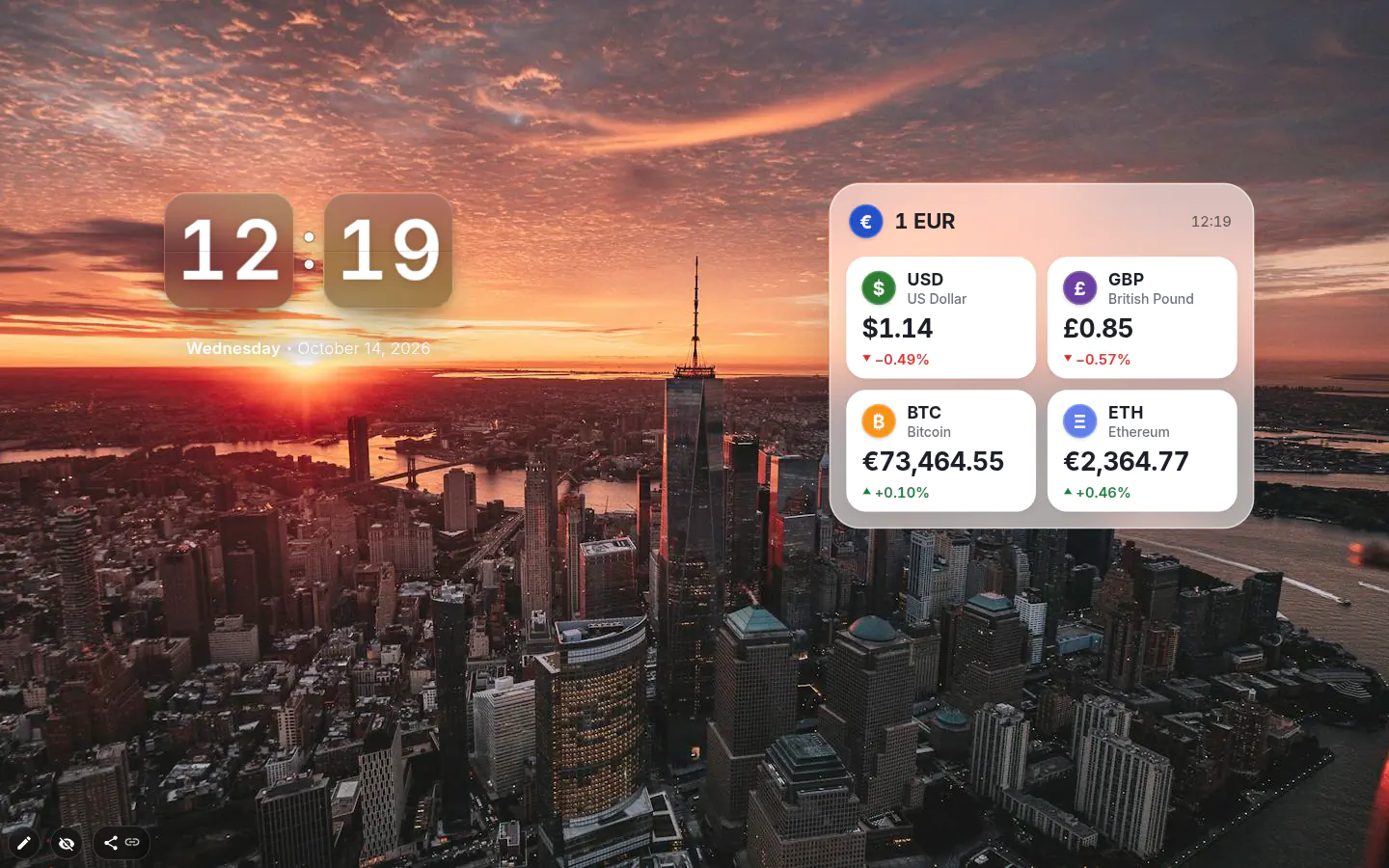
Convert a set amount
Pick the currency you think in, then up to ten rows of currencies and coins against it. Set Amount to 100 and every currency row shows what 100 of your base is worth. Handy if you invoice a fixed sum or budget a trip.
It won’t replace a calculator. Changing the amount means a trip to settings, so for the odd one-off sum or a bit of arithmetic, a calculator widget parked right beside it will be quicker every time.
Crypto prices in the same table
24 coins sit alongside 31 currencies, each shown as "1 BTC = …" in your base currency. Coins pick their own precision by price, so bitcoin doesn’t get eight decimals and a tiny coin doesn’t round to zero. Currencies take a Decimals setting from 0 to 4.
An arrow and a percentage sit by every number. For a currency it’s the change since the last update; for a coin, the last 24 hours. A glance is enough.
Coin prices arrive in dollars and get converted, so switching the base currency re-prices them without a new request. Show inverse rates flips the currency rows when the other direction reads better.
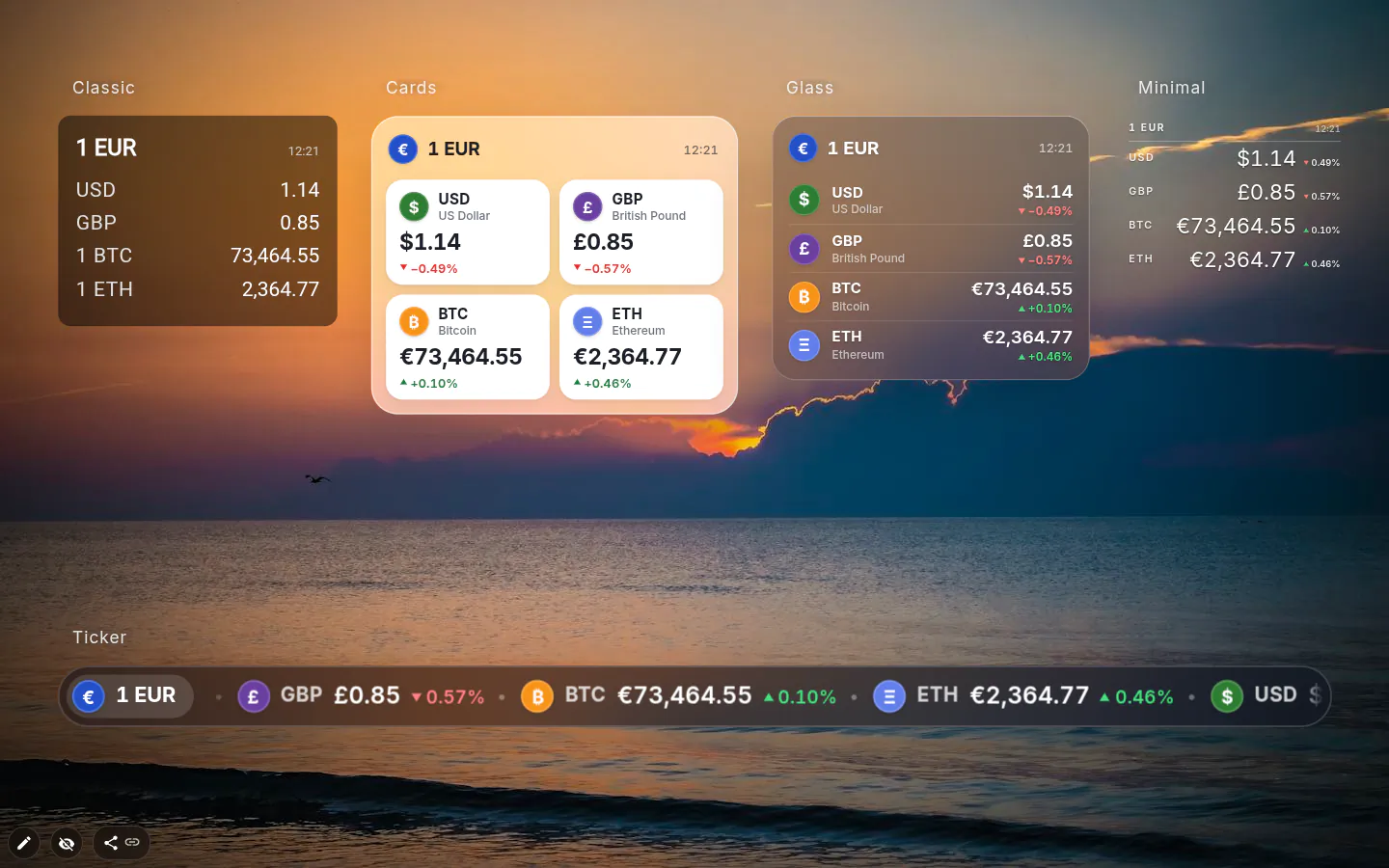
Five designs
Classic (the table), Cards, Glass, Ticker and Minimal. A new widget comes up as Cards and opens the currency picker straight away. Ticker runs the rates as a scrolling line — trading-floor style.
There is no font size control. Resize the widget and the numbers follow.
Where the numbers come from
Currency rates come from Frankfurter every six hours, with open.er-api.com standing by, while coins come from CoinGecko every 15 minutes, with Binance as the spare. Two halves, each with a spare. They load separately, so one provider having a bad morning doesn’t blank the other.
The widget checks for fresh numbers every five minutes and skips that entirely while the tab sits hidden in the background.
Keep it small and off to one side. You want to notice a move, not stare at a ticker forty times a day.
Currency & Crypto settings
- Design
- Classic, Cards, Glass, Ticker or Minimal.
- Base currency
- The one every row is expressed in.
- Currencies & coins
- 31 currencies and 24 coins to choose from, ten rows at most.
- Amount
- "The rates are shown for this amount." Default 1; coins stay at one coin.
- Show inverse rates
- Turns each currency pair the other way round.
- Decimals
- 0 to 4, for currencies.
What people use it for
- Freelancers invoicing in a currency they don’t live in.
- Earning in one currency and paying rent in another.
- What 500 of your money buys abroad, before the trip.
- A couple of coins with their 24-hour change, checked in passing.
Put the currency & crypto on your new tab
It comes with New Tab Studio. The extension is free to install and needs no account to start.
- 1Add New Tab Studio to Chrome
- 2Open a new tab, click the button at the bottom left
- 3Pick the widget, then drag it into place
Questions about the currency & crypto widget
Is there a currency converter for the Chrome new tab?
Yes, the Currency & crypto widget in New Tab Studio puts exchange rates for 31 currencies on Chrome’s new tab, up to ten rows at once. Set Amount to 100 and each currency row shows what 100 of your base currency is worth. For odd one-off sums, a calculator widget parked alongside is quicker.
Can I see crypto prices on my Chrome new tab?
Yes, the Currency & crypto widget tracks 24 coins in the same table as regular currencies, each priced per coin in your base currency (1 BTC = …). Beside every coin sits its change over the last 24 hours. Coin prices refresh every 15 minutes from CoinGecko, with Binance as a backup.
How often do exchange rates update in the widget?
Exchange rates in the currency widget refresh every six hours, from Frankfurter with open.er-api.com as a backup, while coin prices refresh every 15 minutes. The two halves load separately, so one provider having a bad day doesn’t blank the other. Offline, the widget keeps showing the last figures it fetched.
Are the currency rates and crypto prices free?
Yes, currency rates, all 24 coins, the Amount setting and the five designs come at no charge. The widget itself occupies one of three free spots for hand-added widgets, unless it arrived as part of an installed theme.
Widgets that pair well with it
See the full widget catalogue or browse themes other people have built.