
Chrome sticky notes on every new tab
Sticky notes for Chrome that sit on the new tab page, right where you’ll look next. A meeting ID, a phone number, the first line of an email you’re dreading. A note can hold a checklist now too, and you tick it without opening the editor.
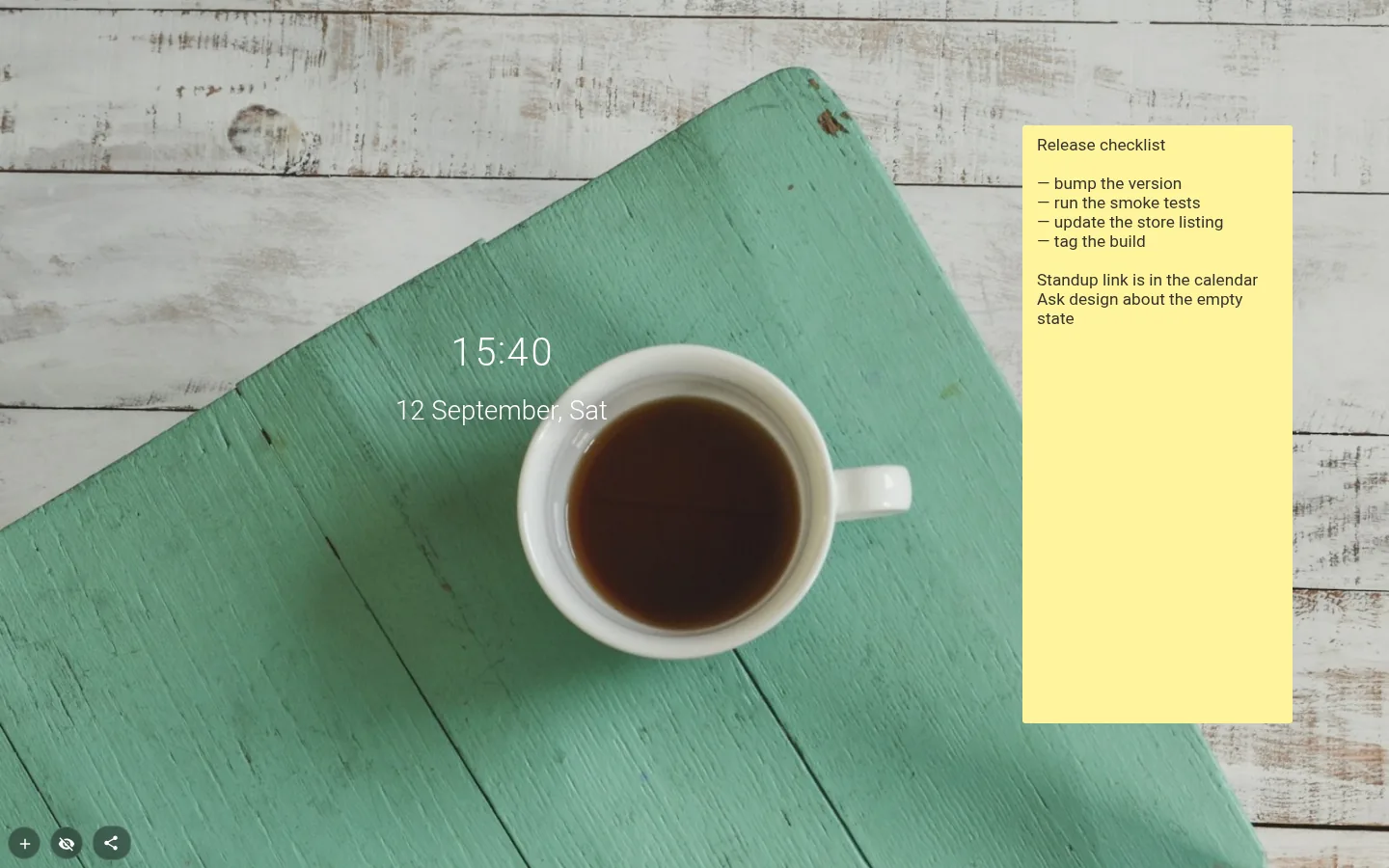
A note that looks like a note
Add a note and it turns up as a Sticky note, a pastel square tilted a degree or two. The tilt is worked out from the moment the note was created, so each one keeps its own lean for good and a row of them looks stuck on by hand.
The Design button has four more looks, Classic, Glass, Paper and Minimal. Colour picks apply to Sticky note and Classic; the other three bring their own background. Notes you had before the update stay Classic, untouched.
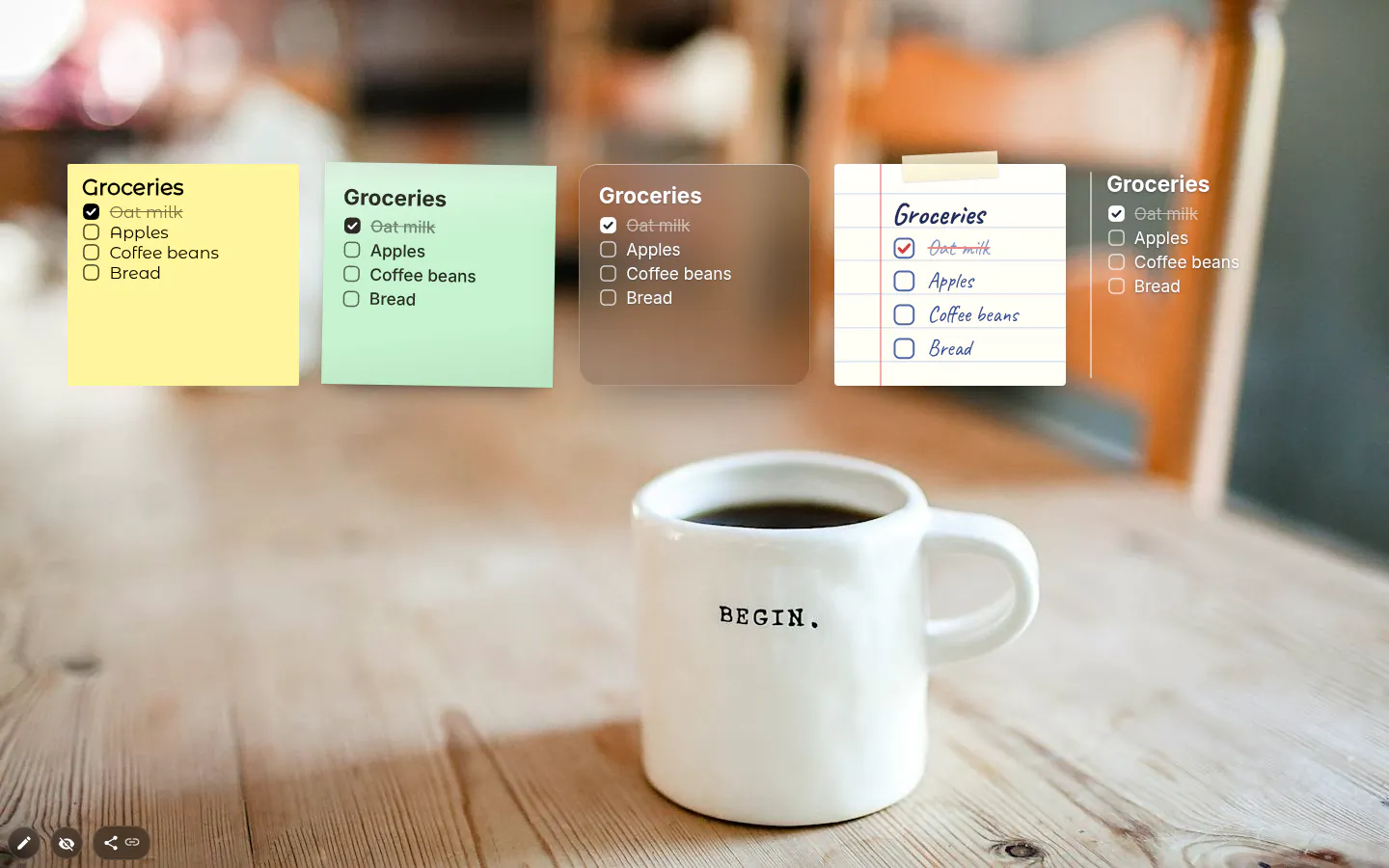
Checklists, lists and links
Start a line with - [ ] and it becomes a checkbox you can tick right on the note. A dash or an asterisk makes a bullet, # makes a heading, double asterisks around a word make it bold, and anything starting with https:// or www. turns into a link that opens in a new tab.
Ctrl+B (Cmd+B on a Mac) wraps the selection in them for you. Enter carries a list on to the next line, and Enter on an empty item ends it. The Add a checklist item button saves you typing the brackets.
Don’t want any of it? Switch off Checklists and links and the note is plain text again. Underneath it always was. The formatting is just characters on a line, which is also why a note travels cleanly inside an exported or published theme.
Note or to-do list?
A checklist in a note is a scratch list. Five lines, ticked, forgotten. The To-Do List widget is for tasks that need a due date, a priority, an archive or a chart, and if your note is heading for forty checkboxes, you wanted the other widget.
What notes won’t do is nested pages, encryption or live sync between computers. It’s a sticky note, not a notebook, and it is the wrong place for a password.
Size, font and saving
Note settings keeps it short. Font size runs Small, Medium, Large, Extra large, and the font is Default, Handwriting (Caveat) or Monospace (JetBrains Mono). Handwriting on a Sticky note is the obvious combo; Monospace is for commands and codes you copy out.
Text saves a moment after you stop typing and again when you click away. A long note scrolls inside its frame, and there is no length cap on a single note. The ceiling is the browser storage your whole page shares, and the extension will tell you if you ever hit it.
Notes settings
- Design
- Classic, Sticky note, Glass, Paper or Minimal. A new note starts as Sticky note.
- Color
- Seven pastels, for Sticky note and Classic. New notes get one at random, so the same colour twice in a row can happen.
- Font size
- Small, Medium, Large or Extra large. Choose for the distance you read from, not the amount of text.
- Font
- Default, Handwriting (Caveat) or Monospace (JetBrains Mono).
- Checklists and links
- On by default. Turns - [ ] into checkboxes, dashes into bullets and web addresses into links.
- Character count
- Off by default. A running count in the corner, handy when you draft a bio or a post with a limit.
- Toolbox
- Fill colour on Sticky note only, text colour on Sticky note and Minimal. Classic keeps its full old set.
What people use it for
- Meeting IDs and passcodes you use every week.
- Three checkboxes for today, done by lunch.
- A handful of links you open every morning.
- A command cheat sheet in Monospace.
- The draft of a message you’re still thinking about.
Put the notes on your new tab
It comes with New Tab Studio. The extension is free to install and needs no account to start.
- 1Add New Tab Studio to Chrome
- 2Open a new tab, click the button at the bottom left
- 3Pick the widget, then drag it into place
Questions about the notes widget
Are sticky notes good for ADHD?
Many people with ADHD use sticky notes, and some find them one of the few reminders that stick, because a note in plain sight doesn’t depend on remembering to open an app. The catch is that paper notes pile up until you stop seeing them. A note on the new tab turns up with every tab you open, and it can hold a checklist you tick in place.
How do I add sticky notes to my Chrome new tab page?
Chrome has no sticky notes of its own, so adding them to the new tab takes an extension such as New Tab Studio. On a new tab, use the button in the bottom-left corner to open the widget panel and choose Notes under Productivity. The page is then in edit mode, so double-click the note to type. For the desktop itself, Windows has Sticky Notes and macOS has Stickies.
Is there a free sticky notes extension for Chrome?
Yes, the Notes widget in New Tab Studio is free, with all five designs, seven pastel colours and the handwriting font. Each note is a widget of its own, and the free plan lets you place three by hand, so three notes or two notes and something else. Notes that came with an installed theme don’t use up that allowance.
Where are my notes saved?
The Notes widget saves your notes as plain text in this browser’s local storage, a moment after you stop typing and again when you click away. They are not encrypted and don’t sync to other devices, so keep passwords somewhere else. Exporting your page or publishing it as a theme takes the notes along, and that’s how you move them to another machine.
Can I use markdown or checklists in a note?
Yes, the Notes widget understands a small slice of markdown, from - [ ] checkboxes and bullets to # headings, bold text and clickable links. It’s all on by default, and the Checklists and links switch turns it off. Underneath, the note is still plain text, so nothing breaks when it travels inside a theme.
Widgets that pair well with it
See the full widget catalogue or browse themes other people have built.