Canvas: a drawing extension for your new tab
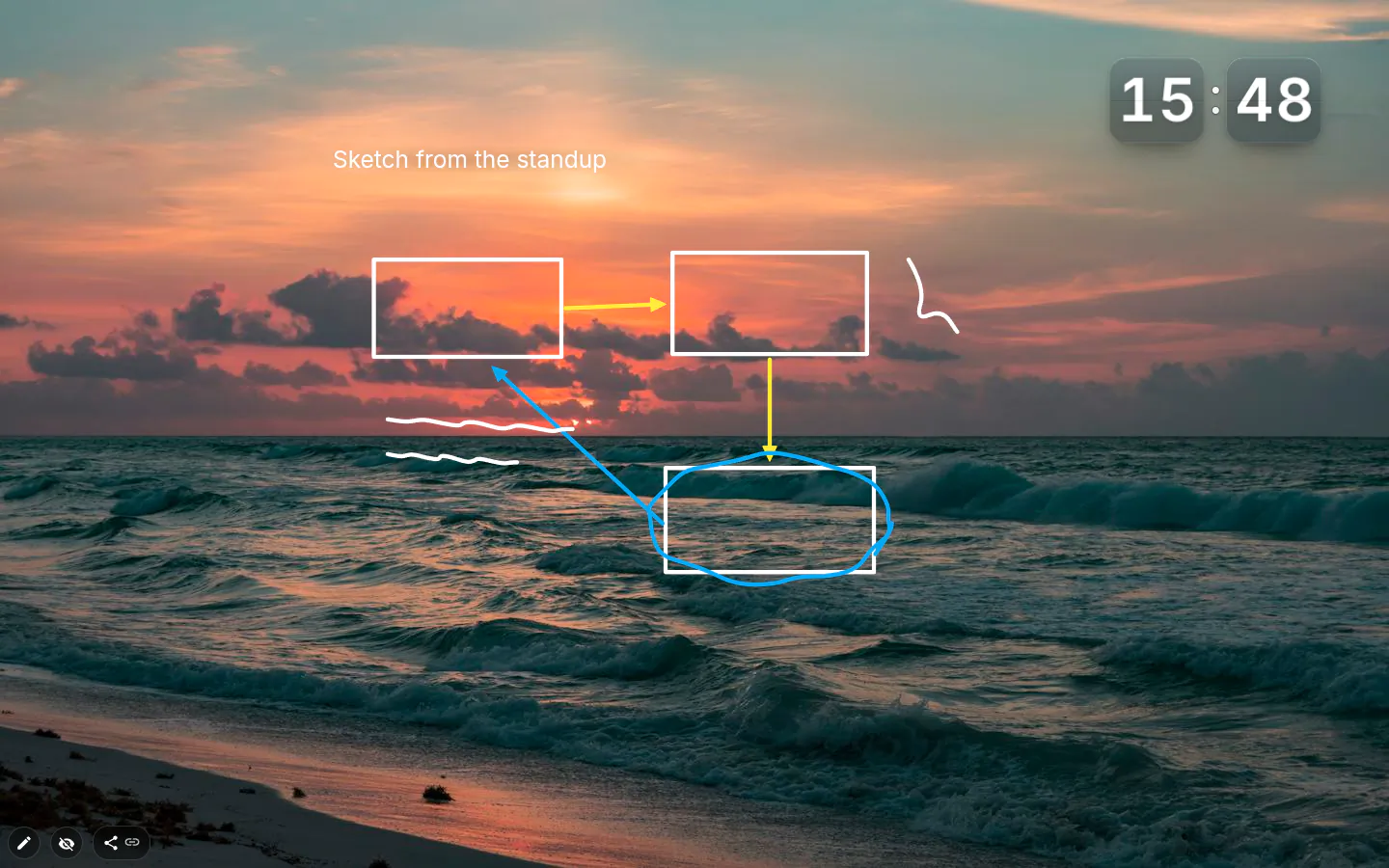
Looking for a drawing extension for Chrome? Canvas is one for your new tab page, and only there; it won’t draw over other websites. Three boxes and an arrow explain a plan in four seconds, and this is where those four seconds get kept. It reached Chrome Web Store users in version 4.0.
Pen, arrow, rectangle, cursor
Three drawing tools cover the grammar of a whiteboard sketch. The pen for anything, arrows for what points where, rectangles for the things being pointed at. Nine colours plus one of your own, four widths (2, 4, 8 and 14).
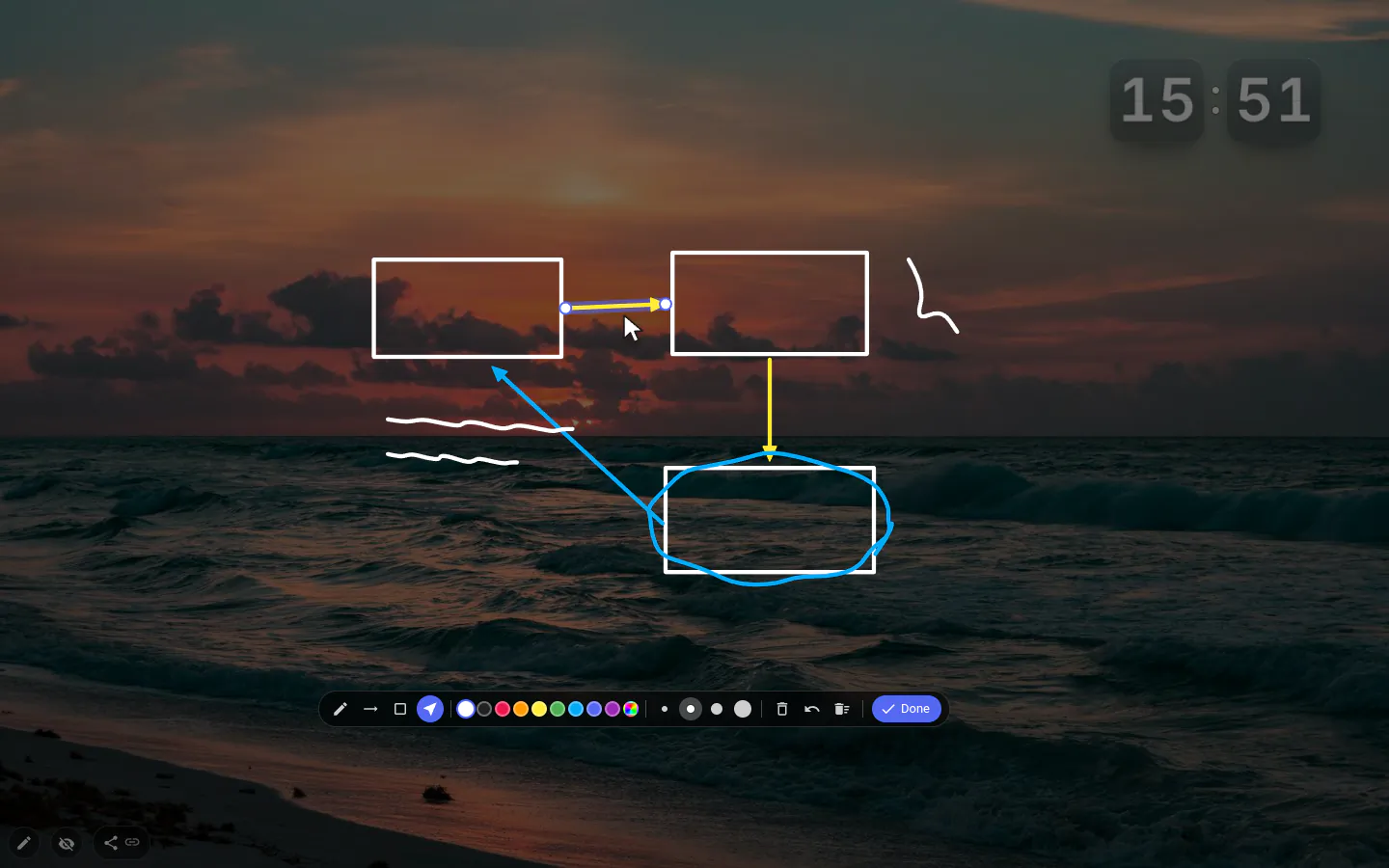
The cursor is the fourth tool — it selects a shape, moves it and drags an arrow’s ends. Delete removes the selection, Undo last shape takes back a slip, and Clear the canvas asks before it wipes everything. Done or Esc gets you out.
Drawing mode is separate from moving
Out of edit mode the canvas behaves like any other widget, and you drag it around. Drawing happens in Edit, which dims the rest of the page.
The two gestures are the same gesture. Without the split, every attempt to move the widget would leave a line across your diagram, and every line would drag the widget. One extra click keeps them apart.
Resizing changes the paper, not the drawing
Make the widget bigger and you get more room, not a blown-up sketch. Your boxes keep the size you drew them, with fresh space around them for the next bit.
Rectangles are filled at 35 percent, so they tint rather than cover. Put an image widget with a screenshot underneath and you can box the part that matters without hiding it.
What it won’t do
It will not draw on other websites. The canvas is a widget on your new tab page, and that’s the only place it lives.
No text tool, no circles, no eraser beyond Undo and Delete. It is not a design app and doesn’t try to be. The real design app just isn’t open on your new tab, and this is.
Canvas settings
- Tools
- Pen, Arrow, Rectangle, and a Cursor for selecting and moving.
- Colour
- Nine presets or your own.
- Width
- 2, 4, 8 or 14.
- Edit mode
- Where drawing happens; the rest of the page dims.
- Undo last shape / Clear the canvas
- One step back, or a clean sheet after a confirmation.
- Size
- Resizing changes the room to draw, not the size of what’s drawn.
What people use it for
- A diagram sketched while someone explains something on a call.
- The shape of a problem you haven’t finished thinking about.
- A rough plan of a room, a route or a layout.
- Boxing the important part of a screenshot in an image widget.
Put the canvas on your new tab
It comes with New Tab Studio. The extension is free to install and needs no account to start.
- 1Add New Tab Studio to Chrome
- 2Open a new tab, click the button at the bottom left
- 3Pick the widget, then drag it into place
Questions about the canvas widget
Is there a drawing extension for the Chrome new tab?
Yes, the Canvas widget in New Tab Studio lets you sketch right on Chrome’s new tab with a pen, arrows and rectangles, in nine colours plus one of your own. It’s a whiteboard for quick diagrams rather than a design app — no text tool, no circles and no eraser beyond Undo and Delete.
Can I draw on any website, not just the new tab?
No, the Canvas widget draws only inside its own frame on the new tab page and never over other sites. Marking up web pages calls for a different kind of extension. On the new tab, though, an image widget underneath lets you box parts of a screenshot, since rectangles fill at 35 percent.
Why do I have to click Edit before drawing?
Drawing on the canvas happens in Edit mode because dragging to draw and dragging to move the widget are the same gesture. Without the split, every move would leave a line across your sketch. In Edit the rest of the page dims, and Done or Esc takes you back out.
Can I sketch on the new tab for free?
Yes, Canvas is free with every tool, all four widths (2, 4, 8 and 14) and Undo. It needs no internet either, since the drawing is saved with the extension’s data. As with any widget, it counts toward the free plan’s three.
Widgets that pair well with it
See the full widget catalogue or browse themes other people have built.