
Image & GIF widget: a vision board on every new tab
A vision board Chrome extension needs one thing, pictures you can place anywhere, and that’s what this widget is. Photos, a new tab GIF or a muted looping clip, each sized, tilted and stacked the way you want.
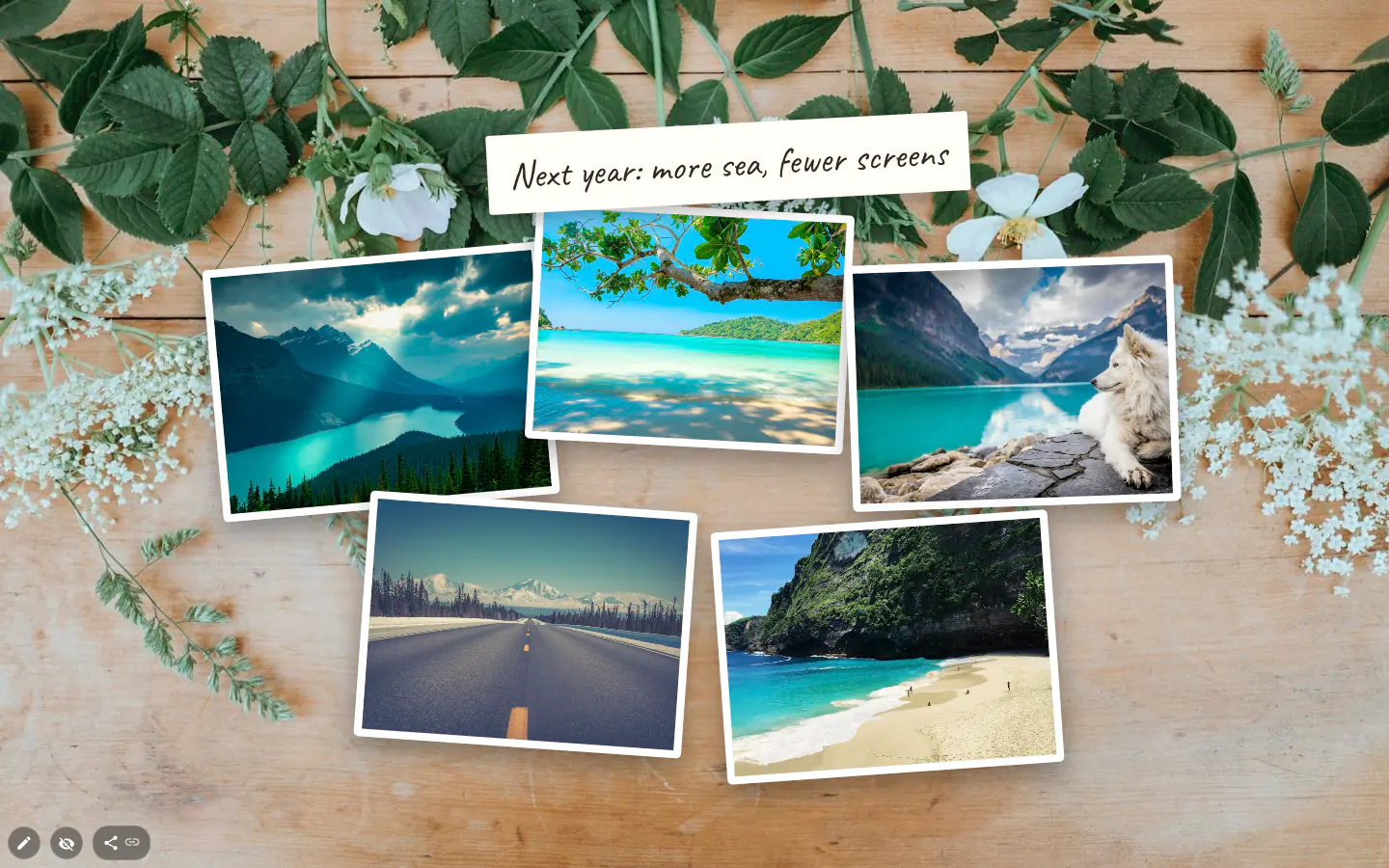
A vision board that doesn’t look like a grid
Your new tab page is probably the surface you see most often. Dozens of views a day. No app to open. Five or six pictures at different sizes, overlapping a little, a text widget with the goal across the middle. Ten minutes of work.
Rotation arrived in 4.0, and it’s what makes the polaroid look work. Grab the handle above a picture and turn it; it snaps to 15° steps unless you hold Alt. The Border panel adds a frame up to 12 px wide and rounds the corners, while Bring to front and Send to back in the ⋮ menu decide what overlaps what.
GIFs and short looping video
GIF search, powered by GIPHY, sits in the same picker as the photos. One small loop makes a page feel alive; three competing loops turn it into a slot machine.
Paste a link to an mp4 or webm into Image URL and it plays inside the frame, muted and on a loop. Good for a short clip that a GIF would turn into mush.
Where the pictures come from
Double-click the widget to open the full background picker with all eight tabs. Collections, Wallpapers from wallhaven.cc, Image search on Unsplash, GIF search, Image URL, Upload, Solid color and Favorite images. Wallpapers asks for access to wallhaven.cc the first time you open it.
Uploads (JPG, PNG, WEBP or GIF, 10 MB at most) stay in this browser. A theme stores only a reference, so whoever installs yours gets the layout with an empty frame. Pictures from search or a URL travel fine.
Pictures are requested at the size of your screen, scaled for high-density displays up to 1.5×, so frames stay sharp without pulling giant files.
Pictures that change by themselves
Take a picture from Collections and it changes on its own, on a period you set in this widget’s picker. That period is separate from the page background, so a small frame can cycle every hour while the wallpaper holds still for a week.
For a vision board, pick single pictures and they stay put. For a decorative frame? Let it roam.
Image & GIF settings
- Picture
- Double-click for the eight-tab picker, the same one the page background uses.
- Change period
- Set in the widget’s own picker, independent of the wallpaper.
- Border
- Solid, dashed or dotted frame up to 12 px, opacity, rounded corners.
- Rotate
- Handle or button, anywhere from −180° to 180°.
- Layers
- Bring to front and Send to back, in the ⋮ menu.
What people use it for
- A vision board for the year, every picture turned a few degrees.
- A mood board for a design project.
- A small frame of changing photos beside a clock.
- A single looping GIF as the only decoration on a plain page.
- A muted clip of the place you’re saving up to visit.
Put the image & gif on your new tab
It comes with New Tab Studio. The extension is free to install and needs no account to start.
- 1Add New Tab Studio to Chrome
- 2Open a new tab, click the button at the bottom left
- 3Pick the widget, then drag it into place
Questions about the image & gif widget
How do I make a vision board on my Chrome new tab?
A vision board on Chrome’s new tab is a handful of Image & GIF widgets from New Tab Studio, one picture each, sized, tilted and overlapped until it looks like a board. Rotation snaps to 15° steps unless you hold Alt, the Border panel adds a white polaroid frame, and a text widget across the middle names the goal.
Can I put a GIF on my new tab without making it the background?
Yes, an Image & GIF widget holds a GIF in its own frame anywhere on the page, and the wallpaper stays untouched. Find one in GIF search, which runs on GIPHY, paste any GIF link, or upload a file of up to 10 MB. One small loop livens a page up; three start fighting for attention.
Can I put a video on my Chrome new tab?
Yes, the Image & GIF widget plays a video from a link to an mp4 or webm file, muted and on a loop, inside its frame. Video files can’t be uploaded, only images can. Want the clip behind the whole page instead? Paste the same link into the background picker’s Image URL tab.
Can I build a vision board for free?
Yes, though a free vision board holds three pictures of your own, or two and a caption, since each frame is a widget and the free plan allows three added by hand. Frames that arrive in an installed theme don’t use that allowance. GIFs, video, borders and rotation are free either way.
If I share my theme, do my uploaded pictures go with it?
No, uploaded pictures stay in your browser and a shared theme only points at them, so whoever installs it sees an empty frame. That’s good for privacy and awkward for sharing. Use a picture from search or a URL when you want it to travel.
Widgets that pair well with it
See the full widget catalogue or browse themes other people have built.