
Text widget: custom text on your new tab
The text widget puts custom text on your Chrome new tab page, whether that’s a label over a countdown, a goal for the quarter or one word as the whole page. Type it, pick one of 22 fonts, drop it where it belongs.
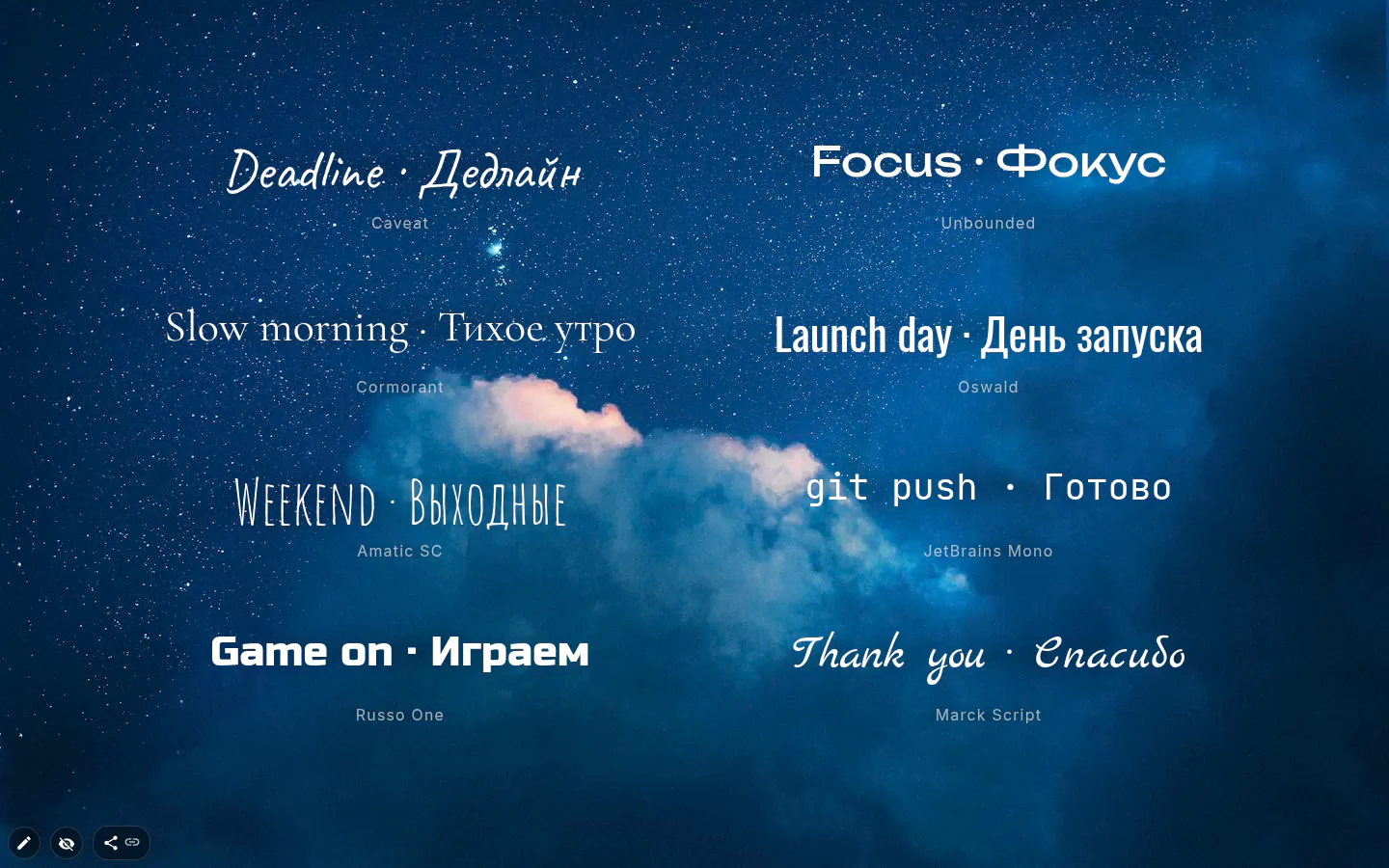
Labels make a layout readable
A countdown showing 14 days is a number. Put "Final exams" over it and it’s a warning. Most widgets read better with a word or two beside them, and giving them that word is this one’s day job.
Its other job is the headline. A name, a greeting, the thing this page exists for, set large across the middle.
22 fonts in five groups
Version 4.0 took the list from ten to 22 and grouped it by mood. Sans (Roboto Light, Roboto, Inter, Montserrat, Montserrat Alternates, Comfortaa, Exo 2), Display (Oswald, Unbounded, Russo One, Rubik Mono, Stalinist, Press Start, Poiret), Serif (Playfair, Cormorant), Handwriting (Caveat, Marck Script, Amatic SC, Lobster, Pacifico) and Monospace, which is JetBrains Mono.
All of them ship inside the extension and cover Cyrillic as well as Latin. Nothing loads from a font service, so text renders offline, and a font file is read only when you apply it, one alphabet at a time. Chinese and Japanese fall back to your system font.
Old themes set in Verdana, Impact or Comic Sans keep them. Those legacy fonts show up only on widgets that already use them.
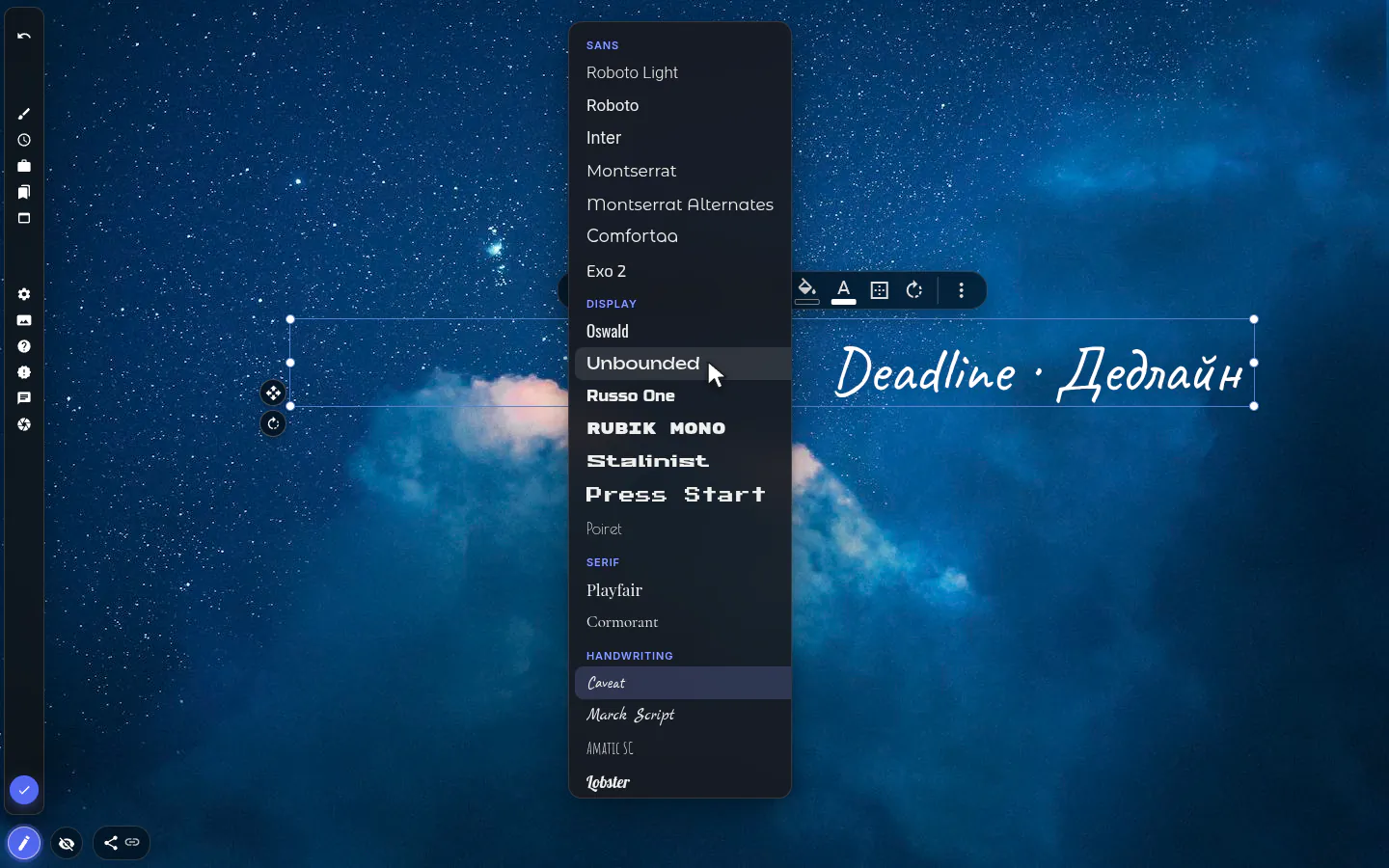
Readable over any photo
White text on a photo works until the photo changes. The shadow button in Font style adds one tuned shadow. A background fill at 10 to 30 percent lifts the text without hiding the picture; at full opacity it becomes a card, fine on a dashboard and heavy on a landscape.
New in 4.0 is Stroke, an outline round every letter, which holds up on busy photos where a shadow gives in. Underline and strikethrough sit in the same panel.
What the text widget does not have is background blur. When the whole area behind the words is too loud, put a translucent shape under them.
Size, border, rotation
Font size offers presets from 10 to 288 and takes anything from 1 to 999. The Border panel adds a solid, dashed or dotted frame up to 12 px thick, with rounded corners. The rotate handle tilts the text and snaps to 15° steps unless you hold Alt.
Keep it to a line or two. A new tab gets about a second of attention, and a paragraph gets skipped. Text you want to reread belongs in the notes widget.
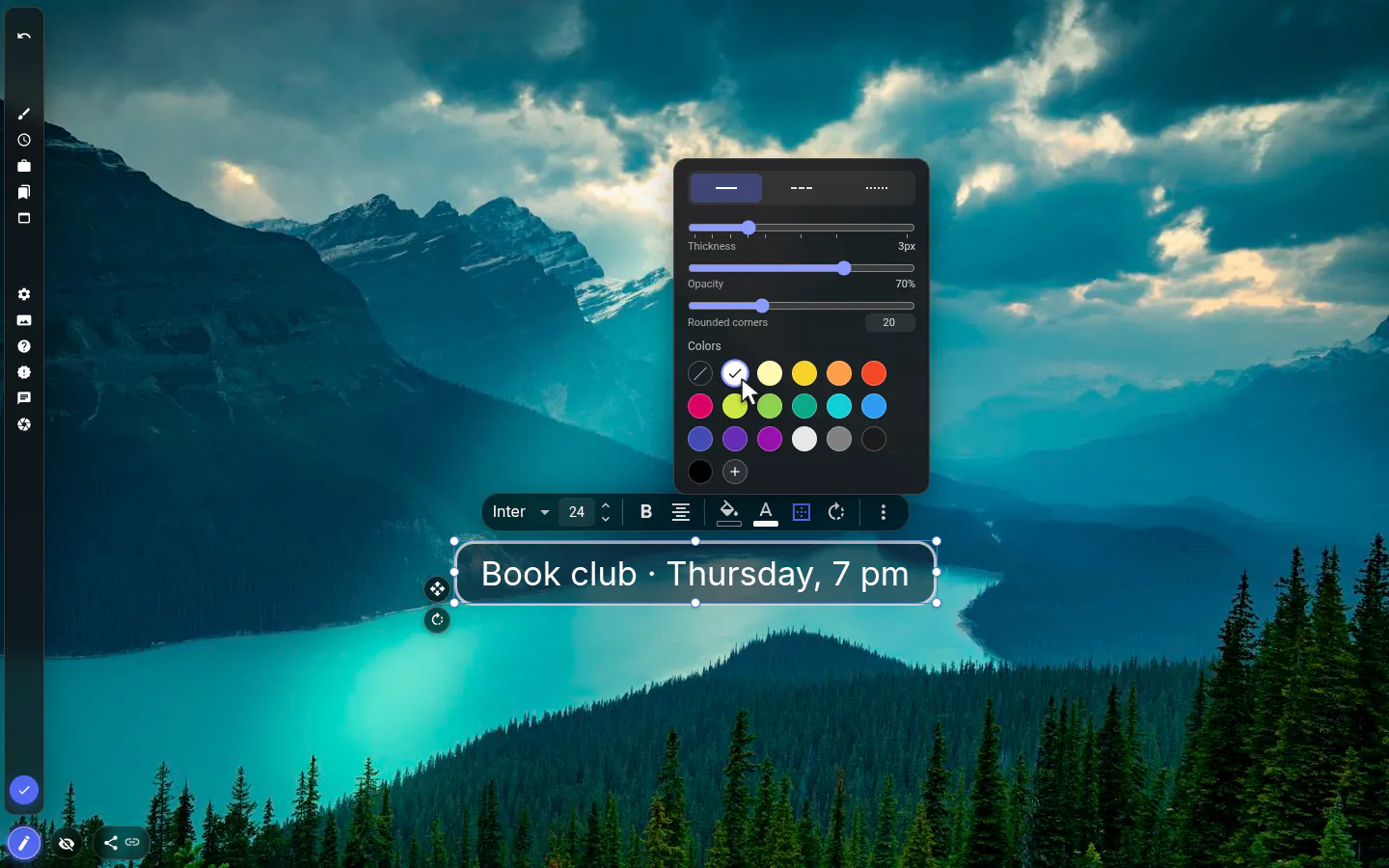
Text settings
- Font
- 22 fonts under Sans, Display, Serif, Handwriting and Monospace, all with Cyrillic.
- Font size
- Presets from 10 to 288, or type any size from 1 to 999.
- Font style
- Bold, Italic, Underline, Strikethrough, Text shadow and Stroke.
- Alignment
- Left, Center or Right.
- Colour and fill
- Text colour, and a background fill you can fade to see-through.
- Border
- Solid, dashed or dotted, 0 to 12 px, with opacity and rounded corners.
- Rotate
- From −180° to 180°, by button or by the handle.
What people use it for
- Labels above a countdown, habit tracker or clock.
- A large headline naming the goal of the page.
- A name or greeting on a personal theme.
- Section headers on a dashboard-style layout.
- A single word, tilted a few degrees, as the whole page.
Put the text on your new tab
It comes with New Tab Studio. The extension is free to install and needs no account to start.
- 1Add New Tab Studio to Chrome
- 2Open a new tab, click the button at the bottom left
- 3Pick the widget, then drag it into place
Questions about the text widget
How do I put custom text on my Chrome new tab?
Chrome’s own new tab has no place for text of your own, so custom text takes an extension. In New Tab Studio, the text widget puts any word or line on the page in one of 22 bundled fonts, at any size from 1 to 999, and you drag it wherever it belongs. A label, a goal, a greeting or your name all work.
Can I use my own font on the new tab?
No, the text widget sticks to its bundled set of 22 fonts in five groups, from Inter and Oswald to Caveat and JetBrains Mono. Every one covers Latin and Cyrillic and ships inside the extension, so text appears instantly and works offline. Chinese and Japanese characters fall back to your system font.
How do I keep text readable over a changing wallpaper?
Text stays readable over any wallpaper once it has a shadow, a Stroke outline or a translucent background fill, all found in the text widget’s toolbox. For a large busy area, slide a see-through shape widget underneath. The text widget has no background blur, so those are your tools.
Do I need PRO for more fonts?
No, all 22 fonts and every style option in the text widget are free, Stroke and rotation included. What the free plan caps is how many widgets you add yourself (three), and text that came with an installed theme sits outside that count.
Widgets that pair well with it
See the full widget catalogue or browse themes other people have built.