
Pomodoro on the new tab, as an aesthetic study timer
This pomodoro timer lives on your Chrome new tab, and by default it’s an hourglass. Sand runs down while you focus, the glass turns over when the break starts. If you were after an aesthetic study timer rather than a red tomato, here it is.
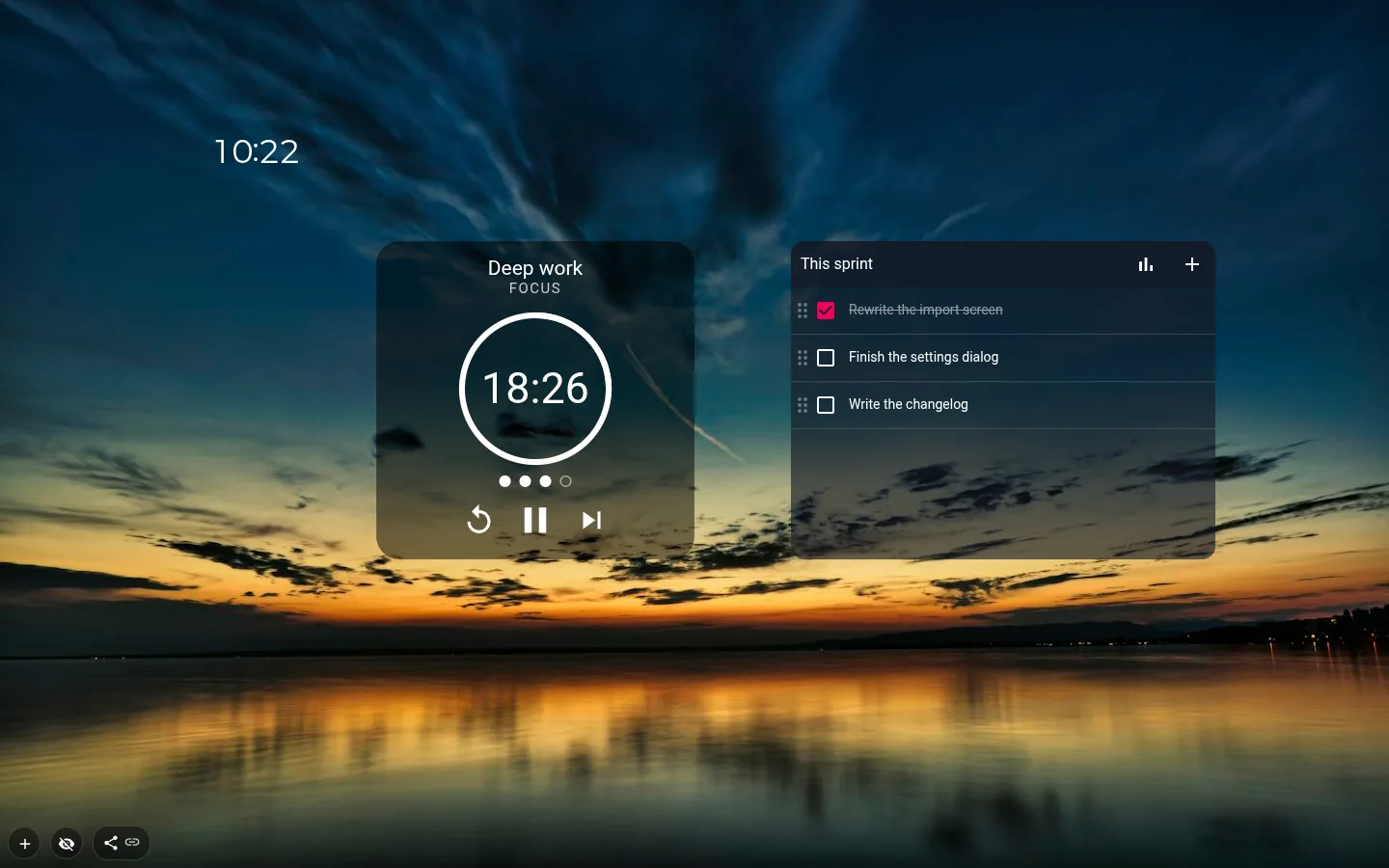
An hourglass that flips
A new timer comes as Hourglass. The sand falls in step with the time that’s gone and changes colour with the phase, and when a phase ends (or you press Skip) the whole glass turns over. You can tell roughly how much is left from across the room without reading a digit.
Ring and Minimal are the quieter options, one click away on the Design button. Dots under the timer show your place in the cycle, so three filled out of four means the long break is next.
25/5, 50/10 or 90/20
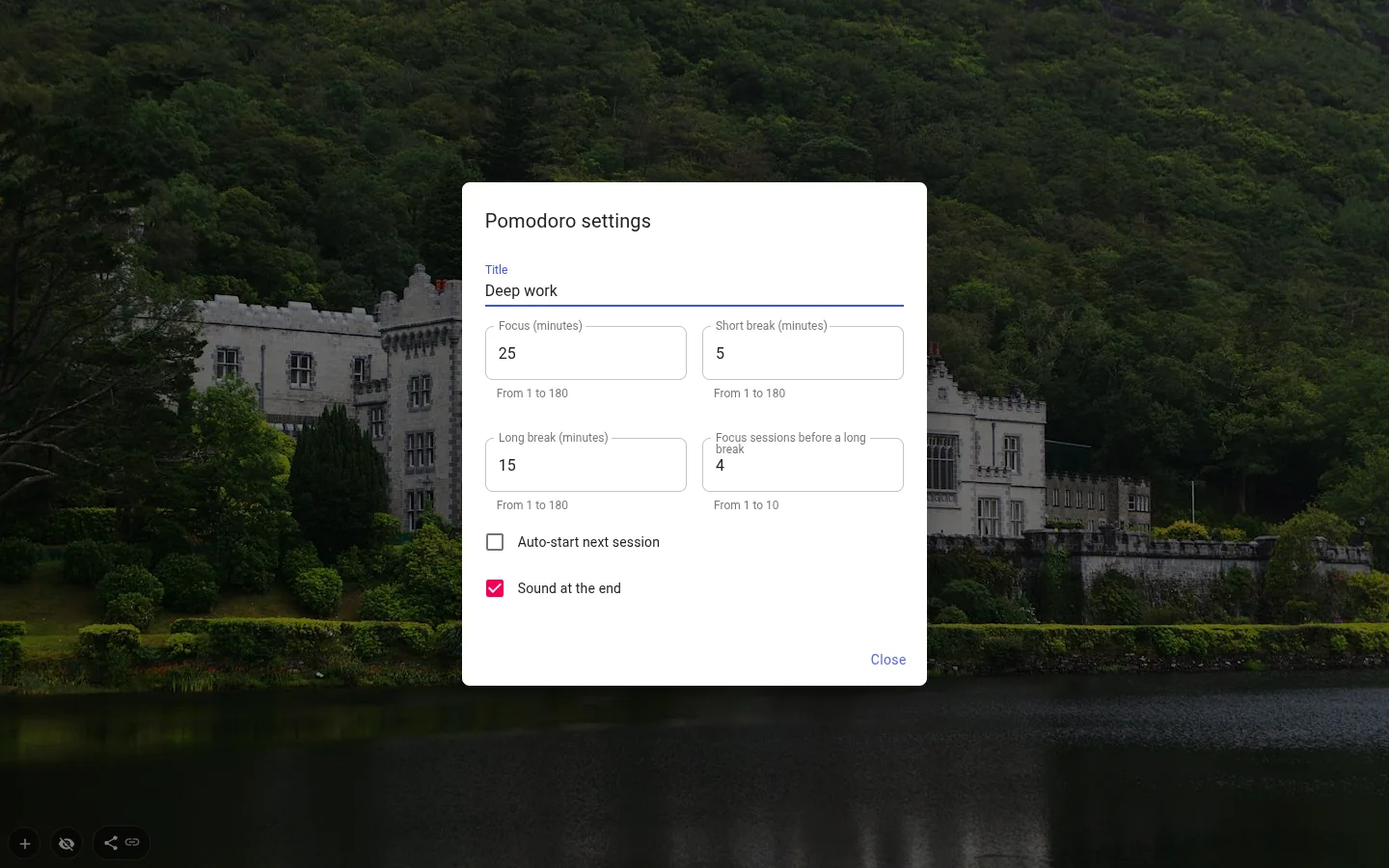
The presets cover the three rhythms people argue about. 25/5 with a 15-minute long break, 50/10 with 30, 90/20 with 30. Or set your own, with focus and breaks anywhere from 1 to 180 minutes and 1 to 10 focus sessions before the long break.
Which one? Twenty-five minutes is short enough that starting doesn’t feel like a commitment. Fifty suits work that takes a while to get into — ninety is for the rare day with no meetings. Give the defaults a week before you tinker.
Auto-start next session is off by default. Switch it on and each break rolls straight into the next focus block, so carrying on is the default and stopping is the decision.
Close the tab, the timer keeps going
The countdown runs off a finish time rather than the open page, so closing the tab does not stop it. Open another tab and the same timer is there, and when the phase ends only one tab rings.
If no tab is open when time runs out, or the laptop was asleep, you won’t hear a thing. Next time you open a tab the widget says "Finished at 14:05" and waits for you; the next phase stays paused even with auto-start on.
The sound
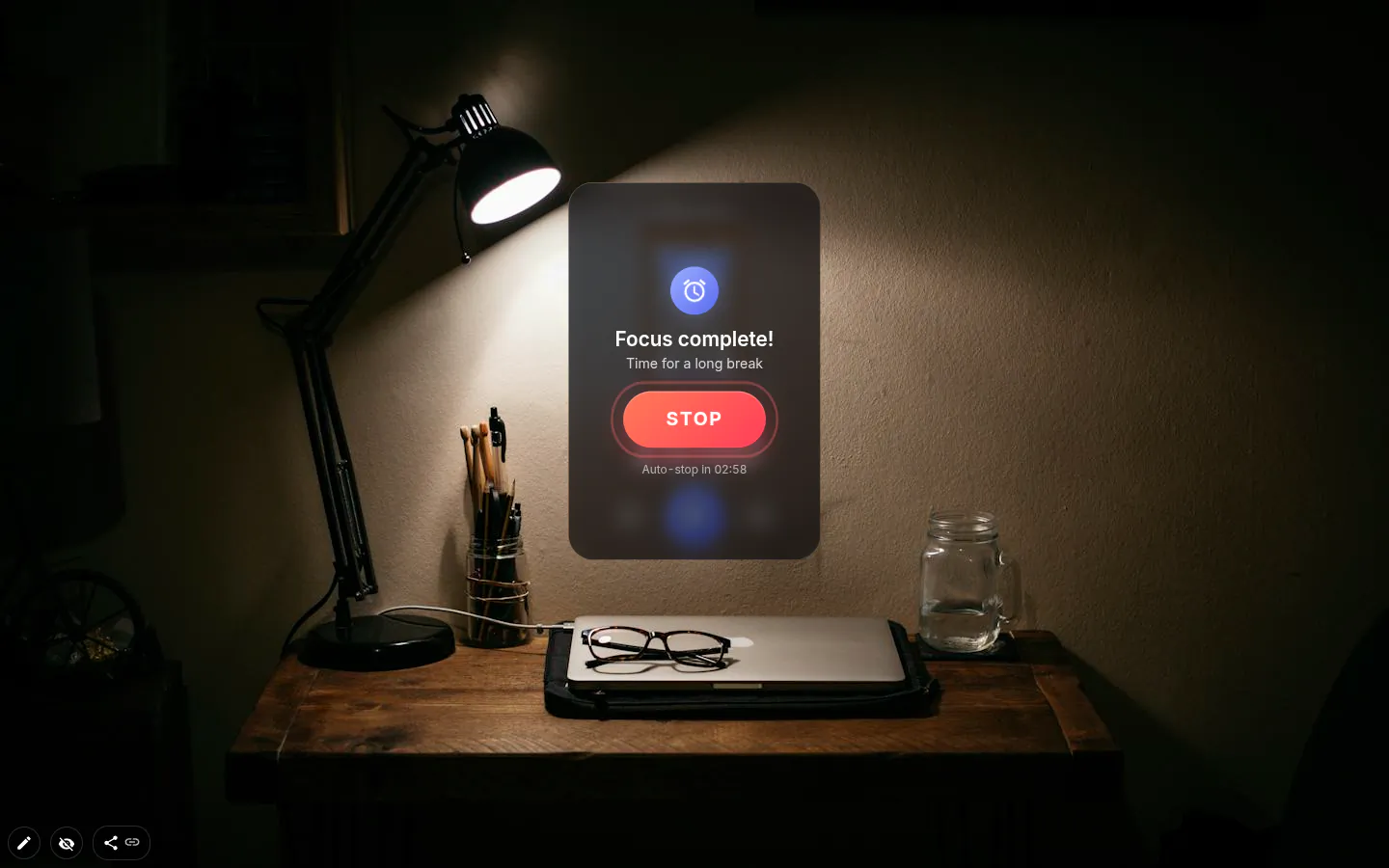
The chimes are generated in the browser, no audio files involved. After focus the notes step down, after a break they step up, so you know which phase ended without looking. A normal alert lasts about six seconds.
Easy to miss? Turn on Ring until I stop it and it keeps going for up to three minutes with a big Stop button, and a click or Esc works too. Stop silences every open tab at once. In a shared room, switch Sound at the end off and the timer becomes something you glance at instead.
Pomodoro Timer settings
- Design
- Hourglass, Ring or Minimal. New timers start as Hourglass.
- Presets
- 25/5, 50/10 or 90/20, each with its own long break.
- Focus, Short break, Long break
- From 1 to 180 minutes each. 25, 5 and 15 out of the box.
- Focus sessions before a long break
- From 1 to 10, four by default.
- Sound at the end
- On by default. Test sound lets you hear it before a session.
- Ring until I stop it
- Up to three minutes of chimes, for when six seconds won’t pull you out of the work.
- Auto-start next session
- Off by default. Doesn’t fire after a phase that ended with no tab open.
- Title
- Up to 24 characters, say "Thesis" or "Spanish".
What people use it for
- Study sessions with an exam countdown on the same page.
- Fifty-minute writing blocks with ten minutes off.
- One task per focus block, taken from the list next to it.
- Long 90/20 rounds on a day with no meetings.
Put the pomodoro timer on your new tab
It comes with New Tab Studio. The extension is free to install and needs no account to start.
- 1Add New Tab Studio to Chrome
- 2Open a new tab, click the button at the bottom left
- 3Pick the widget, then drag it into place
Questions about the pomodoro timer widget
Is 25/5 or 50/10 Pomodoro better?
Neither 25/5 nor 50/10 Pomodoro is better for everyone. 25/5 is the classic rhythm and the easier one to start, while 50/10 gives deep work time to warm up before you stop, and the ratio of work to rest is the same. Try each for a few days and keep the one you don’t fight. The widget has both as presets, with 15- and 30-minute long breaks.
Does Pomodoro work for ADHD?
Pomodoro is not a treatment for ADHD, but some people with ADHD find it makes starting easier, because 25 minutes feels finite and the alarm takes over the job of noticing time. Others find a ringing timer breaks a rare stretch of deep focus. If that’s you, try the 50/10 or 90/20 preset, or switch the sound off and glance at the hourglass instead.
What is the 90/20 rule?
The 90/20 rule means 90 minutes of focused work followed by a 20-minute break. The idea behind it is that attention comes in waves of roughly an hour and a half, so you stop before the wave runs out. It suits long, single tasks on days without meetings, and the widget has 90/20 as a preset with a 30-minute long break.
Is there a Pomodoro timer for the Chrome new tab?
Chrome does not include a Pomodoro timer, though Google Search will run a plain countdown if you search for “25 minute timer”. For a proper Pomodoro on the new tab, New Tab Studio has a Pomodoro timer widget shaped like an hourglass that turns over when a phase ends. It sits under Productivity, in the panel behind the button in the bottom-left corner.
Does the Pomodoro timer keep running if I close the tab?
Yes, the Pomodoro timer runs off a finish time, so closing the tab does not stop it. With another New Tab Studio tab open, the end of the phase rings there, in one tab only. With none open there’s no sound, and the next tab you open shows “Finished at 14:05” with the next phase paused.
Widgets that pair well with it
See the full widget catalogue or browse themes other people have built.