
Motivational quotes for your new tab, in 10 languages
Motivational quotes on your new tab, or funny ones, or only lines you wrote yourself. A quote you see once is a nice sentence; one you see forty times a day starts to argue with you. So the setting that matters most is how often it changes.
How often it changes
Change the quote offers New tab, 5 min, Hour, 6 hours, Day and Week. Six hours is the default. That’s about three quotes in a working day.
New tab turns it into a different widget. At six hours you read a line and chew on it for the afternoon, whereas with a fresh one every time you get a stream, and before long you catch yourself opening tabs partly to see what it says next. Week is the other extreme — one sentence to live with.
Pinning and your own lines
Pin a quote and it stays until you unpin it or page past it yourself, in which case the next one gets pinned instead. The pinned line is saved as text, so changing language or categories won’t swap it out from under you.
My quotes is a category of its own. Run it next to the built-in ones, or on its own for a page nobody else would recognise. Liked quotes live in your general settings rather than the theme, so a rebuilt layout keeps them.
The newer designs put Like, Previous, Pin, Next and Copy right on the quote.
Eleven categories, ten languages
Classic, Motivation, Success & work, Wisdom, Funny, Love & friendship, Life, Movies & books, Science, Sport & health and Learning. Settings show them as tiles with a count on each, so you can see how big the pool you’re choosing is.
English has 975 quotes. Russian, German, Spanish, French, Italian, Portuguese, Turkish, Japanese and Chinese each get their own set of about 134, with local classics rather than a translated English list. Switch the interface to German and Goethe, Schiller and Kant turn up.
A catch. With a non-English interface, the widget draws only from that language’s set and English isn’t mixed in, so the pool is smaller.
Seven designs
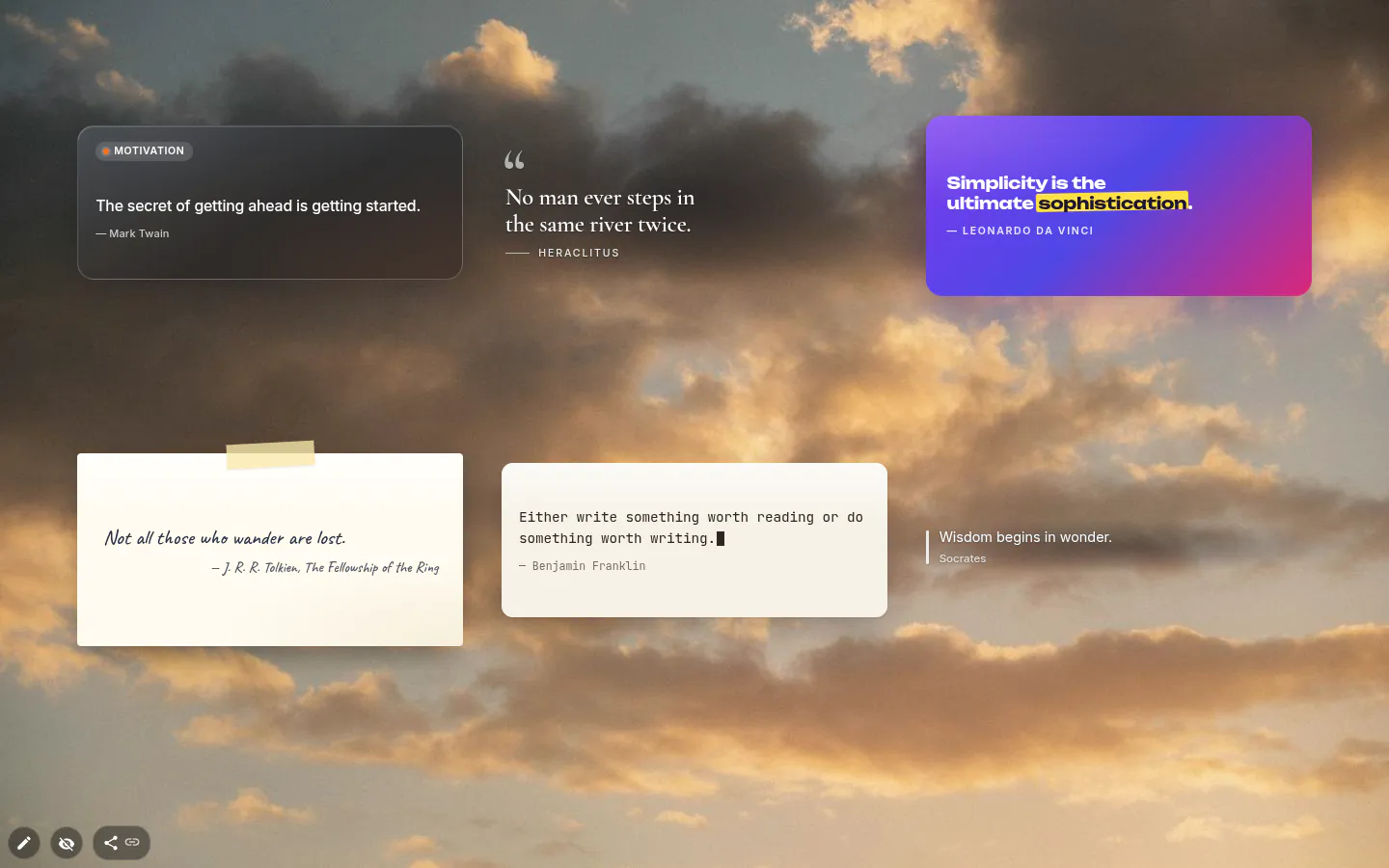
Classic, Card, Editorial, Poster, Handwritten, Typewriter and Minimal. A new widget gets Card, which labels each quote with its category. Long quotes shrink to fit the frame instead of spilling over.
Authors can be shown, hidden or linked to Wikipedia in your interface language. That link opens only when you click it, and the widget fetches nothing to show a quote.
A quote without the widget
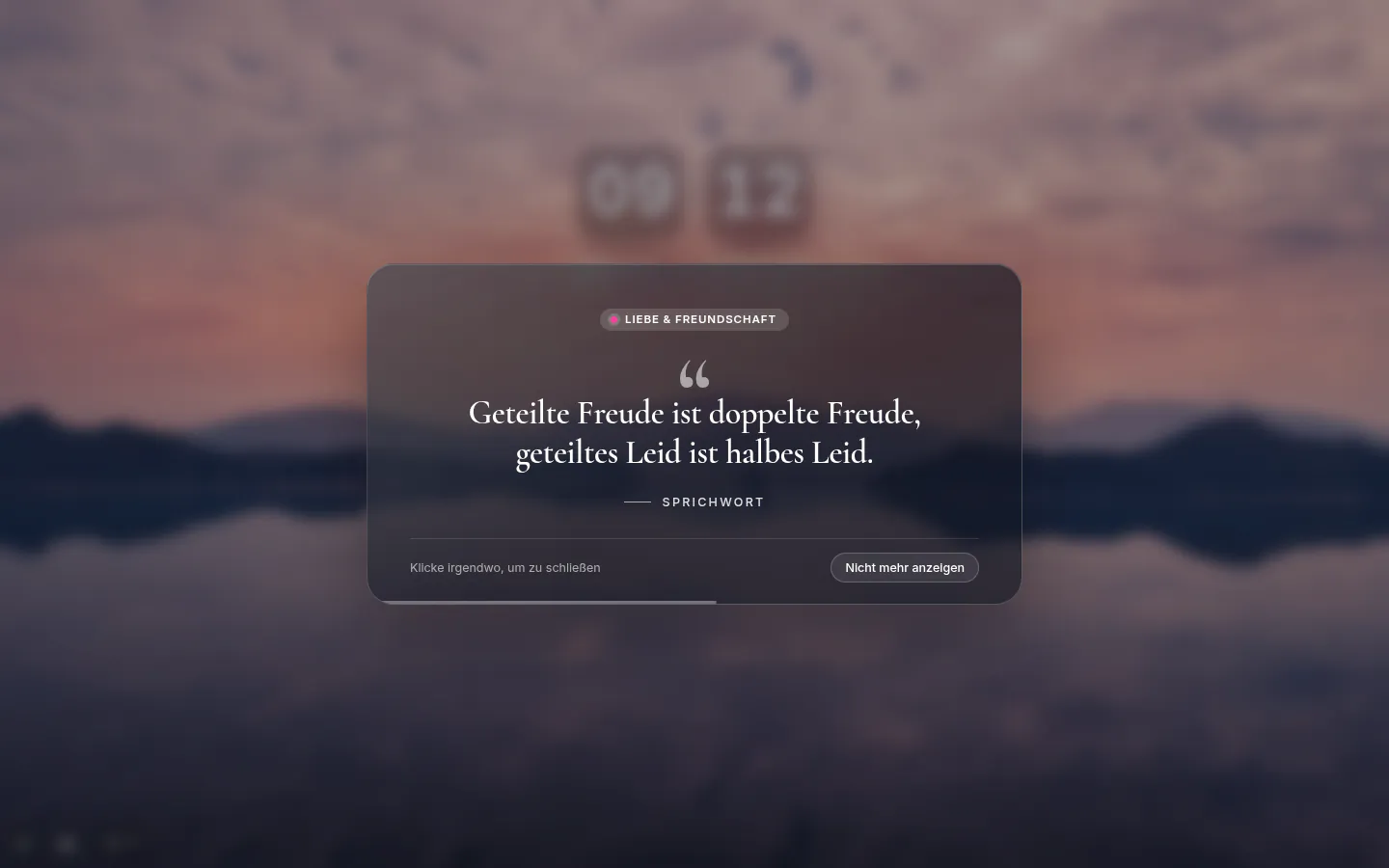
Settings → General → Popups has an Inspiration popup that shows a quote over the page, no widget required. Choose Once a day, Sometimes or Every new tab (it starts Off). Sometimes means at most once an hour, on about 15 percent of new tabs.
It closes on a click or after 12 seconds, and "Don’t show again" is right there. Since it is not a widget, it doesn’t use up any of your three free ones.
Quotes settings
- Design
- Classic, Card, Editorial, Poster, Handwritten, Typewriter or Minimal.
- Categories
- Eleven built in, plus My quotes and Liked quotes, each tile with its count.
- Change the quote
- New tab, 5 min, Hour, 6 hours, Day or Week.
- Pin the current quote
- It stays until you unpin it or switch it yourself.
- Show the author
- With an optional "Link the author to Wikipedia" switch.
- Show the category
- Card design only.
- Inspiration popup
- In the general settings, not the widget. Off, Once a day, Sometimes or Every new tab.
What people use it for
- A rotating line across the bottom of a photo theme.
- One pinned sentence for the length of a project.
- Your own lines only, a category nobody else would recognise.
- A fresh quote on every tab as a reason to keep opening the page.
- Quotes in the language you’re learning, by switching the interface to it.
Put the quotes on your new tab
It comes with New Tab Studio. The extension is free to install and needs no account to start.
- 1Add New Tab Studio to Chrome
- 2Open a new tab, click the button at the bottom left
- 3Pick the widget, then drag it into place
Questions about the quotes widget
Is there a Chrome extension that shows a quote every time I open a new tab?
Yes, New Tab Studio’s Quotes widget shows a fresh quote on every new tab once Change the quote is set to New tab. Out of the box it changes every 6 hours, and the other choices are 5 minutes, an hour, a day or a week. Rather skip the widget? The Inspiration popup under Settings → General can show a quote on every tab too.
Can I add my own quotes to the new tab?
Yes, your own quotes go into My quotes, a category of its own with an author for each line. Run it next to the 11 built-in categories, or alone so the page shows only lines you chose. Liked quotes live in your general settings rather than the theme, so they survive a redesign.
Can I get quotes in a language other than English?
Yes, the quotes widget covers 10 languages. English has 975 quotes, while German, Spanish, Japanese and six others have about 134 each, drawn from local classics rather than translations. The widget follows the interface language and uses only that set, so switch the interface to English for the full collection.
Is there a free motivational quotes extension for Chrome?
Yes, motivational quotes on the new tab are free in New Tab Studio, with Motivation among 11 categories and all seven designs unlocked. The Inspiration popup isn’t a widget and uses no slot at all, while the Quotes widget takes one of the three you can add on the free plan.
Does the quotes widget work offline?
Yes, every quote ships inside the extension, so the widget fetches nothing to show one and works without a connection. The only link out is the author’s Wikipedia page, which opens when you click it and not before.
Widgets that pair well with it
See the full widget catalogue or browse themes other people have built.