
Search bar for Chrome, back on your new tab
Chrome new tab search bar missing? Add this widget and you’ve got a search bar for Chrome again, with your engine, your design and your spot on the page. Why it vanished in the first place: an extension that replaces the new tab page takes Chrome’s own search box with it, and New Tab Studio is one of those extensions.
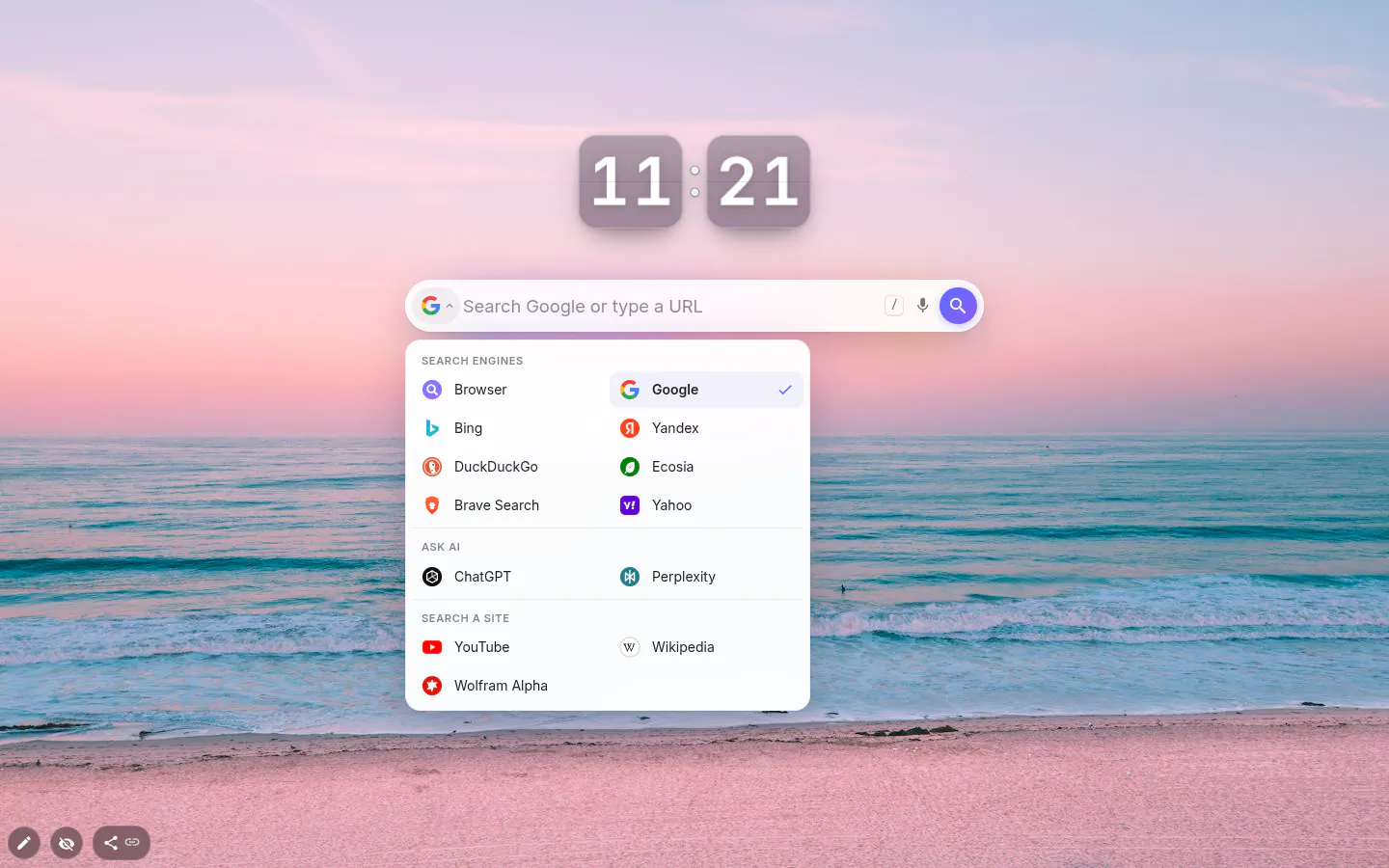
Thirteen engines, switched from inside the bar
In the newer designs the engine icon at the left edge of the bar opens a menu in three groups, starting with the regular engines (Browser default, Google, Bing, Yandex, DuckDuckGo, Ecosia, Brave Search and Yahoo), then Ask AI with ChatGPT and Perplexity, then Search a site with YouTube, Wolfram Alpha and Wikipedia in your interface language. Thirteen in all.
Browser default hands the query to whatever Chrome already uses. Worried a new tab extension will hijack your search? Pick that one — question closed.
The empty box follows the engine, so it reads "Search Google or type a URL", "Ask ChatGPT" or "Search YouTube". Prefer your own words, a greeting or a nudge to yourself? Type them into Input placeholder. Clear the field and the engine’s text comes back.
Six designs, and what’s left to tweak
Classic, Spotlight, Glass, Minimal, Dark and Paper. A new bar arrives as Spotlight in Inter, and Spotlight, Glass and Dark add a search button on the right. Bars saved in older themes stay Classic, so an update does not restyle anything you built.
Classic is the one for full manual control over font, size, text colour, fill and corners. The newer designs fix fill, border and size themselves and leave you the font; Minimal also lets you recolour the text and the line. If you want a different look, switch the design rather than wrestling the toolbox, because each of the newer designs was drawn as a whole and looks best left that way.
Suggestions, recent searches, privacy
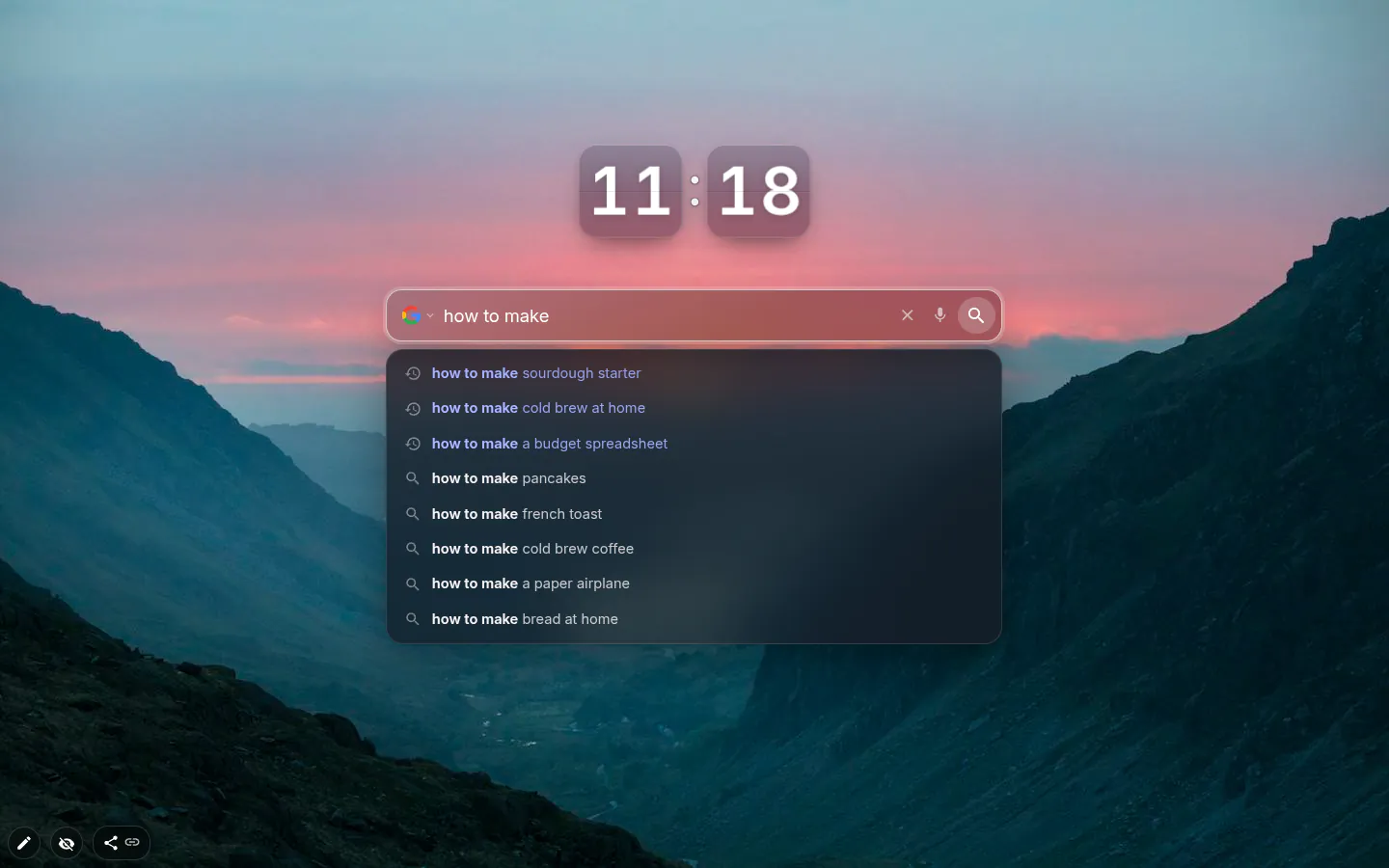
Suggestions start off. Turn them on and Chrome asks for access to suggestqueries.google.com. From then on, whatever you type goes to Google once you pause for 150 ms, and up to eight suggestions come back in your interface language. With YouTube as the engine, YouTube suggests instead.
Recent searches are on from the start. They stay in this browser, and themes, exports and anything you publish never carry them along, however many people end up installing your page. The bar keeps 20 at most, skips anything over 200 characters and shows six when the box is empty. Shift+Delete drops one, Clear history in settings drops the lot.
The microphone button shows up where the browser can do speech recognition. Recognition goes through the browser’s own speech API.
Shortcuts that save a few seconds a day
Press / on an empty spot of the page. The cursor jumps into the bar, same as on GitHub or YouTube. Type an address such as github.com, localhost or an IP, and "Open site" goes there directly instead of searching for it.
Alt+Enter, Ctrl+Enter (Cmd on a Mac) or a middle click opens results in a new tab. There’s a switch to make that the default. And typing Japanese or Chinese through an IME no longer fires a search halfway through a word.
Search Bar settings
- Design
- Classic, Spotlight, Glass, Minimal, Dark or Paper, picked from live previews.
- Search engine
- A grid of 13 cards. The newer designs also switch engines from the icon inside the bar.
- Search suggestions
- Off by default. Turning it on asks for access to Google’s suggestion service.
- Show recent searches
- On by default, stored in this browser only, with a counter and Clear history.
- Open results in a new tab
- Off by default. Modifier keys and a middle click open a new tab either way.
- Voice search button
- Where the browser supports speech recognition.
- Input placeholder
- Your text for the empty box. Leave it blank and the wording follows the engine.
What people use it for
- Getting a search box back after an extension took over the new tab page.
- Ecosia or DuckDuckGo on the page while the address bar stays on Google.
- A second bar pointed at Perplexity for questions rather than links.
- Straight into YouTube or Wikipedia search without loading the site first.
- A custom placeholder that asks you what you came here to do.
Put the search bar on your new tab
It comes with New Tab Studio. The extension is free to install and needs no account to start.
- 1Add New Tab Studio to Chrome
- 2Open a new tab, click the button at the bottom left
- 3Pick the widget, then drag it into place
Questions about the search bar widget
How do I get the search bar back on my Chrome new tab?
The search bar usually disappears from Chrome’s new tab because an extension replaced the page, and switching that extension off at chrome://extensions brings Google’s box back. Prefer to keep the extension? In New Tab Studio, press the button in the bottom-left corner, open Navigation and add Search bar. It works with any of 13 engines, Google included.
How do I change the search engine on my new tab page?
Chrome ties the search on its own new tab to the default engine under Settings → Search engine, and changing it changes the address bar too. The search bar widget keeps an engine of its own, so the page can search Ecosia or DuckDuckGo while the address bar stays on Google. In the newer designs, click the engine icon at the left of the bar to switch.
Does New Tab Studio change my default search engine?
No, New Tab Studio doesn’t change your default search engine, since it never registers a search provider with Chrome. The address bar keeps whatever you chose. The widget’s Browser default option hands your query to that same engine through Chrome’s search permission.
Is the search bar widget free?
Yes, the search bar is free with nothing held back, from all 13 engines and six designs to suggestions and recent searches. The only cap is the general one — the free plan lets you add three widgets by hand, and a bar that arrived inside an installed theme isn’t counted.
What does the search bar send over the network?
The search bar sends your query to the engine you picked when you press Enter, and nothing before that unless suggestions are on. With them switched on, what you type reaches Google’s suggestion service after a 150 ms pause. Recent searches stay in this browser, 20 at most, and never travel with a theme or an export.
Widgets that pair well with it
See the full widget catalogue or browse themes other people have built.