
Link widget: new tab shortcuts you place by hand
New tab shortcuts don’t have to live in a grid. A link widget is one round button with a label under it, sitting exactly where you dropped it. Top sites ranks for you, bookmarks follow a folder tree, and this follows nothing but your hand.
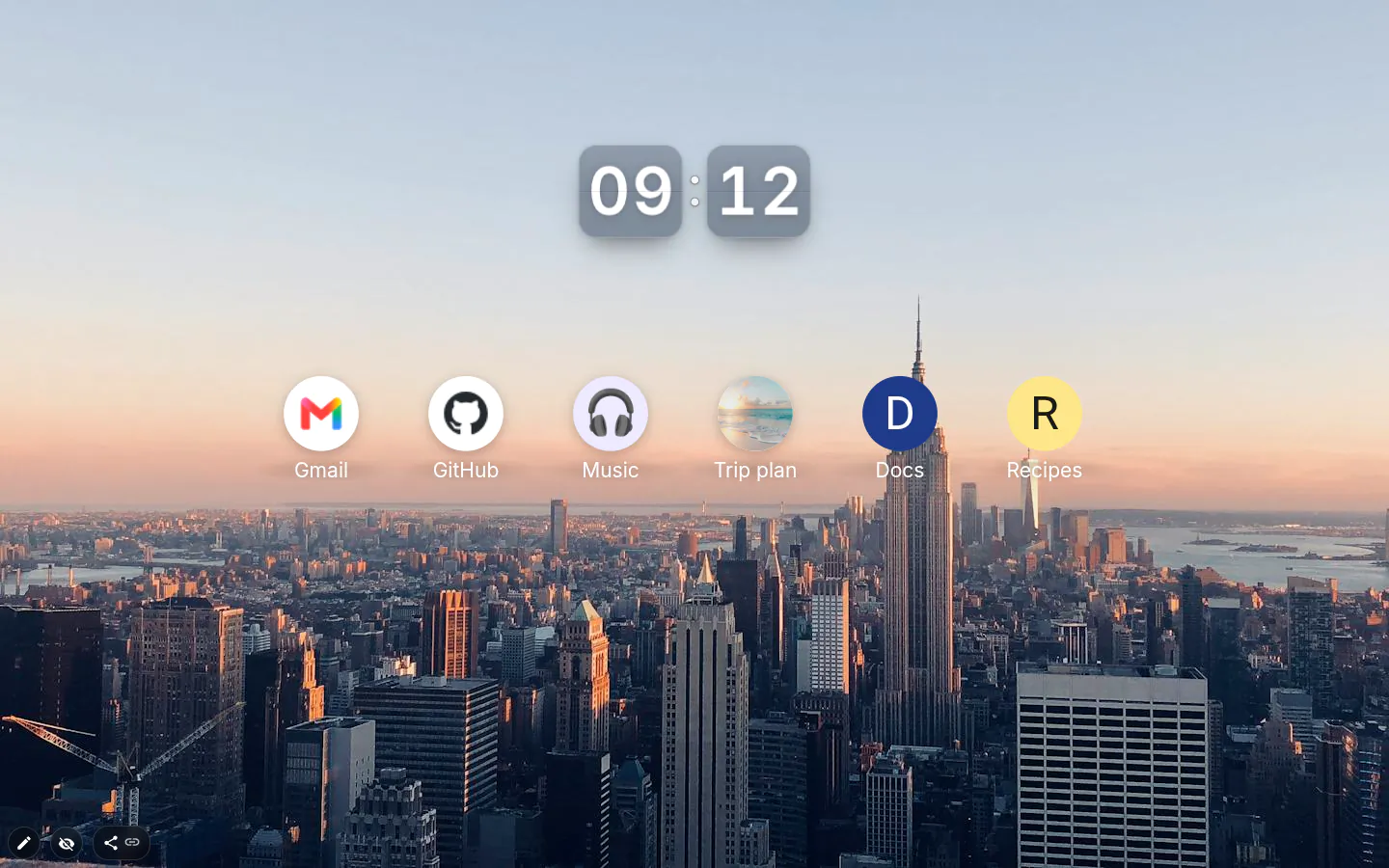
Where it sits is the point
Work on the left, personal on the right. The job you should be doing big and central; the site you drift to instead small and in a corner, where it can think about what it did.
A grid launcher can’t say any of that, because the grid picks the arrangement. Here the arrangement is yours.
Four kinds of icon
Site icon, Letter, Emoji or Image. A new link starts with the site’s icon on a white circle, and the settings window opens straight away, so you type the address and a label and you’re done.
Letters got smarter in 4.0 — give the circle any colour and the letter turns white on dark or near-black on light, no picking required. Site icons, emoji and pictures get a soft shadow, like app icons on a phone.
Your own picture is saved into the theme as a small 96×96 PNG, so it travels with a theme you share.
Colour, border and size
The label always sits under the circle, straight on the wallpaper. Text colour in the toolbox paints the label and the fill paints the circle; take the fill away and you lose the circle, not the label. The Border panel draws its outline on the circle itself.
There is no font size control here. Resize the widget and circle and label grow together, in fixed proportions.
A launcher on the free plan
Three hand-added widgets are free, so a free launcher is three links, or two links and a clock. Widgets that came with an installed theme do not count toward that. Want a wall of twelve? That’s PRO.
Any address works, deep links into one board or document included. Skip the http:// and it’s added for you. Links open in the tab you’re on.
Link settings
- Label
- Free text under the circle. A name, a letter or a verb like "Write".
- Url address
- Any address. Saved a moment after you stop typing, so the icon doesn’t flicker.
- Icon
- Letter, Site icon, Emoji or Image.
- Colours and border
- In the toolbox, in edit mode. Fill colours the circle, text colour the label.
- Size
- Resize the widget itself; the proportions stay locked.
What people use it for
- A launcher arranged by what matters, not by visit count.
- Deep links into a single board, document or dashboard.
- A local development server on a work workspace.
- One oversized button for today’s main job.
Put the link on your new tab
It comes with New Tab Studio. The extension is free to install and needs no account to start.
- 1Add New Tab Studio to Chrome
- 2Open a new tab, click the button at the bottom left
- 3Pick the widget, then drag it into place
Questions about the link widget
How do I add a website shortcut to my Chrome new tab?
On Chrome’s own new tab, pick My shortcuts under Customize Chrome → Shortcuts and use the Add shortcut tile, and the site joins the grid under the search box. To put a shortcut anywhere on the page instead, add a link widget in New Tab Studio. It’s one round button with a label, sitting exactly where you dropped it.
Can I use an emoji or my own picture as a shortcut icon?
Yes, a link widget has four icon types (the site’s icon, a letter, an emoji or an image of yours). Your own picture is saved into the theme as a small 96×96 PNG, so it travels with a theme you share. Letters turn white or near-black by themselves to stay readable on any circle colour.
Do link shortcuts open in a new tab?
No, a link widget opens its address in the tab you’re already on, since you opened that tab to go somewhere. Any address works, deep links into a single board or document included. Skip the http:// and it gets added for you.
How many link shortcuts can I add for free?
You can add three link shortcuts for free, because each link is its own widget and the free plan covers three placed by hand. Links that came with an installed theme don’t count, so a theme full of them stays free. Want a bigger launcher of your own? A Top sites widget fits up to 40 sites into one slot.
How is a link widget different from a bookmark?
A bookmark lives in Chrome and syncs wherever Chrome does, while a link widget lives at one spot on your new tab page and looks the way you styled it. Link widgets also go along when you share the theme. For your actual bookmarks on the page, there’s a separate Bookmarks widget.
Widgets that pair well with it
See the full widget catalogue or browse themes other people have built.