
A fact of the day on every Chrome new tab
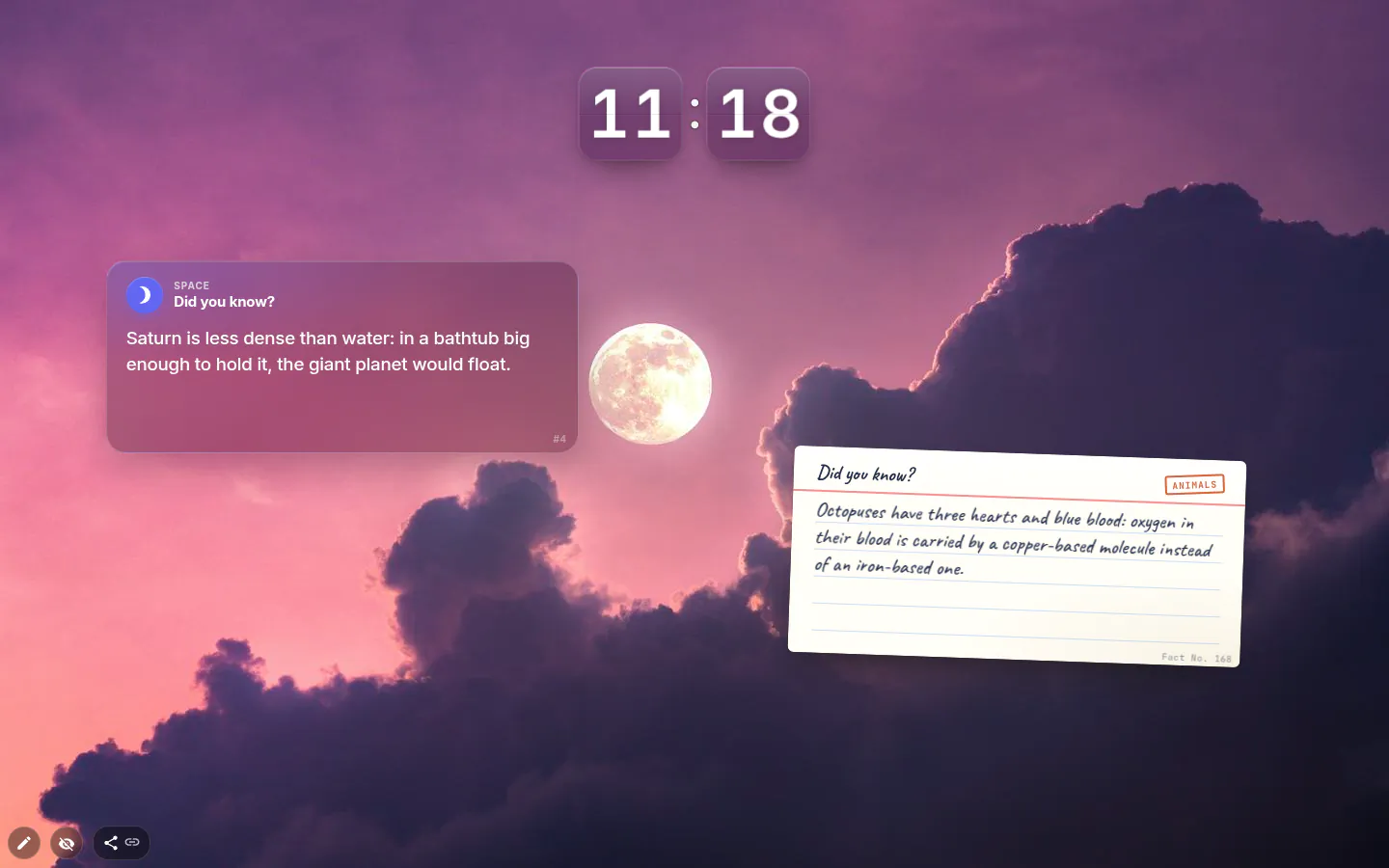
This widget gives you a fact of the day on your new tab, or a fresh one each time you open a tab if you can’t wait. It carries 1,000 interesting facts in English, sorted into 12 categories from space to food, and it doesn’t need the internet to show them.
How often it changes
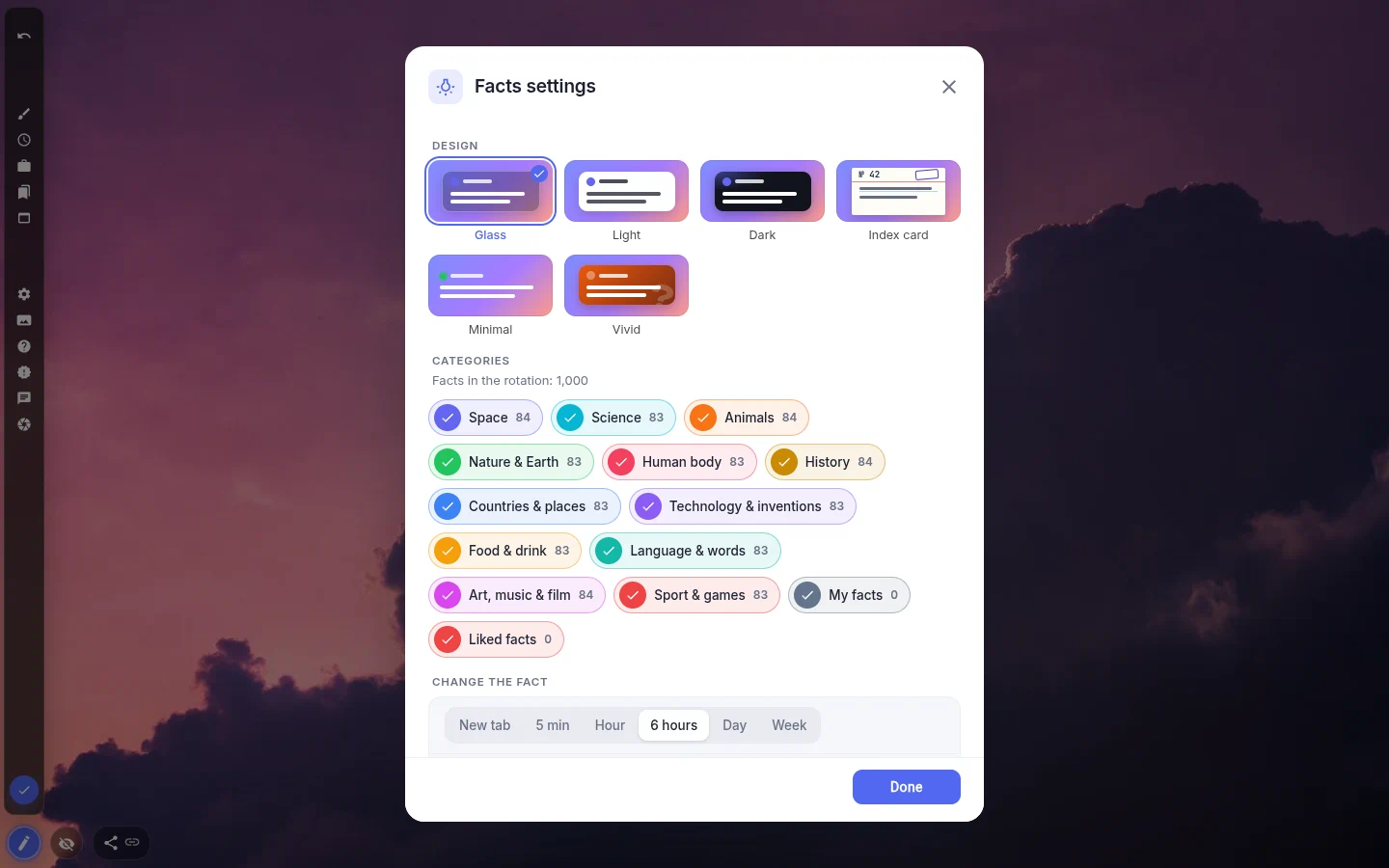
You choose the pace: every new tab, every 5 minutes, every hour, every 6 hours (the default), once a day or once a week. Set it to Day and it’s a proper fact of the day. Set it to New tab and it becomes a small slot machine you’ll pull more often than you’d admit.
The card has its own buttons: like, previous, next, pin and copy. Pin keeps a good one on screen until you let it go. Copy is for the fact you’re about to send to a friend.
What’s in there
Twelve categories, roughly 83 facts each in English: Space, Science, Animals, Nature & Earth, Human body, History, Countries & places, Technology & inventions, Food & drink, Language & words, Art, music & film, and Sport & games. Untick the ones you don’t care about and a counter shows how many facts are left in the rotation.
One honest note. Facts don’t come with a source attached, so if one sounds too good to be true, look it up before you repeat it at dinner.
Your own facts, and the ones you liked
My facts is a short editor for your own (add, change, delete). Keep them on their own and the widget becomes a rotating card of things you want to remember, from formulas to the birthdays you keep forgetting.
Liked facts collects everything you’ve hearted, shared by all the facts widgets on your page and kept apart from liked quotes. And if you run two facts widgets side by side, each gets its own order, so they don’t keep showing the same thing.
Languages
Facts follow the language of the extension. English and Russian have the full thousand. German, Spanish, French, Italian, Portuguese, Turkish, Japanese and Chinese have 200 each, the first ones from every category, and the same fact has the same number in every language.
If a language pack fails to load for some reason, the widget falls back to English rather than showing an empty card.
Six looks
Glass is the default. The others are Light, Dark, Index card (handwritten, like a revision card), Minimal and Vivid. Text size goes from Small to Extra large, and the “Did you know?” label and the category name can each be hidden.
Not to be confused with the Interesting fact tile in the IFrame group, which loads a web page from another site. This one lives inside the extension.
Interesting Facts settings
- Design
- Glass, Light, Dark, Index card, Minimal or Vivid.
- Categories
- Twelve topics plus My facts and Liked facts, with a live count of what’s in the rotation.
- Change the fact
- New tab, 5 min, Hour, 6 hours, Day or Week. Six hours unless you change it.
- Pin the current fact
- Stops the rotation on the fact you’re looking at.
- Text size
- Small, Medium, Large or Extra large, on top of the size the design sets.
- Show the “Did you know?” label and the category
- Two switches, both on by default.
What people use it for
- A classroom or family computer where kids open tabs all day.
- Something small to read while a slow page loads.
- Your own facts as flashcards without the flashcard ceremony.
- Trivia-night warm-up, one tab at a time.
Put the interesting facts on your new tab
It comes with New Tab Studio. The extension is free to install and needs no account to start.
- 1Add New Tab Studio to Chrome
- 2Open a new tab, click the button at the bottom left
- 3Pick the widget, then drag it into place
Questions about the interesting facts widget
Is there a Chrome extension that shows a fun fact on every new tab?
Yes, New Tab Studio has a facts widget that shows a fun fact on every new tab, or once a day if you’d rather have a proper fact of the day. In English it carries 1,000 facts across 12 categories, from space to food. Look for it as 1000 interesting facts in the Common group of the widget menu.
What is a fun fact of the day?
A fun fact of the day is one short, surprising and true thing to learn each day. Here’s one from the widget’s Animals category. Resting sea otters often wrap themselves in long strands of kelp so they don’t drift away while they sleep. Set Change the fact to Day and the widget picks a new one every day.
Is the fact of the day widget free?
Yes, the fact of the day widget is free with nothing held back, so all 12 categories, all six designs, My facts and Liked facts work on the free plan. The widget only counts toward that plan’s limit of three widgets you add yourself; anything installed with a theme isn’t counted.
Does the facts widget need the internet?
No, the facts widget works offline, since every fact ships inside the extension and the widget makes no network requests. It asks for no permissions either. A plane, a train with patchy Wi-Fi or a laptop in airplane mode all get their next fact right on time.
Are there 1,000 facts in every language?
No, the facts widget has the full 1,000 facts only in English and Russian. German, Spanish, French, Italian, Portuguese, Turkish, Japanese and Chinese have 200 each, the first ones from every category, and the widget follows the language of the extension. If a language pack fails to load, it falls back to English.
Widgets that pair well with it
See the full widget catalogue or browse themes other people have built.