
A daily chess puzzle on your Chrome new tab
This widget puts the lichess daily chess puzzle on your new tab and lets you solve it on its own board. No site to open, no account to create. Crack it, ask for the next one, or leave it for later and pretend you were working.
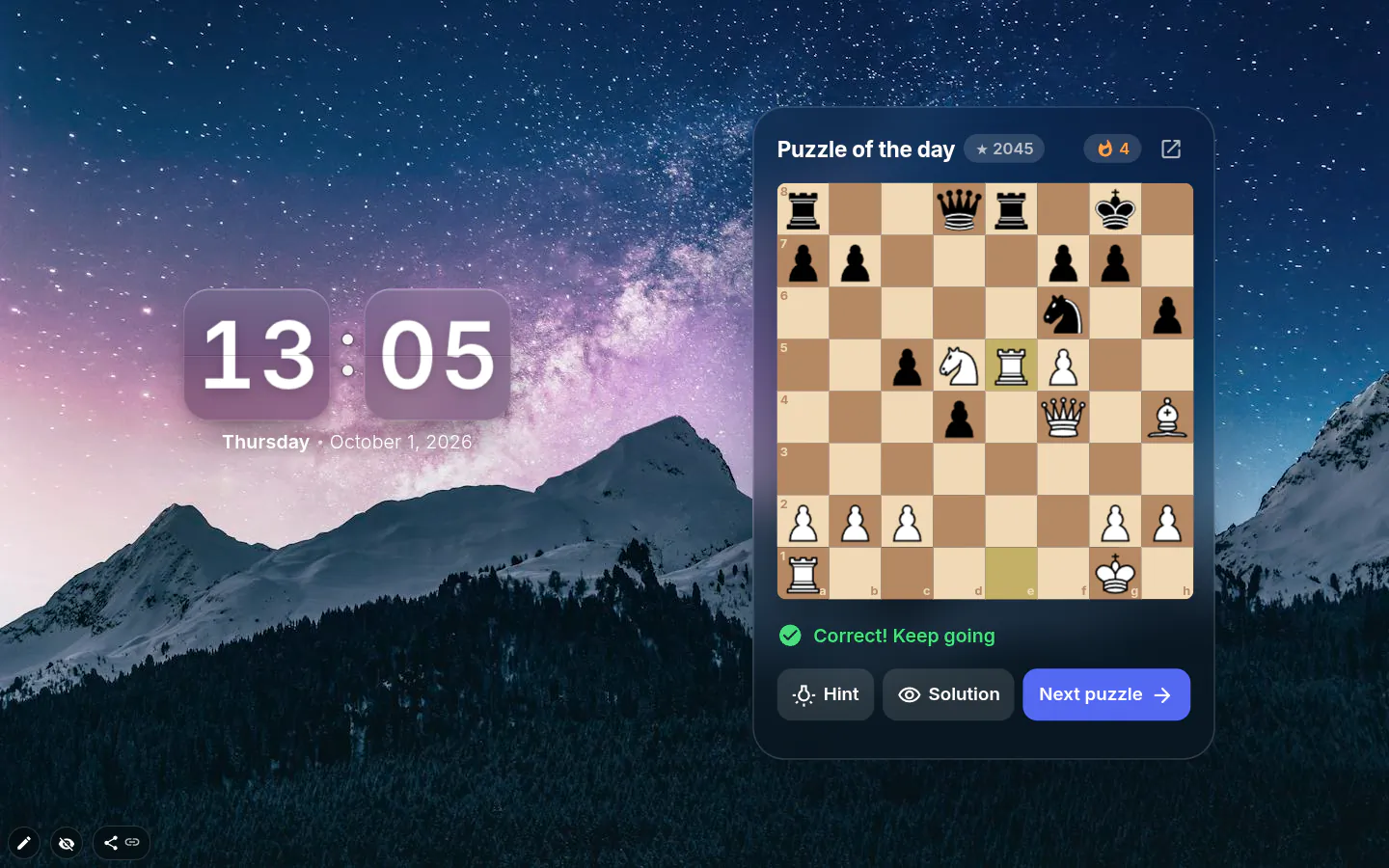
How it plays
The first puzzle of the day is the lichess puzzle of the day, with the board turned to your side. Move by dragging a piece or by clicking the piece and then the square. The opponent’s reply plays itself.
A wrong move gets “Not the best move. Try again”, and you can keep trying. A move counts if it matches the solution or if it mates on the spot, the same rule lichess uses. Stuck? Hint lights up the square of the piece that should move, and Solution shows the answer. After that it’s Retry or Next puzzle.
Difficulty and puzzle types
Five levels, from Easiest to Hardest. They apply to the puzzles after the daily one, which is the same for everybody. Puzzle type narrows things down further: Any, Mate in 1, Mate in 2, Mate in 3, Endgame, Opening, or Short for two-move puzzles when you have thirty seconds between meetings.
The theme of a puzzle (Fork, Pin, Back rank mate and so on) only appears after you solve it. Show it earlier and it would give the answer away.
Streaks, counted honestly
Solve one cleanly and your streak goes up. Solve it after a mistake or with a hint and you get “Solved with a mistake” or “Solved with a hint”, and the streak goes back to zero. Showing the solution resets it too. Settings keep your totals, puzzles solved and best streak.
A detail for people east of Greenwich. The lichess daily puzzle changes at midnight UTC, so right after your local midnight you might see yesterday’s again. The widget won’t count it twice.
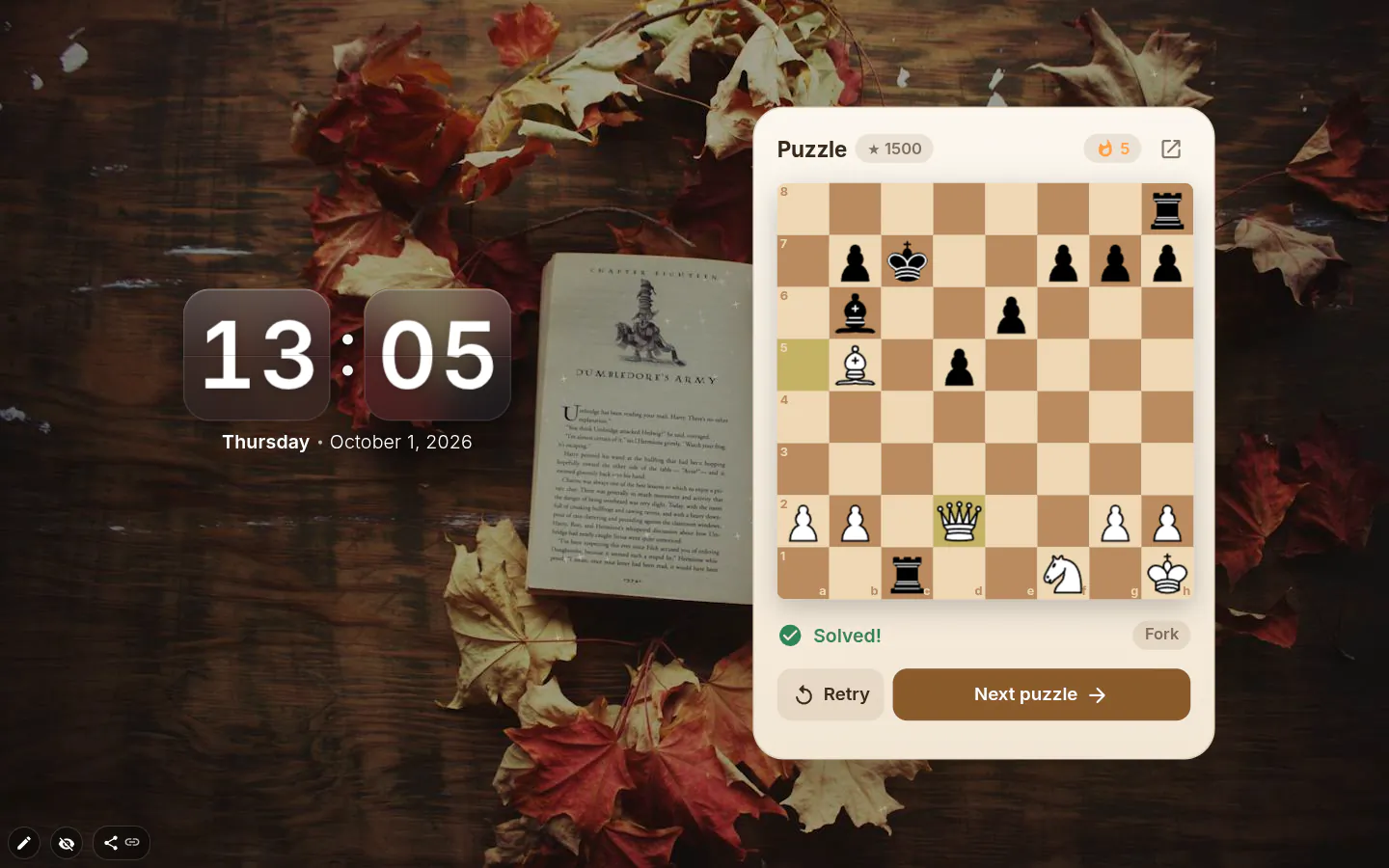
Where the puzzles come from
Every puzzle comes from lichess.org’s public puzzle service, which needs no key and no login. The widget sends no cookies with those requests. There’s no puzzle collection inside the extension, so a new puzzle needs a connection; the one you’re on is saved and still shows offline.
Moves are checked by the widget’s own chess engine, which knows castling, en passant, promotion, check and mate. An illegal move simply doesn’t happen.
What it doesn’t do
It’s puzzles only. You cannot play a full game here. Progress inside a puzzle isn’t saved, so closing the tab halfway through means starting again. When a pawn promotes, the widget picks the piece from the solution instead of asking you. And it’s silent, with no move sounds at all.
Chess Puzzle settings
- Design
- Glass, Wood, Light or Midnight. Glass is what a new widget starts with.
- Difficulty
- Easiest, Easier, Normal, Harder or Hardest. Normal by default; the daily puzzle ignores it.
- Puzzle type
- Any, Mate in 1, Mate in 2, Mate in 3, Endgame, Opening or Short (2 moves).
- Start each day with the puzzle of the day
- On by default. Switch it off to go straight to puzzles at your level.
- Show coordinates
- Letters and numbers around the board. Useful when you’re learning notation.
What people use it for
- The daily puzzle as a five-minute warm-up before work.
- Mate in 1 and Mate in 2 on a kid’s computer while they learn.
- Endgame drills, one position per new tab.
- A short brain break between pomodoros.
Put the chess puzzle on your new tab
It comes with New Tab Studio. The extension is free to install and needs no account to start.
- 1Add New Tab Studio to Chrome
- 2Open a new tab, click the button at the bottom left
- 3Pick the widget, then drag it into place
Questions about the chess puzzle widget
Is there a Chrome extension with a daily chess puzzle?
Yes, New Tab Studio’s Chess puzzle widget puts the lichess puzzle of the day on your Chrome new tab and lets you solve it on its own board, with no account. After the daily one you get more at your chosen level, with Hint and Solution for when you’re stuck. Lichess.org and Chess.com also post a daily puzzle on their own sites.
Which chess puzzles are best for improving?
The chess puzzles that teach most are a little above your comfort level and get solved all the way through before you check the answer. Short tactics — forks, pins, mates in one or two — build pattern recognition, and endgames teach technique. The widget has five difficulty levels and types from Mate in 1 to Endgame, and it names the theme only after you solve.
Do I need a lichess account?
You don’t need a lichess account, because the Chess puzzle widget uses lichess.org’s public puzzle service without signing in and sends no cookies with those requests. That also means solving here doesn’t move your lichess rating. The widget keeps its own score instead, puzzles solved and best streak, and a hint or a mistake resets the streak.
Does the chess puzzle work offline?
The Chess puzzle widget works offline only for the puzzle you’re on, which is saved with the widget. There’s no puzzle collection inside the extension, so the next one waits for a connection to lichess.org. Progress inside a puzzle isn’t saved either, and closing the tab halfway means starting that puzzle again.
Is the chess puzzle widget free?
Yes, the chess puzzle widget is free, every difficulty level and all four board designs included, and lichess doesn’t charge for its puzzles either. On the free plan it does occupy one of your three self-added widgets, the same as a clock or a note would.
Widgets that pair well with it
See the full widget catalogue or browse themes other people have built.