
Daily focus, one intention for the day on every new tab
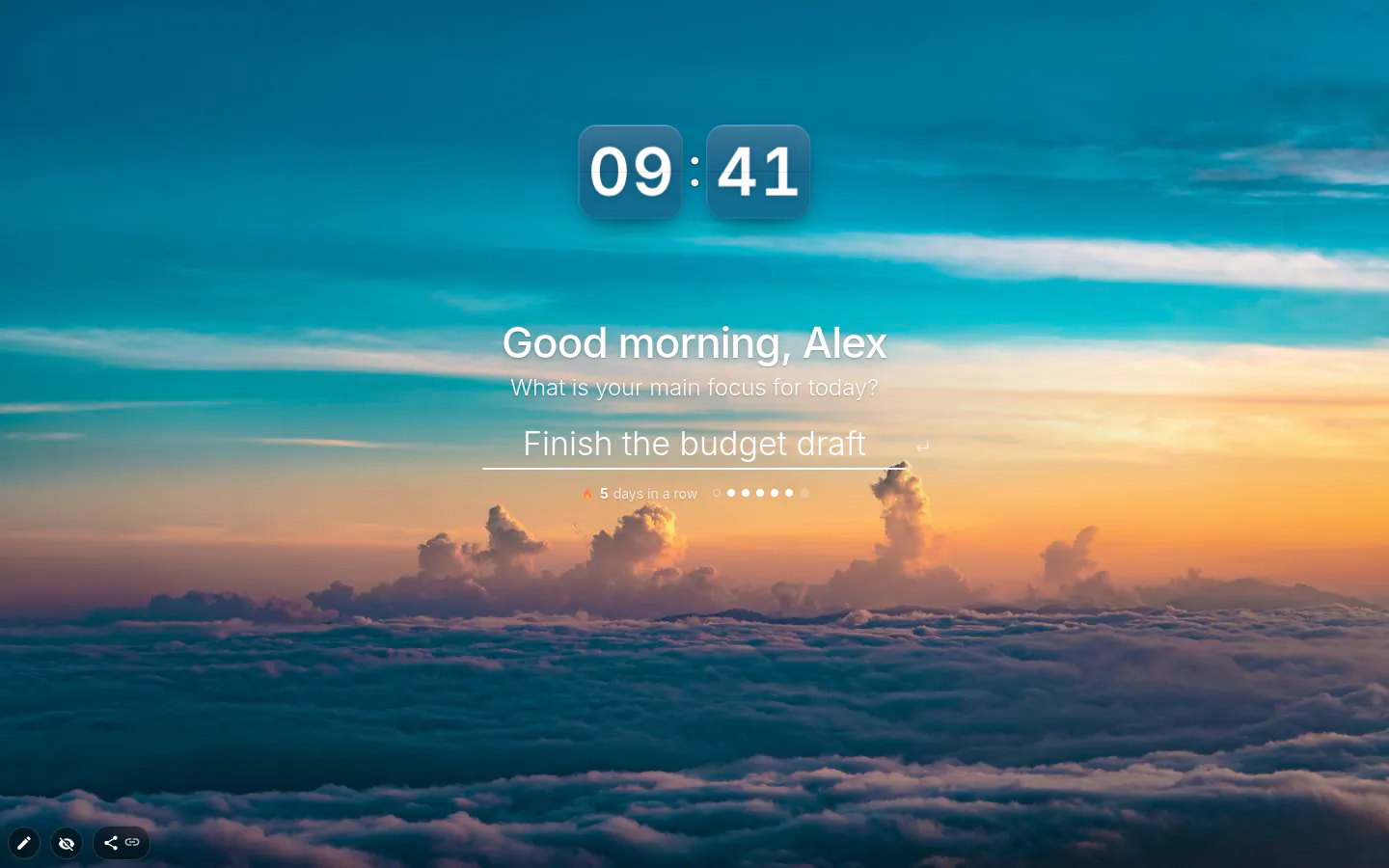
Daily focus asks a single question when you open a new tab: what’s your main focus for today? Type your intention for the day, press Enter, and it stays in front of you on every tab until you tick it off. One line, not a to-do list. There’s room for exactly one thing, and that’s what makes it useful.
Why one intention beats a list
A list of twelve tasks tells you everything and ranks nothing. Setting one intention for the day forces the choice you’ve been dodging. Out of all of it, what would make today count? You answer once in the morning, and the tab asks again every time you drift off to check something.
Make it concrete. “Finish the budget draft” works, “be productive” doesn’t. “Call the landlord before noon” beats “sort out the flat”. If you can’t tell at six in the evening whether you did it, it was a mood rather than a focus.
Ticking it off, and keeping a streak
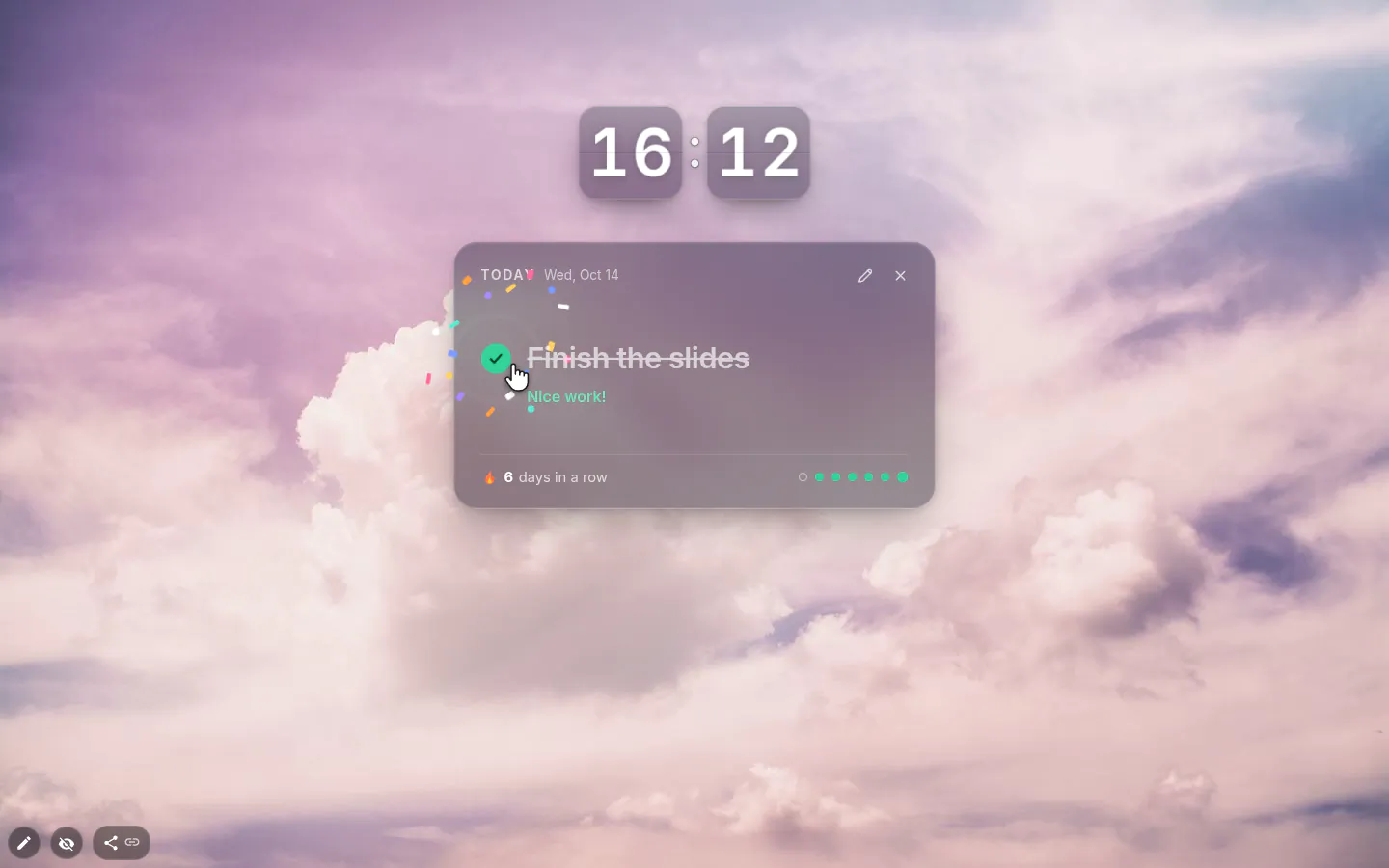
When it’s done, hit the round Mark as done button. You get a small burst of confetti and a “Nice work!” or a “Well done!”. It’s silly, and it still feels good at the end of a long day.
Finished days add up to a streak, and a row of dots shows the last seven days at a glance. The streak holds while your last finished day is today or yesterday. Miss a whole day and it starts again from one.
What happens at midnight
Nothing gets wiped. The widget notices the date has changed and asks the question again, and yesterday stays in the history. The greeting follows the clock as well. Good morning until noon, good afternoon until six, good evening until eleven, and after that it says hello to the night owl.
If yesterday’s focus didn’t get done, it offers to carry it over. It looks back up to three days, so a Friday job you didn’t finish turns up again on Monday instead of disappearing over the weekend. Say “No, thanks” and you start fresh.
Five designs, from quiet to loud
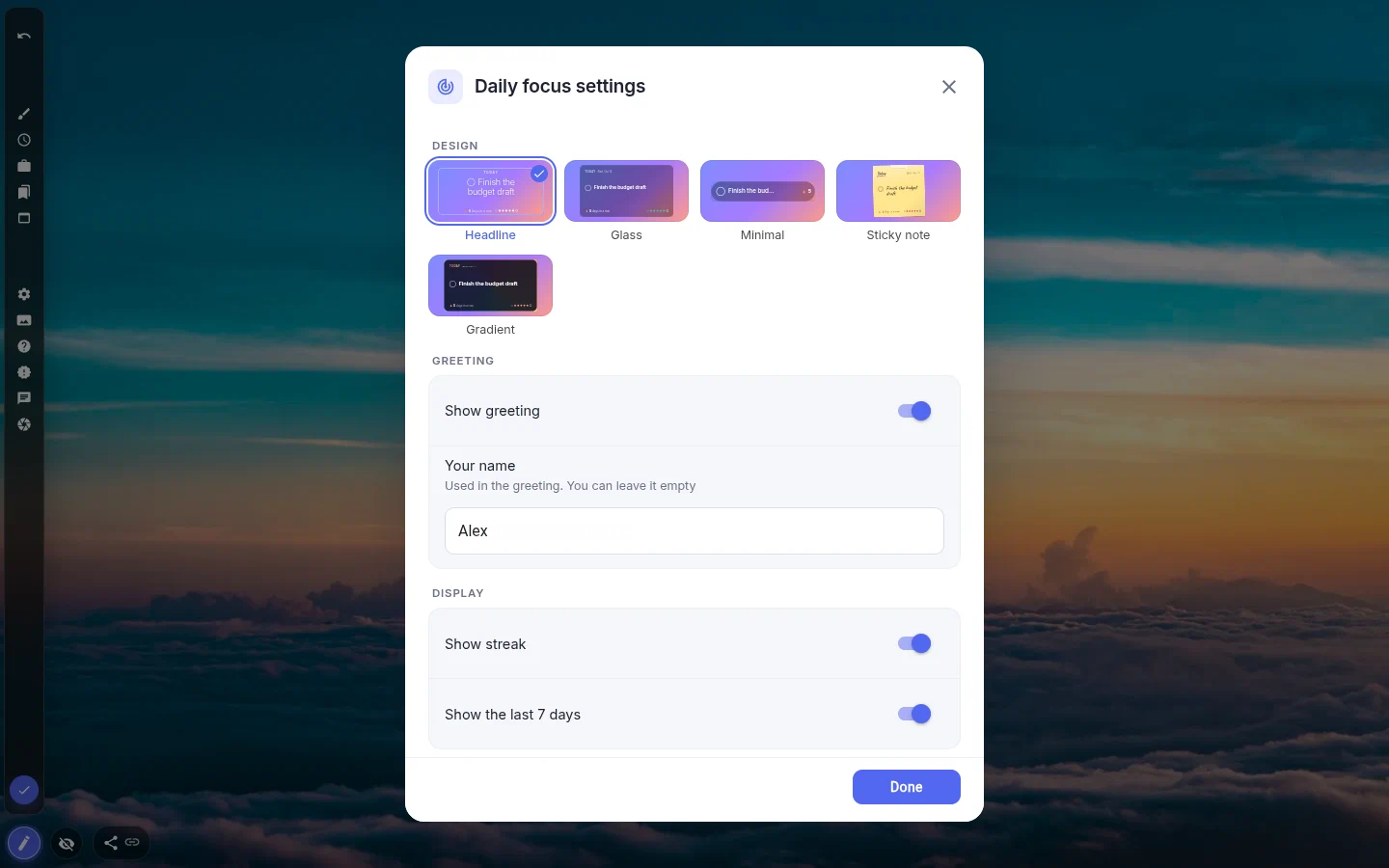
Headline, the default, writes your focus in big thin letters straight onto the wallpaper with no card behind it. Glass sets it on a see-through card. Minimal squeezes everything into a single line, for people who want a reminder rather than a banner. Sticky note is handwritten on yellow, and Gradient is the one you can’t miss.
On a light, plain background the text turns dark by itself. You don’t have to fiddle with colours to make it readable.
What it won’t do
It will not nag. There are no reminders and no notifications; it only shows up when you open a tab, which for most people is plenty. It doesn’t talk to your task list or habit tracker either. It’s a separate widget with its own memory, and that memory goes back 30 days.
Publishing your page as a theme is safe. Your name and your past focuses are stripped out, so whoever installs it gets their own blank question.
Daily Focus settings
- Design
- Headline, Glass, Minimal, Sticky note or Gradient. Minimal is one line, so it drops the greeting and the week of dots.
- Show greeting and Your name
- The first time, it asks what to call you, and Skip is fine. The name only appears in the greeting.
- Show streak
- The count of finished days in a row. On by default.
- Show the last 7 days
- A dot per day, so a patchy week is obvious at a glance.
- Offer to carry over an unfinished focus
- Brings back the last unfinished focus from up to three days ago. Turn it off if you’d rather every day start blank.
- Clear history
- Deletes the streak and past days. Ctrl+Z brings them back if you clicked it by accident.
What people use it for
- Deep-work days with one deliverable and nothing else on the tab.
- Exam season, with one topic per day instead of the whole syllabus.
- Freelancing, where today’s focus is simply today’s client.
- A morning intention habit without a separate journaling app.
- Next to a pomodoro timer, so the timer knows what it’s timing.
Put the daily focus on your new tab
It comes with New Tab Studio. The extension is free to install and needs no account to start.
- 1Add New Tab Studio to Chrome
- 2Open a new tab, click the button at the bottom left
- 3Pick the widget, then drag it into place
Questions about the daily focus widget
How can I set an intention for the day and keep it visible?
Write one short, concrete intention in the morning and put it where your eyes land many times a day, like a sticky note on the monitor or your browser’s new tab. On the new tab, Daily focus asks “What is your main focus for today?”, saves your answer when you press Enter and shows it on every tab until you mark it done.
What are examples of intentions for the day?
Intentions for the day can be tasks or attitudes, as long as you’ll know by evening whether you kept them, like “Send the proposal before lunch”, “Two hours on chapter three, phone in another room” or “Listen more than I talk at the 3 pm meeting”. “Be productive” is too vague to tick off. Daily focus holds up to 120 characters, enough for one clear sentence.
Is there a Chrome extension for ADHD and focus?
There’s no Chrome extension for ADHD as such, but several help with focus in different ways, from site blockers that cut off distractions to timers and new tab pages that keep one priority in view. Some people with ADHD find a single visible task easier to act on than a long list. New Tab Studio’s Daily focus works that way, showing one focus on every new tab until it’s done.
Is the Daily focus widget free?
Yes, Daily focus is free, including all five designs, the streak and the carry-over. Your page can hold three widgets of your own on the free plan, and this would be one of them. It never goes online either, so your focus, your streak and your name stay in this browser.
Can I set more than one focus a day?
No, Daily focus holds one focus per day, because a second one would turn it back into a list. If you need a list as well, put a to-do list next to it and keep the focus for the item that matters most. There are no reminders or notifications; it shows up whenever you open a tab.
Widgets that pair well with it
See the full widget catalogue or browse themes other people have built.