
Flash cards with spaced repetition on your new tab
Flashcards as a Chrome extension widget, on the page you open all day anyway. Spaced repetition works; what kills it is opening a separate app every single day. Here the next card is already waiting, face up, whenever you open a tab.
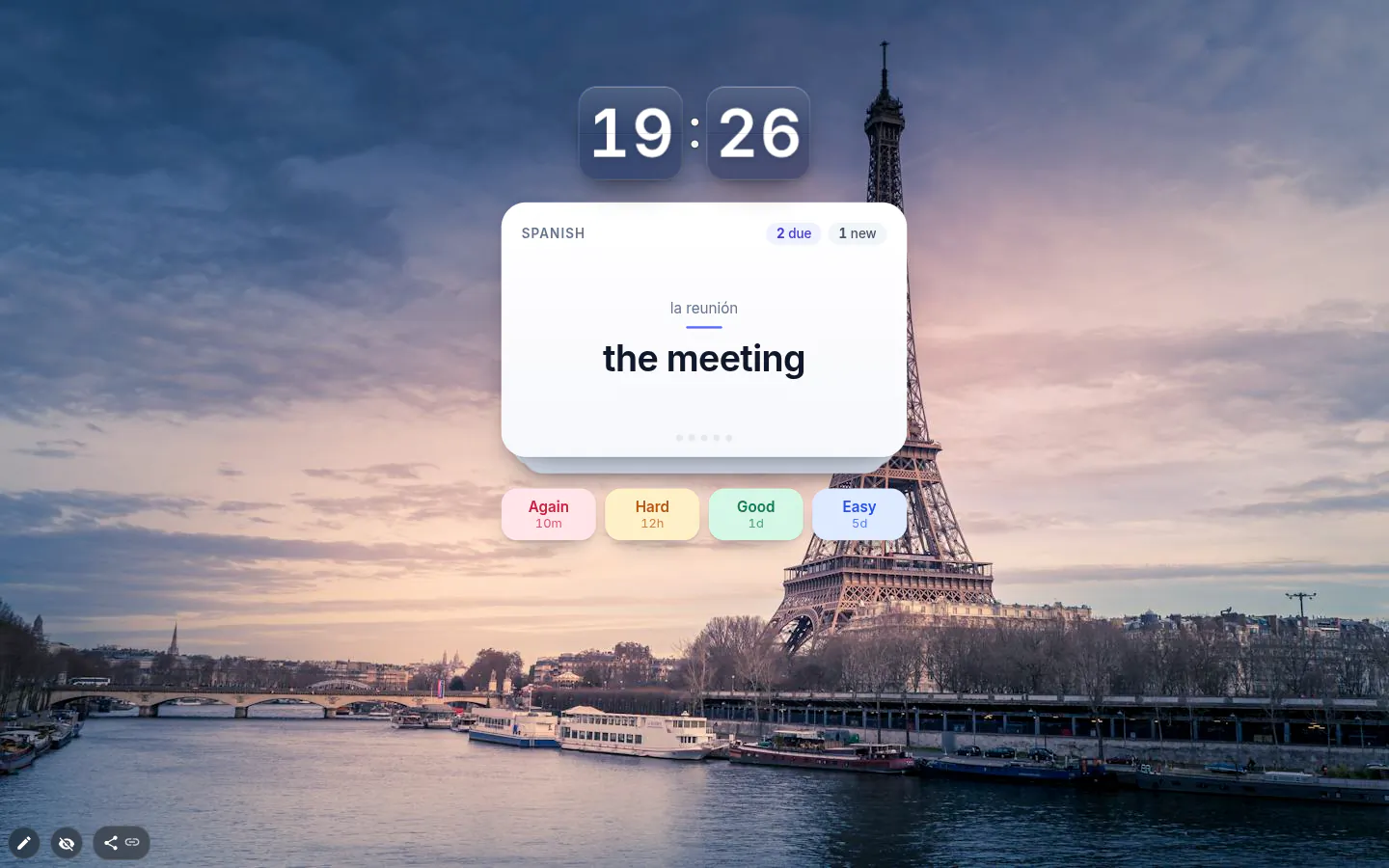
Four grades, not right or wrong
Flip a card and grade yourself with Again, Hard, Good or Easy. Each button is labelled with the wait it will set, so you see the consequence before you press.
Again sends the card back to the very first box and shows it once more in ten minutes. Hard keeps it in the same box (box one at the lowest) and halves the wait. Good moves it up a box; Easy jumps two and makes the wait half as long again.
Space or Enter turns the card over and keys 1 to 4 grade it, as long as the pointer is over the widget.
Leitner boxes you can see into
There are six boxes with waits of 0, 1, 3, 7, 14 and 30 days. Box zero is for new cards and anything you just failed. From box four, the fortnight, a card counts as learned, and the card list in the settings shows which box each one is in.
The boxes are fixed, and only your grade stretches or shrinks the wait. So when a card keeps coming back you know why, and the fix is usually to rewrite it. A card you keep failing tends to be a badly written card, not a hard fact.
A cap on new cards
New cards per day is ten by default, adjustable from 1 to 100. Keep it low — sixty cards added in one keen evening with no cap turn into a week of enormous review sessions, and that’s how decks get abandoned.
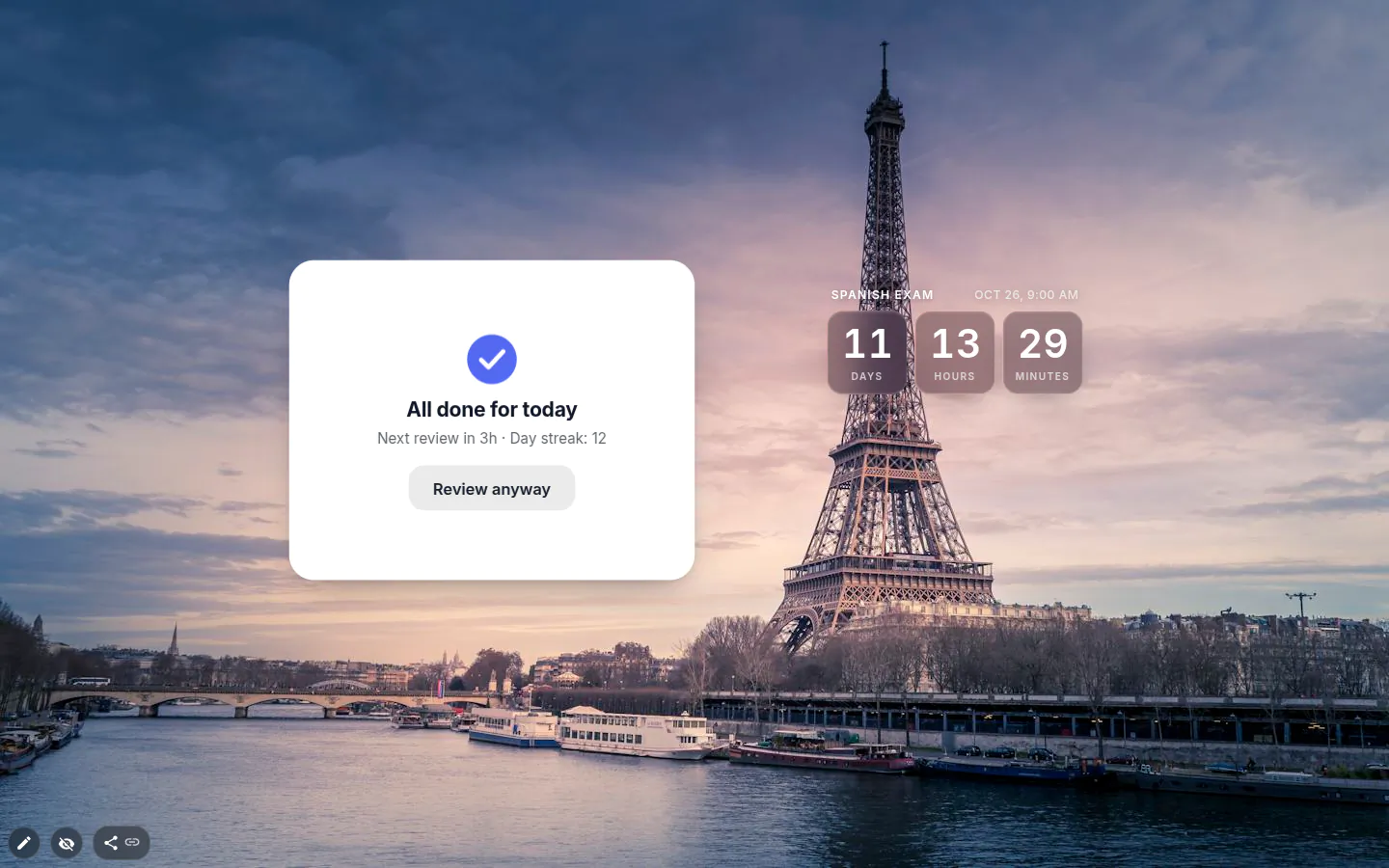
The newer designs keep score where you’ll see it, with chips for how many cards are due and how many are new, plus a progress bar for today. Clear the lot and it says "All done for today", tells you when the next review is, shows your day streak once it reaches two, and offers Review anyway if you’re on a roll.
Building and sharing a deck
Add cards one at a time, Front and Back, or paste a list into Bulk import. One card per line, split by a semicolon, a vertical bar, a tab or a spaced dash. Rows copied out of a spreadsheet arrive as cards, and fronts already in the deck are skipped.
The deck and its progress are stored in the widget. No account, no Anki or Quizlet sync, and an exported or published theme carries the whole deck, boxes and streak included. Press Reset progress before you share a vocabulary deck; the boxes go back to zero and the statistics stay.
Flash cards joined the extension in version 4.0 with six designs, Classic, Flip card, Glass, Index card, Neon and Minimal. A new deck starts as Flip card, which turns over when you reveal the answer, and every design but Classic takes an accent colour.
Flash Cards settings
- Design
- Classic, Flip card, Glass, Index card, Neon or Minimal. New decks start as Flip card.
- Deck name and cards
- Front and back for each card, with its current box shown in the list. Deleting has an Undo.
- Bulk import
- One card per line, front and back split by ; or | or a tab or " - ". Repeated fronts are skipped.
- New cards per day
- Ten by default, from 1 to 100. The setting that decides whether the deck survives.
- Shuffle
- On by default, so you learn the card and not its place in the queue.
- Show the back side first
- Recall the other way round. See the meaning, produce the word.
- Progress
- Cards, Learned, Reviews and Day streak. Reset progress clears the boxes and keeps the statistics.
What people use it for
- Vocabulary for a new language, ten new words a day.
- Exam revision next to a countdown to the exam.
- Terminology for a new job or course.
- A class deck published as a theme for everyone to install.
Put the flash cards on your new tab
It comes with New Tab Studio. The extension is free to install and needs no account to start.
- 1Add New Tab Studio to Chrome
- 2Open a new tab, click the button at the bottom left
- 3Pick the widget, then drag it into place
Questions about the flash cards widget
Is there a free flashcard extension with spaced repetition?
Yes, the Flash cards widget in New Tab Studio is a free flashcard extension with spaced repetition, built on Leitner boxes that bring a card back after 1, 3, 7, 14 or 30 days. The cards wait on your new tab, so reviewing doesn’t mean opening an app. A deck has no card limit and takes up a single free widget slot.
How does the Leitner system work?
The Leitner system sorts flashcards into numbered boxes, moving a card you know into a box you review less often and a card you miss back to the first one. Shaky cards come up daily, solid ones rarely. Here there are six boxes with waits of 0, 1, 3, 7, 14 and 30 days, and a card counts as learned from the 14-day box.
What happens when I get a card wrong?
In the Flash cards widget, a card you get wrong goes back to box zero when you press Again, and it returns in ten minutes. If you nearly had it, Hard is the kinder grade, keeping the card in its box at half the wait. Every button shows the wait it will set, so you see the consequence before you press.
Can I import cards from Anki or Quizlet?
There’s no Anki or Quizlet sync, but Bulk import takes plain lines of text, one card per line, with front and back split by a semicolon, a vertical bar, a tab or a spaced dash. Rows copied out of a spreadsheet arrive as cards, and fronts already in the deck are skipped.
Will my deck follow me to another computer?
A flash card deck won’t follow you to another computer on its own, since the widget has no account and no sync. Export your page or publish it as a theme, install that on the other machine, and the deck arrives with its boxes, due dates and streak. Sharing a class deck? Press Reset progress first, which sends every card back to box zero and keeps the statistics.
Widgets that pair well with it
See the full widget catalogue or browse themes other people have built.