
Day countdown: days to go, on a calendar page
A day countdown puts one thing up front, the number of days, and adds the time as a clock. The main countdown lets you juggle units. This one doesn’t bother, because the days are what most people read anyway.
Why a second countdown exists
Hand people eight unit switches and they turn most of them on. Then the widget is six numbers wide and they read one of them each morning. This version makes the call for you: days first, then the time as a clock.
The one thing you can switch is Show seconds, in the new designs. The rest is about how it looks.
The calendar page design
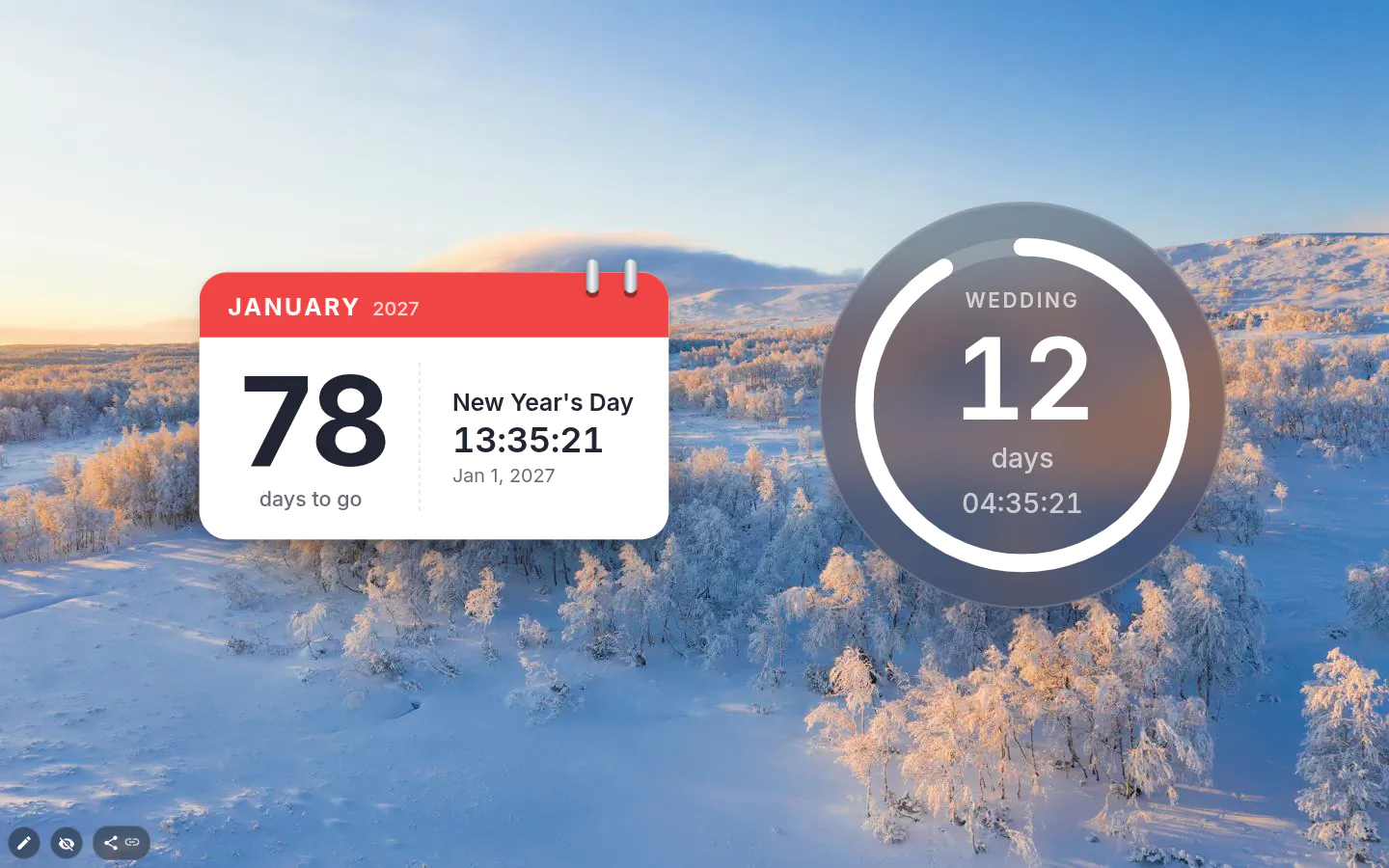
New day countdowns open in Calendar page, a design no other widget has. It’s a little tear-off sheet, with the target month and year across the top, the number of days huge in the middle over “days to go”, then the time and the title. When the number drops, the page turns over.
Ring is worth a look too. One big ring fills as the period runs out, with the days and time inside. Cards, Bold, Minimal and Poster come from the main countdown, and Classic is the old block, which is where your existing day countdowns stay.
Upright or on its side
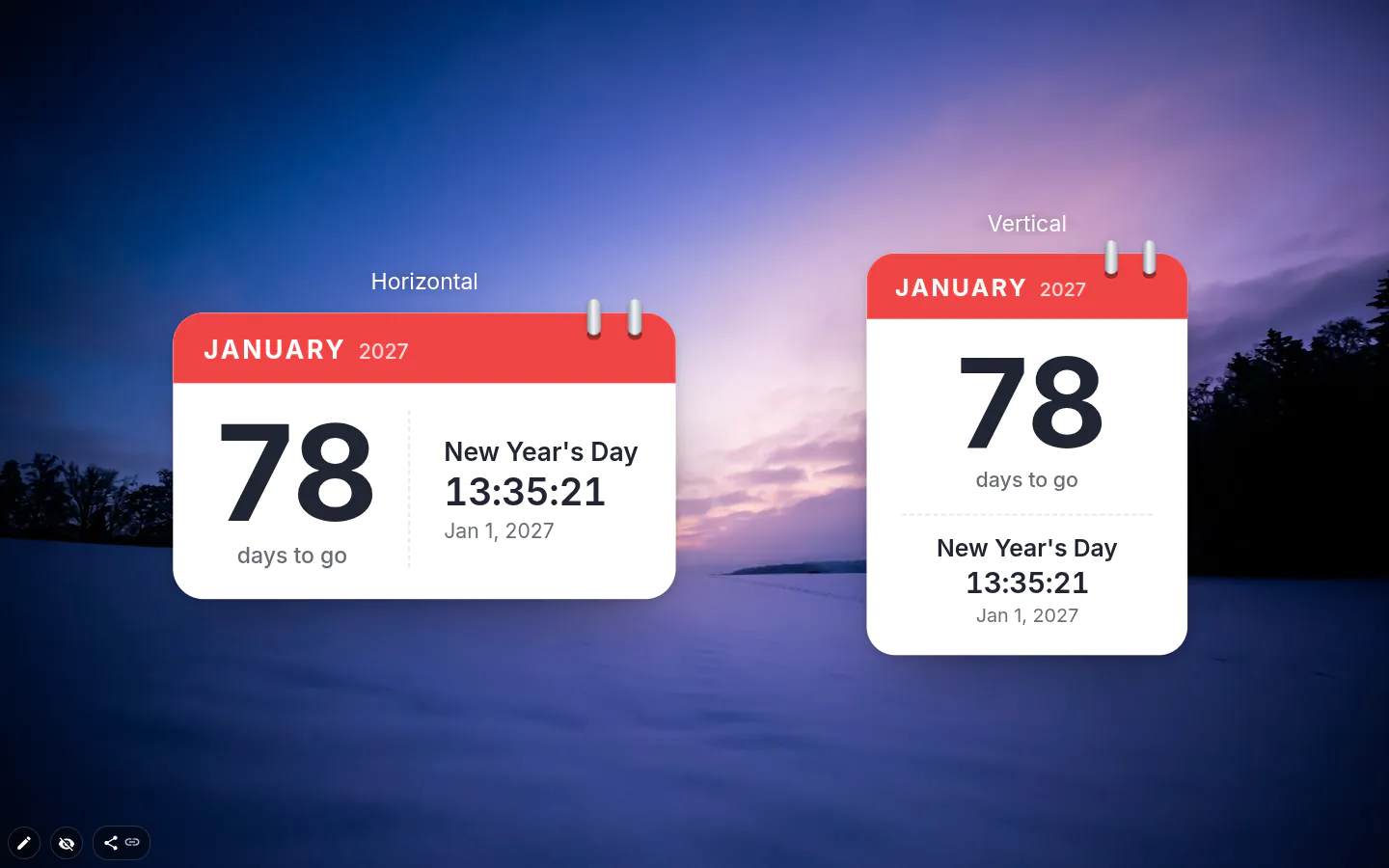
Horizontal is a strip that tucks under a heading without pushing the page down. Vertical is a block that anchors a column next to a list. Switch it in settings or with the toolbox button.
Pick the one that fits the gap you have, not the one that looks nicer on its own. And if you hide the target date, the widget no longer leaves an empty band where the date used to be.
Holidays and weekdays
Choose Holiday instead of a date and pick from the same 23 the main countdown has: Christmas, Diwali, Easter, Ramadan, Chinese New Year and the rest. It always aims at the next one, so a Christmas countdown set in December is still right the following December.
Weekdays only drops Saturdays and Sundays. Perfect for a hand-in date, grim for anything fun. Nobody wants to know how many working days are left before their flight.
Day Countdown settings
- Count down to
- Custom date, or Holiday with the title filled in for you.
- Design
- Classic, Cards, Calendar page, Bold, Ring, Minimal, Poster. Calendar page is the default for new ones.
- Show seconds
- New designs only, on by default. The single unit switch this widget has.
- Show target date
- Under the digits in Classic, as a caption or on the page in the others.
- Weekdays only
- Skips weekends. Public holidays still count as days.
- Layout
- Horizontal strip or vertical block.
- Title and Accent color
- A label above the count and one of eight accents, both in the new designs.
What people use it for
- A Christmas countdown on a calendar page, set once.
- A wedding date inside a Ring.
- A hand-in date in weekdays, above a task list.
- A vertical block down the side of a dashboard page.
Put the day countdown on your new tab
It comes with New Tab Studio. The extension is free to install and needs no account to start.
- 1Add New Tab Studio to Chrome
- 2Open a new tab, click the button at the bottom left
- 3Pick the widget, then drag it into place
Questions about the day countdown widget
Can I see how many days are left on my screen?
Yes, a day countdown on the Chrome new tab shows the days left every time you open a tab. New Tab Studio’s version opens as a small calendar page with the number huge over “days to go”, and the page turns over each time the number drops. Count to any date or to one of 23 holidays.
Is there a Christmas countdown widget?
Yes, the day countdown has Christmas among its 23 holidays, next to Diwali, Easter, Ramadan and Chinese New Year. Choose Holiday rather than a date, pick Christmas, and the title fills itself in. It always aims at the next one, so a countdown set this December is still right the December after.
How is the day countdown different from the main countdown?
The day countdown shows days plus a clock and has the Calendar page design, while the main countdown lets you choose units and repeat a date. The only unit switch here is Show seconds. A holiday still moves on to next year by itself, which covers most of what people want from repeats.
What happens when the day comes?
When a day countdown reaches its date, Classic sits at zeros and the new designs switch to “Countdown is over!”. If the tab is open at that moment, confetti flies for a couple of seconds. It won’t beep or pop up a notification, so set a phone reminder for anything you mustn’t miss.
Does the day countdown need PRO?
No, nothing in the day countdown sits behind PRO, including holidays, Weekdays only and all seven designs. Like any widget, it takes up one of the three free widget places, even when it came inside an installed theme.
Widgets that pair well with it
See the full widget catalogue or browse themes other people have built.